To really get a handle on scanning for malware in your applications and IoT devices, the first thing to realise is why you’re doing it. This isn’t just a technical chore to tick off a list. It’s about protecting your market access, securing your supply chain, and staying on the right side of tough regulations like the EU’s Cyber Resilience Act (CRA). A smart, proactive scanning strategy is the bedrock of any serious compliance and security plan.
Why Proactive Malware Scanning Is a Business Imperative
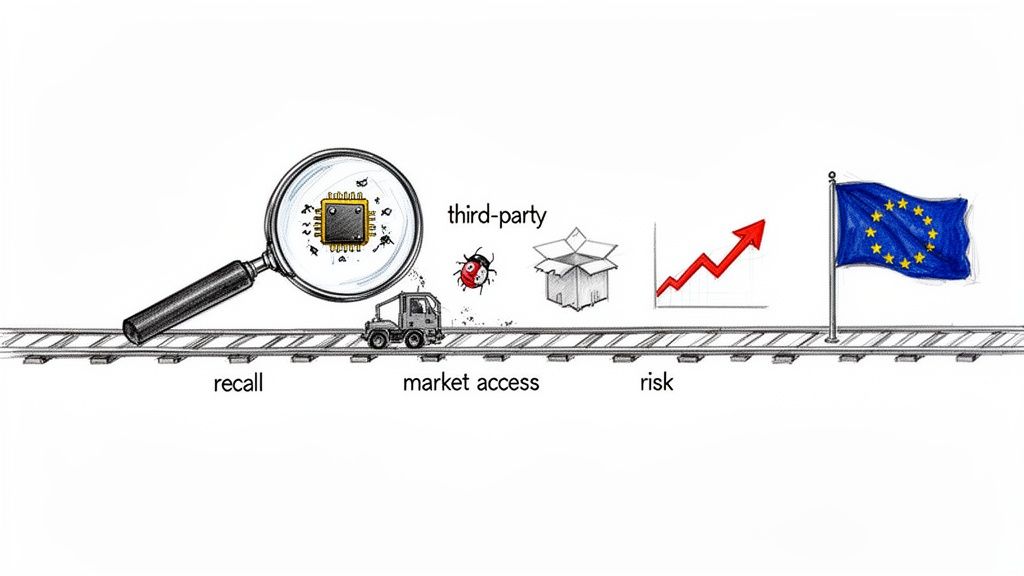
Treating malware scanning as a simple checkbox exercise is a recipe for failure. It’s a strategic business decision that hits your bottom line, your ability to sell in key markets, and your brand’s reputation—especially if you’re targeting the European Union.
Today’s supply chains are a tangled mess of third-party components, open-source libraries, and opaque firmware blobs. One compromised element can set off a chain reaction, ending in expensive product recalls and a public relations nightmare.
Just imagine this scenario: a smart-lock company builds its new product line around a third-party wireless module. After launch, a researcher finds dormant malware baked into the module’s firmware. The discovery triggers a massive recall, costing millions in logistics and replacement hardware. Worse, the brand’s reputation as a secure choice is left in tatters, torpedoing consumer trust and future sales. That’s not a technical glitch; it’s a full-blown business crisis.
Beyond Technical Debt: The High Cost of Inaction
Putting off proactive scanning doesn’t just create technical debt; it racks up serious business risk. The financial fallout from a malware incident goes way beyond the immediate cost of fixing it.
- Blocked Market Access: For example, a German distributor could refuse to stock your smart home device if it fails their security audit, immediately cutting you off from a major EU market.
- Hefty Regulatory Fines: Under the CRA, failing to report a known exploited vulnerability could result in fines up to €15 million or 2.5% of your global annual turnover.
- Shattered Reputation: A security breach destroys customer trust, something that can take years, if not decades, to win back.
This isn’t just theory. In 2023, a staggering 21.54% of enterprises in the EU suffered consequences from ICT-related security incidents, many of which involved threats that a decent malware scan would have caught. This shows just how real the risk is in places like Spain and across the wider EU, where hitting those CRA deadlines is non-negotiable. You can dig into the data on ICT security incidents in enterprises from Eurostat.
Proactive malware scanning is no longer optional—it’s the backbone of a defensible compliance strategy. It provides the auditable, time-stamped evidence needed to prove due diligence to regulators, partners, and customers.
Scanning as a Cornerstone of Compliance
Regulations like the Cyber Resilience Act require manufacturers to prove they’re committed to security across the entire product lifecycle. Consistently scanning for malware and carefully documenting the results is one of the most direct ways to meet that obligation.
For instance, when submitting technical documentation for a CE marking under the CRA, your file must include a Software Bill of Materials (SBOM) and evidence of your vulnerability management process. Your malware scan logs, showing regular analysis of all components listed in the SBOM, serve as concrete proof that you are actively managing these risks.
This documentation acts as proof that you are actively finding and fixing risks before your product ever reaches a customer. For teams trying to get their heads around these new rules, having a clear plan is everything. A good starting point is our guide on building a Cyber Resilience Act compliance roadmap. This mindset transforms scanning from a reactive burden into a proactive, value-adding process that secures both your product and your business.
Choosing the Right Malware Scanning Methods
When it comes to scanning for malware, you’re faced with a few core methodologies. Getting your head around the differences is essential because the right choice depends entirely on what you’re trying to protect—be it a firmware binary, a mobile app, or a complex IoT device. Each method gives you a unique lens for finding threats.
Think of it like inspecting a car before it hits the road. You could analyse its blueprints (static), take it for a crash test (dynamic), or watch how an expert driver handles it on a test track (behavioural). Each approach reveals different kinds of flaws, and for total confidence, you’d probably want to combine all three. It’s exactly the same with malware scanning.
Static Analysis: Looking at the Blueprint
Static analysis pulls apart your code or firmware without actually running it. It’s like an architect reviewing a building’s blueprints to find structural weaknesses before a single brick is laid. This method is incredibly fast and fantastic for catching known malware signatures, insecure coding patterns, or suspicious libraries packed into a firmware image.
For example, a static scan on an Android application package (APK) might immediately flag the inclusion of a third-party advertising library known to contain spyware. The scanner identifies the threat by matching a unique sequence of bytes (a signature) within the library’s code against its database of known malware. This happens long before the app is ever installed on a user’s device.
Dynamic Analysis: The Crash Test
Dynamic Application Security Testing (DAST), or dynamic analysis, takes the opposite approach. It actually executes the code, but in a controlled, sandboxed environment to watch how it behaves in real-time. This is your crash test—it reveals how the application or device acts under pressure and what it really does when it goes live.
For a deeper dive on this, check out our guide on the fundamentals of Dynamic Application Security Testing.
Imagine a connected thermostat. A dynamic scan would run its firmware in a virtual environment, monitoring all its network activity. If the thermostat suddenly tries to connect to an IP address in North Korea—a known malicious command-and-control server—the dynamic scan will immediately flag this suspicious outbound traffic. That’s a dangerous behaviour static analysis would almost certainly miss.
One of the most common mistakes we see is relying on a single scanning method. A robust strategy layers static, dynamic, and behavioural analysis to create a defence-in-depth approach, covering threats at every stage from development to deployment.
Behavioural Analysis: The Test Drive
Behavioural analysis is a more advanced flavour of dynamic testing. Instead of just looking for specific bad actions, it first establishes a baseline of what normal looks like and then flags anything that deviates from it. Think of this as putting a new car on a test track with an expert driver who can spot subtle performance issues that wouldn’t show up in a standard crash test.
Let’s take an IoT water pump controller. Normal behaviour might involve sending a 2KB sensor data packet to a specific cloud endpoint every five minutes. A behavioural analysis tool monitors this for a week to establish a baseline. If, on the eighth day, the device suddenly starts trying to open a port for inbound connections or uploads a 10MB file to an unknown server, the tool will flag this anomaly as a potential sign of compromise. This method is incredibly powerful for detecting zero-day threats that have no known signature.
Comparison of Malware Scanning Methodologies
Choosing between static, dynamic, and behavioural analysis isn’t about finding the “best” one; it’s about picking the right tool for the job. Each has its strengths and weaknesses, and the most effective security programmes use a combination to cover all their bases. This table breaks down the key differences to help you decide which approach, or mix of approaches, is right for your products.
| Scan Type | How It Works | Best For Detecting | Ideal Use Case | Limitations |
|---|---|---|---|---|
| Static | Analyses code without execution. | Known malware signatures, insecure coding practices, vulnerable libraries. | Scanning firmware binaries or application code in a CI/CD pipeline. | Misses runtime behaviour, zero-day threats, and obfuscated malware. |
| Dynamic | Executes code in a sandbox. | Malicious network activity, memory exploits, privilege escalation attempts. | Testing a fully assembled application or device before release. | Can have coverage gaps if not all code paths are executed during the test. |
| Behavioural | Monitors for deviations from normal activity. | Zero-day exploits, advanced persistent threats (APTs), anomalous device traffic. | Continuous monitoring of deployed IoT devices in the field. | Can generate false positives if “normal” behaviour is not well-defined. |
Ultimately, a layered approach is your best bet. Use static analysis early and often in your development pipeline for quick feedback. Run dynamic tests on fully assembled products before they ship. And for high-value or long-lived devices, consider behavioural monitoring in the field to catch emerging threats.
Integrating Malware Scans into Your Development Lifecycle
Moving from theory to practice means weaving malware scanning directly into your everyday development workflow. To be truly effective, security can’t be a final gate you pass through before release; it has to be an integrated, automated part of the entire process. This shift from reactive, last-minute checks to proactive, continuous scanning is the core of any modern, secure software development life cycle.
The key is to pinpoint the most effective moments to run these scans. Think of your development pipeline as a series of checkpoints, each one a unique opportunity to catch threats before they move downstream and become much harder to fix.
This layered approach—moving from static blueprint checks to dynamic and behavioural real-world tests—is how you build a robust defence.
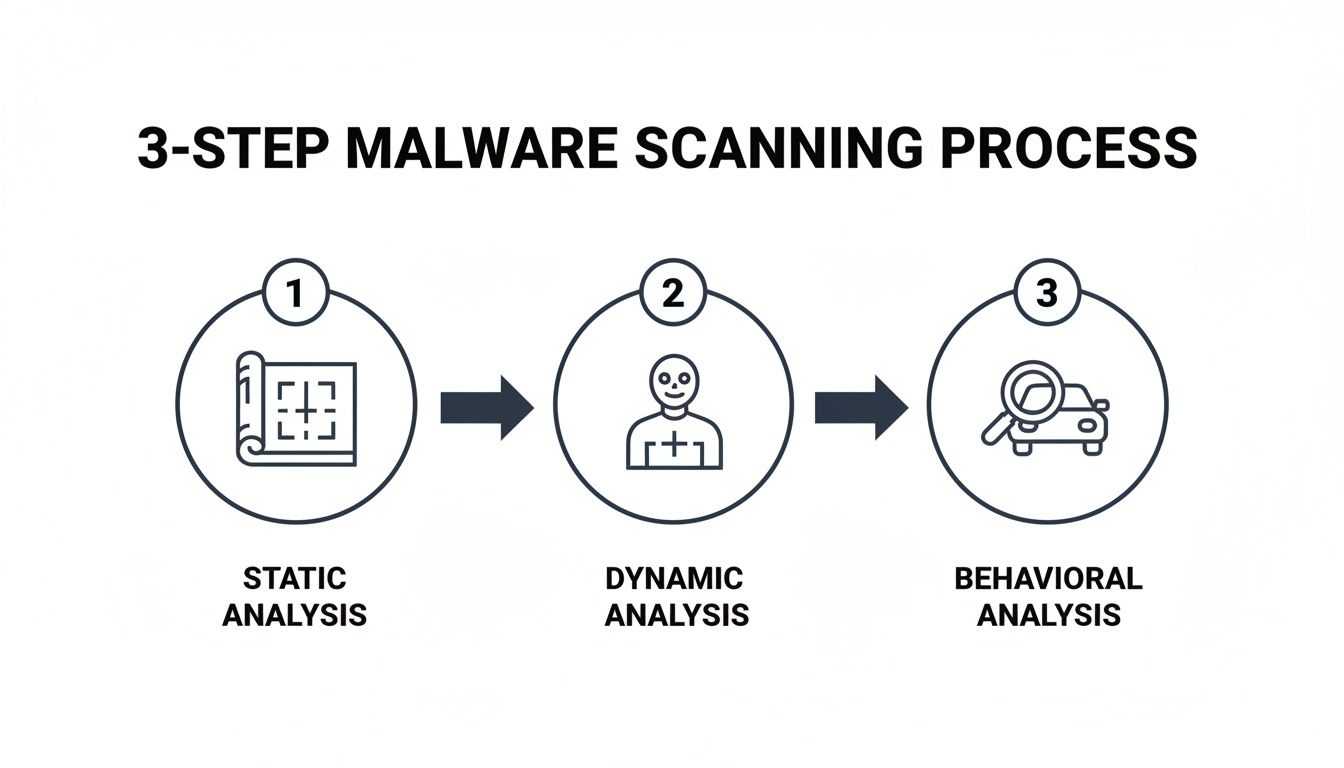
By combining these three distinct analysis types at different lifecycle stages, you create a comprehensive security net that can catch a much wider range of threats.
Scanning at the Build Server
Your build server is the earliest practical point to introduce automated scanning. Every time your team commits code and a new build is triggered, you have a fresh opportunity to run static analysis on the source code and all its dependencies.
For example, a manufacturer of connected thermostats can configure their Jenkins build server to automatically scan all firmware components during the nightly build. If the scan detects a library with a known remote code execution vulnerability (like a specific version of OpenSSL), the build is automatically marked as “failed,” and an alert is sent to the development team’s Slack channel. This simple step catches the issue long before the firmware is ever packaged for testing.
This early detection saves a huge amount of time and resources. A vulnerability found at the build stage is far easier and cheaper to fix than one discovered in a fully assembled product just before it’s due to ship.
CI/CD Pipeline Integration
The Continuous Integration/Continuous Deployment (CI/CD) pipeline is the automation engine of modern development, making it the perfect place to embed more sophisticated scans. This is where you can automate dynamic analysis on fully assembled applications or firmware images.
Here’s what that looks like in practice:
- Trigger on Pull Request: When a developer submits a pull request in GitHub to merge a new feature, a GitHub Actions workflow is automatically triggered.
- Containerised Scan: The job builds the application, deploys it to a temporary Docker container, and runs a dynamic scan against it. The scanner probes the application’s APIs for vulnerabilities and monitors its network traffic.
- Automated Feedback: The scan results are posted directly back to the pull request as a comment. If critical vulnerabilities are found, the build is automatically failed with a clear message like “Build Failed: High-severity vulnerability CVE-2023-12345 detected.” This prevents insecure code from ever being merged into the main branch.
This seamless integration makes security a non-negotiable, yet almost invisible, part of the development flow.
On-Device and Post-Market Surveillance
For IoT and connected devices, the lifecycle doesn’t end when the product ships. Post-market surveillance is a critical piece of CRA compliance, and on-device scanning plays a vital role here. This means scheduling periodic integrity checks or behavioural analyses on devices already in the field.
Scheduling automated, on-device integrity checks is no longer just a best practice—it’s a fundamental requirement for meeting post-market surveillance obligations under regulations like the CRA.
For example, a fleet of smart energy meters can be configured to perform a weekly self-check. The on-device agent calculates a cryptographic hash of critical system files and compares it to a known-good hash stored on a secure server. If a mismatch occurs—a sign that malware may have altered a file—an alert is immediately sent back to the manufacturer’s security operations centre for investigation.
By automating scans at every stage—from build to deployment and beyond—you transform security from a last-minute headache into a continuous, manageable workflow.
Turning Scan Results into Actionable Security Fixes
A successful malware scan is just the first step. The real work begins when you have a list of potential threats and need to turn that raw data into concrete security improvements—without overwhelming your engineering team.
This is where a clear, structured workflow becomes essential. I’ve seen too many teams get bogged down by an avalanche of alerts, especially the dreaded false positives. Without a system to prioritise, even the most diligent scanning efforts just create noise instead of action. The goal is to triage alerts efficiently and create clear, actionable tickets.
From Alert to Triage: A Practical Framework
Let’s be honest: not all alerts are created equal. The key is to quickly separate the critical risks from the low-priority noise. A simple framework for triaging scan results can make all the difference, focusing your team’s energy where it actually matters.
Here’s a practical approach I’ve seen work well:
- Severity: How dangerous is the potential malware? A CVSS score of 9.8 for a remote execution bug is a five-alarm fire. A score of 4.3 for a low-impact denial-of-service is less urgent.
- Exploitability: How easy would it be for an attacker to leverage this? A threat requiring physical device access and a specific debug cable is far less urgent than a vulnerability in a web admin panel that can be exploited remotely over the internet with a simple script.
- Product Context: What is the actual impact on your product? A vulnerability in an open-source library used only for generating debug logs is less critical than one in the core firmware that handles user authentication and data encryption.
This three-pronged approach helps you build a prioritised list, ensuring your engineering team tackles the most significant threats first.
A Real-World Remediation Scenario
Let’s walk through a realistic example. Your automated CI/CD pipeline completes a scan on a new firmware update for a connected home security camera and flags a suspicious open-source library. What happens next?
- Threat Confirmation: Your security team investigates the alert. They see the scanner flagged
libvideocodec.sodue to a known vulnerability, CVE-2024-5555. They verify on the National Vulnerability Database that this CVE is real and allows for remote code execution. It is a true positive. - Impact Assessment: Next, they assess the impact in the context of the camera. Since the library handles video stream processing, the vulnerability could allow an attacker to send a malformed video packet over the network to take control of the device. This is a high-impact, critical-severity threat.
- Ticket Creation: A Jira ticket is automatically created via an API integration with the scanner. The ticket is titled “Critical RCE Vulnerability in Video Codec (CVE-2024-5555)” and includes the CVE, a link to the scan report, a summary of the impact (“Allows remote takeover of camera”), and a clear remediation path: “Update library
libvideocodec.sofrom vulnerable version 1.2 to patched version 1.3.”
This process transforms a vague alert into a specific task an engineer can immediately understand and act upon. It’s also a critical part of building auditable records for compliance, a key aspect of effective CRA vulnerability handling.
The quality of your remediation ticket is directly proportional to the speed of the fix. Vague alerts create confusion and delays; precise, context-rich tickets empower engineers to resolve issues quickly.
The current threat landscape validates this urgent need for a structured response. ENISA’s 2025 Threat Landscape report shows that nearly two-thirds of cyber incidents against EU public administrations in 2024 were DDoS attacks, often hiding malware payloads. Ransomware, another malware staple, accounted for 10% of these events, demonstrating how quickly a single vulnerability can escalate into a major outage.
This process of turning raw scan data into well-documented fixes is vital for securing your product and satisfying regulatory demands.
Documenting Your Scans for CRA Compliance
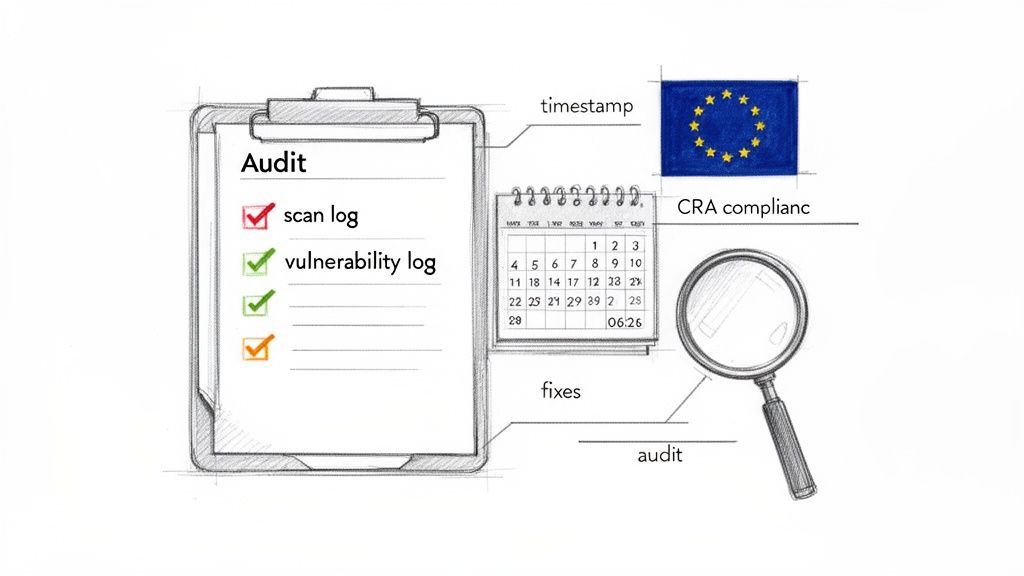
Let’s be clear: it’s not enough to just scan for malware. For regulations like the Cyber Resilience Act (CRA), you have to prove you did it. A well-documented trail of evidence is non-negotiable, turning your technical scanning activities into a bulletproof record for auditors.
This isn’t about creating more paperwork for its own sake. It’s about building a centralised, audit-ready system that demonstrates your commitment to secure-by-design principles. When an auditor comes knocking, scattered spreadsheets and forgotten scan reports just won’t cut it.
Building Your Vulnerability Management Log
The foundation of your compliance evidence is a detailed vulnerability management log. Think of this log as the story of how you identify, assess, and fix security issues—not just a list of findings. Every entry should be a clear, time-stamped record of a specific scanning event.
To be effective, each record needs to contain specific pieces of information. It’s like creating a case file for every potential threat.
Here’s what every entry must include:
- Timestamp:
2024-10-26 02:15:30 UTC - Asset Scanned:
Firmware v2.1.3 for SmartThermostat-Pro (build #845) - Tooling Used:
YARA Engine v4.2 with custom rule set v1.8 - Findings Details:
CVE-2023-4567 found in libcurl.so.4, CVSS Score: 7.5 (High) - Remediation Status:
Resolved - Resolution Link:
https://your-jira-instance.com/browse/PRODSEC-1234
This level of detail is what moves you from simply running a scan to creating a defensible record of due diligence.
Mapping Documentation to CRA Articles
Your documentation efforts should directly map to specific CRA requirements. This shows auditors you not only understand the regulation but have built concrete processes to comply. For instance, maintaining a comprehensive scan log directly addresses CRA articles related to vulnerability handling and technical documentation.
An auditor’s main goal is to verify your process, not just the outcomes. A detailed log showing consistent scanning and remediation—even if vulnerabilities were found—is far more compelling than a perfect-but-unproven security record.
Let’s walk through a practical scenario. Your nightly CI/CD pipeline scan flags a medium-severity vulnerability in a third-party library. Your vulnerability log would capture this event, linking directly to the automated scan report. The next entry would detail the triage decision (“Assessed as Medium risk; patch to be included in next minor release”), and a final entry would link to the pull request in GitHub where the library was updated. This complete, end-to-end trail is precisely what regulators want to see. It’s tangible proof of a living, breathing security programme.
Common Questions About Malware Scanning for IoT and Apps
Even with a clear strategy, putting a malware scanning plan into practice always brings up questions. Here are some of the most common ones we hear from product security managers and compliance teams as they work to build a robust, defensible security posture.
How Often Should We Scan Our Firmware and Applications?
There’s no single right answer here—it’s all about balancing your development velocity with your product’s risk profile. The best approach usually involves a mix of scanning cadences.
A practical example would be:
- Active Development: A static analysis scan runs on every
git pushto a feature branch in your CI/CD pipeline. - Nightly Builds: A more comprehensive dynamic analysis scan runs on the main development branch every night.
- Post-Release: For a deployed medical device, a full firmware scan is mandated every quarter. Additionally, an ad-hoc scan is triggered automatically whenever a new high-severity vulnerability is published for any component in its SBOM.
This tiered approach provides rapid feedback to developers without slowing them down, while ensuring deeper analysis and post-market surveillance happen at a regular, defensible cadence.
The Cyber Resilience Act puts a heavy emphasis on continuous security monitoring. An automated, event-driven scanning process is always going to be far more defensible than relying on infrequent manual checks.
What’s the Biggest Challenge When Scanning IoT Devices?
Hands down, the biggest hurdle with IoT is the sheer diversity of hardware, coupled with the tight resource constraints of embedded systems. You can’t just take a scanner built for an x86 server and expect it to run on a low-power ARM microcontroller with 256KB of RAM. It just won’t work.
The only way to tackle this effectively is with a multi-layered strategy.
- Before Deployment: For an automotive ECU (Engine Control Unit), you perform static analysis on its firmware binary in your lab environment. This is completely off-device and catches known malware signatures before the firmware is ever flashed onto the physical hardware.
- On the Device: For a higher-power smart home hub running embedded Linux, you can install a lightweight agent that periodically checks for unauthorized processes or file modifications.
- At the Network Level: For a simple, resource-constrained sensor that can’t run an agent, you monitor its traffic at the network gateway. If it suddenly starts trying to communicate with an IP address that isn’t its designated cloud server, you can block the traffic and raise an alert.
Can We Rely Solely on Open-Source Tools for CRA Compliance?
Look, powerful open-source tools like ClamAV (for signature-based scanning) and YARA (for pattern-matching) are fantastic, and they absolutely belong in your security toolkit. But relying on them alone for CRA compliance can leave you with some serious gaps.
For example, you could write a script to run ClamAV on a firmware binary and email the results. But an auditor will ask: “How do you store these results? How do you track remediation? How do you prove this scan ran against every single build?” Answering these questions with a collection of custom scripts is far more difficult than pointing to a dedicated platform’s dashboard.
A hybrid model is almost always the most effective path forward. Use your open-source tools for specific, automated tasks within your development pipeline. Then, supplement them with a commercial platform that gives you a clear audit trail, centralised vulnerability management, and the kind of automated reporting that will satisfy the demanding documentation requirements of regulators. This combination delivers both technical muscle and compliance peace of mind.
Regulus provides a unified platform to help you navigate the Cyber Resilience Act, from applicability assessment to generating audit-ready documentation and evidence. Gain clarity and confidence in your compliance journey at https://goregulus.com.