

An Azure DevOps Repo is a version control system baked right into the Azure DevOps suite, giving your team a central place to manage, track, and collaborate on your codebase. It’s far more than just a folder for your files; it’s a complete toolkit for modern software development that supports both Git and Team Foundation Version Control (TFVC).
What Is an Azure DevOps Repo
Think of an Azure DevOps Repo as the official library and historical archive for your entire software project. It isn’t just a place to dump code. It’s a collaborative hub that meticulously tracks every single change, from the smallest bug fix to a major feature release. For any modern development team, this capability is absolutely essential.
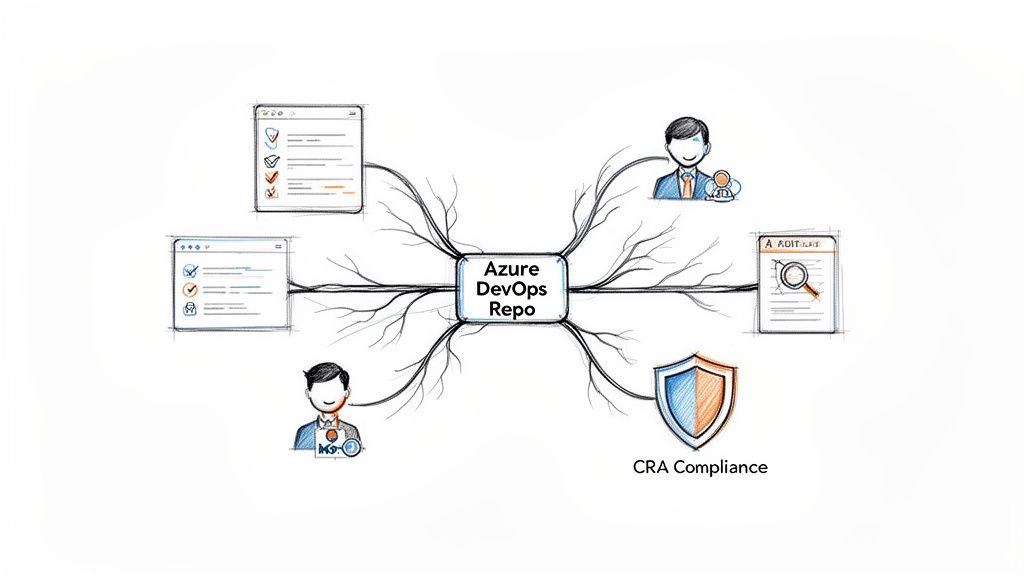
This centralisation creates a single source of truth—a non-negotiable asset in today’s regulated industries. For manufacturers building IoT devices or other connected hardware, maintaining a clear and auditable development history is fundamental for compliance. A well-managed repo provides the bedrock for a secure and traceable development lifecycle.
The Foundation of Compliance
For companies navigating complex regulations like the EU’s Cyber Resilience Act (CRA), the repo transforms into a critical compliance tool. Every code commit, every review, and every merge is logged, creating an immutable record that demonstrates due diligence and process integrity.
An Azure DevOps Repo provides a definitive, time-stamped logbook for every modification to a product’s digital elements. This traceability is precisely what regulators demand when assessing a product’s security posture and lifecycle management.
Let’s say an auditor asks for evidence of how a specific vulnerability in your IoT device’s firmware was fixed. Instead of digging through spreadsheets, you can point directly to the pull request in your Azure DevOps Repo. This single record will show:
- The exact code changes made to patch the issue.
- The automated security scans that ran against the code.
- The peer review discussion and sign-offs from senior engineers.
- The successful build and test results before the fix was deployed.
This level of detail moves your compliance activities from manual, error-prone tracking to an automated, evidence-based system. To see how this fits into the bigger picture, you can learn more about building a secure software development life cycle in our detailed guide. This makes the Azure DevOps Repo the true central nervous system for both your development and compliance efforts.
Choosing Your Version Control System: Git vs TFVC
When you spin up a new project in Azure DevOps, one of the first forks in the road you’ll encounter is choosing your version control system, or VCS. Azure Repos gives you two solid options: Git and Team Foundation Version Control (TFVC). This isn’t just a technical detail; the choice you make here will fundamentally shape how your team collaborates, so it’s worth understanding the difference.
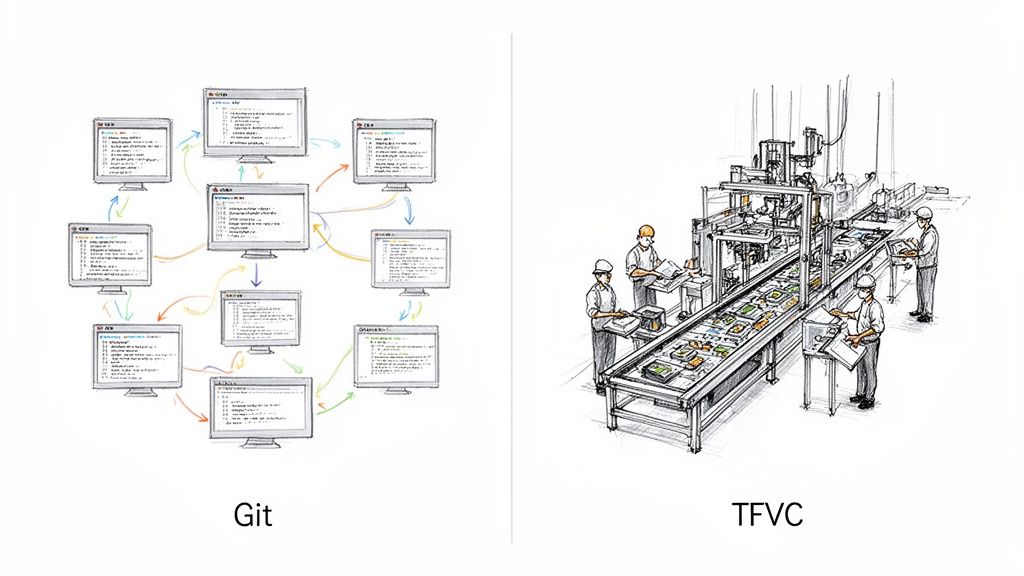
Think of it this way. Git is like giving every engineer their own fully-equipped workshop. Each developer has a complete, independent copy of the entire project—every file, every commit, every branch, right on their local machine. This is a distributed model, meaning they can build, experiment, and save their work entirely offline without asking a central server for permission.
On the other hand, TFVC works like a classic factory assembly line. There’s one single, authoritative blueprint kept on a central server. To work on a part, an engineer has to formally “check out” the file, which often locks it so nobody else can touch it. This is a centralised model, where every significant action requires communication with that central hub.
Git: The Distributed Model
The distributed nature of Git is why it has become the default choice for modern software development. It’s built for speed, flexibility, and parallel work.
Because every developer holds the entire repository history, common actions like creating a new branch or merging changes are incredibly fast and happen locally. This encourages developers to experiment freely. They can spin up a branch to test a wild new idea, make dozens of small, iterative commits to track their progress, and get it just right before ever pushing it to the shared repository. That local-first workflow is Git’s superpower.
Practical Example: A developer is working on a feature and needs to fix an urgent bug. With Git, they can commit their current work, switch to a new branch for the bug fix, make the changes, and merge it, all without affecting their in-progress feature.
TFVC: The Centralised Model
TFVC’s centralised approach offers a more rigid, lock-step process. Its strength really shines when you’re dealing with enormous, monolithic codebases or managing large binary files (like 3D models or design assets) that can’t be easily merged.
The explicit check-out/check-in system prevents two people from accidentally overwriting each other’s work on the same file. For teams moving over from older centralised systems like Subversion, the workflow feels familiar and predictable. However, for fast-paced, agile teams that thrive on frequent branching and merging, it can feel restrictive.
Practical Example: A video game development team uses TFVC to manage large art assets. An artist checks out a 2GB texture file, which locks it. This prevents another artist from accidentally working on an outdated version and creating merge conflicts that are impossible to resolve for binary files.
Choosing between Git and TFVC really comes down to how your team works. Git empowers individual developers with autonomy and offline capabilities, while TFVC enforces a stricter, more controlled process tied to a central server. Your decision should be guided by your project’s scale and your team’s preferred way of collaborating.
To make the choice clearer, here’s a direct comparison of how they stack up.
Git vs TFVC Feature Comparison
| Feature | Git (Distributed) | TFVC (Centralized) |
|---|---|---|
| Workflow | Nonlinear, with powerful branching and merging. | Linear and sequential, based on check-outs. |
| Offline Work | Fully supported; you can commit, branch, and review history locally. | Limited; requires a connection for most operations. |
| Branching | Lightweight and integral to the workflow. | Heavier, server-side operation. |
| Use Case | Ideal for most projects, especially those with agile teams and complex branching needs. | Best for very large-scale projects or teams requiring granular file locking. |
Ultimately, while both systems are fully supported within an Azure DevOps Repo, Git's flexibility, speed, and massive community support have made it the go-to for the vast majority of new projects.
The real magic happens when you connect your repository to an automated build and release system. To see how that works, check out our deep-dive into Git CI/CD integration.
Mastering Features for Effective Team Collaboration
Successful development is a team sport, and an Azure DevOps Repo is far more than just a place to store code—it’s the playbook that makes teamwork possible. It provides a suite of features designed to turn the isolated work of individual developers into a seamless, collaborative effort. These tools are the foundation of a transparent and high-quality development culture.
At the core of this model are branches. The best way to think about a branch is as a safe copy of an official engineering blueprint. A developer can take this copy into their own workspace to experiment with a new design, add a feature, or fix a bug without any risk of altering the original, stable master blueprint.
This isolation is critical. It allows multiple team members to work on different tasks at the same time without tripping over each other, ensuring the main codebase—often called the main or develop branch—remains stable and ready for release.
The Power of Pull Requests
Once a developer finishes their work on a feature branch, they need a formal way to propose merging their changes back into the main blueprint. This is where Pull Requests (PRs) come in. A pull request isn’t just a merge command; it’s a formal request for review and approval before new code becomes an official part of the project.
It opens up a dedicated forum for discussion where other team members can review the code line-by-line, ask questions, suggest improvements, and ultimately sign off on the changes. This peer-review process is one of the most effective ways to catch bugs early, share knowledge across the team, and maintain consistent coding standards.
Enforcing Quality with Branch Policies
To automate quality control and put a digital lock on your most important branches, Azure DevOps Repos offers branch policies. Think of these as automated quality gates or a non-negotiable checklist that every pull request must pass before it can be completed. The system enforces these rules automatically.
This screenshot shows the branch policy configuration screen in Azure DevOps, where you can enforce rules like requiring a minimum number of reviewers and checking for linked work items.
The interface allows you to layer multiple protections, ensuring no single developer can merge code without meeting the team's agreed-upon quality standards.
For instance, a manufacturing team working on firmware for a medical device could lock down their main branch with policies like these:
- Require a minimum number of reviewers: Ensure that at least two senior engineers must approve any change.
- Check for linked work items: Mandate that every code change is linked to an official task or bug report, providing full traceability for audits.
- Check for successful builds: Automatically trigger a build via Azure Pipelines and block the merge if the build fails or any automated tests do not pass.
By combining branches for isolation, pull requests for review, and branch policies for enforcement, you create a powerful system that prevents bugs, improves code quality, and fosters a culture of shared ownership and accountability.
These features transform your Azure DevOps Repo from a passive code container into an active guardian of your project’s integrity. This structured workflow isn't just a "nice-to-have"—for teams operating in regulated environments, it's a fundamental requirement for building reliable and secure products.
Connecting Your Repo to CI/CD Pipelines
An Azure DevOps Repo is much more than a place to store code; it’s the engine that powers modern automation. This is where your repository truly comes alive, acting as the starting pistol for powerful Continuous Integration and Continuous Delivery (CI/CD) pipelines that build, test, and deploy your software with minimal human intervention.
This tight integration between Repos and Azure Pipelines transforms a simple code push into a fully automated workflow. Every commit can trigger a cascade of events that validates the quality of your code and gets it into the hands of users faster and more reliably than ever before.
A Practical CI/CD Workflow Example
Let's walk through a common, real-world scenario for an IoT device manufacturer to see how this works in practice.
- A developer is tasked with adding a new sensor reading feature to the device's firmware. They push their completed code to a feature branch in their Azure DevOps Repo.
- This
git pushaction instantly triggers a pre-configured CI pipeline. Azure Pipelines automatically fetches the latest code, compiles the firmware, and runs a battery of unit and integration tests on a simulator. - Once all tests pass, the developer creates a pull request to merge their changes into the main development branch. Branch policies kick in, requiring a successful build and a peer review before the merge can proceed.
- After approval, the code is merged. This single merge action triggers a second pipeline—the CD, or Continuous Delivery, pipeline.
- This pipeline takes the successfully built firmware artifact and automatically deploys it to a staging environment, which could be a lab full of physical test devices.
This entire process, from a single commit to a deployment on real hardware, happens automatically. It creates a complete, auditable trail of every single change, ensuring every piece of code is rigorously tested before it moves down the line. Many of the core principles are the same across platforms, and you can learn more by exploring our guide on CI/CD integration for GitHub.
By connecting your Azure DevOps Repo to pipelines, you create a responsive system where the repository actively participates in the development lifecycle. It stops being a passive container for files and becomes the central nervous system for your entire delivery process.
This level of automation isn't just about speed; it's about building a reliable and repeatable process that boosts quality and security at every stage. To ensure your deployments are robust, it’s worth reviewing these essential CI/CD best practices for building effective and secure pipelines.
The result is a faster release cadence, fewer manual errors, and a much stronger compliance posture, since every step is documented and traceable directly back to the source code.
Implementing Security and Compliance Best Practices
If you're in a regulated industry, security isn't just another feature—it's the absolute foundation of your entire development process. Azure DevOps Repos gives you the tools to build a solid security and compliance framework right into your daily workflow, helping you meet strict standards like the Cyber Resilience Act (CRA).
A huge piece of this puzzle is data residency. For manufacturers selling into the European market, where your code lives is a massive compliance checkpoint. Hosting your repositories in a specific region, like the EU, can be a non-negotiable step to satisfy GDPR and CRA rules, ensuring your intellectual property stays within defined legal borders.
Enforcing Granular Access Controls
The first practical step is to get serious about the principle of least privilege. It’s a simple idea: every team member should only have the bare minimum permissions needed to do their job. In an Azure DevOps Repo, you manage this with fine-grained security settings.
Practical Example: You can create specific security groups. A "Developers" group might have permissions to create branches and contribute code, but not approve pull requests to the main branch. A "Team Leads" group, however, could have that approval right. This prevents a junior developer from accidentally merging unreviewed code into production.
By meticulously defining roles and permissions, you transform your repository from a simple code storage location into a secure vault. This ensures that every action is intentional, authorised, and traceable, which is essential for auditability.
Automating Security with Pipeline Integration
One of the most powerful security practices is to make security checks an automated, unavoidable part of your development pipeline. You do this by plugging vulnerability scanners and secret detection tools directly into your CI process.
This flow shows how a simple code push can trigger a whole automated build and test cycle before anything goes live.
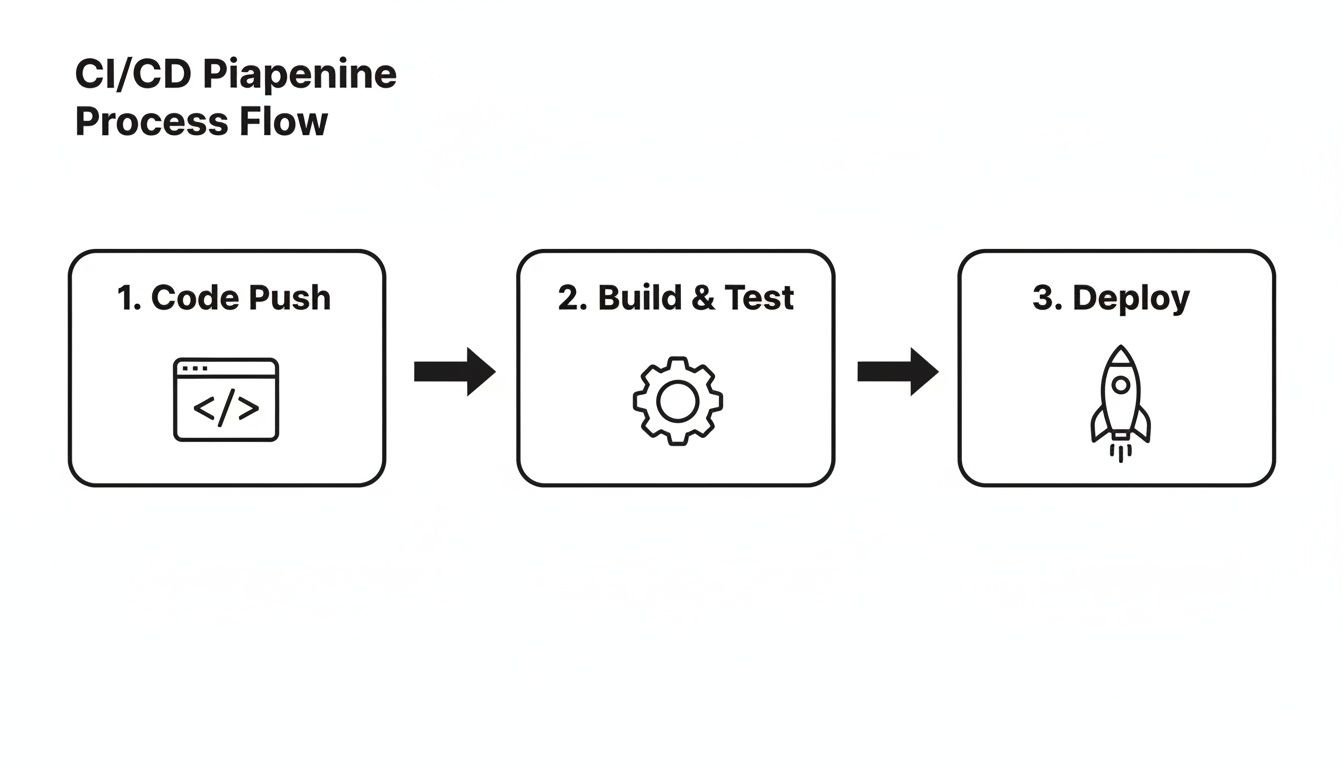
Security scanning absolutely has to be a core part of that "Build & Test" phase. If vulnerabilities are found, the pipeline fails. Simple as that.
You can set up branch policies to automatically block any pull request that fails a security scan. For instance, a policy can stop code from being merged if a scanner flags things like:
- Hardcoded secrets like API keys or database connection strings.
- Outdated dependencies with known vulnerabilities (think Log4j).
- Common code vulnerabilities such as SQL injection risks.
This shifts security from a manual review that happens at the end (if you're lucky) to an automated gatekeeper that’s always on duty. This approach ties in perfectly with wider compliance needs. When you start thinking about the bigger picture of managing digital assets, which includes security and compliance, you might find useful parallels in discussions around document management best practices.
In the EU, Azure DevOps repositories have become a linchpin for manufacturers and IoT vendors navigating tough data protection laws. Microsoft reported that by 2024, over 60% of EU organisations using Azure DevOps chose the EU region for data residency, a move driven almost entirely by regulatory pressure.
Finally, the detailed audit logs in Azure DevOps give you a complete, unchangeable record of everything that happens in your repository. From permission changes to policy overrides, it’s all there, giving you the hard evidence you need to show auditors you’re compliant.
Generating CRA Documentation from Your Repo
Alright, let's move from compliance theory to a real-world, automated workflow. Forget about clunky, error-prone spreadsheets. An Azure DevOps repo is the perfect place to manage and generate the technical documentation you need for regulations like the Cyber Resilience Act (CRA).
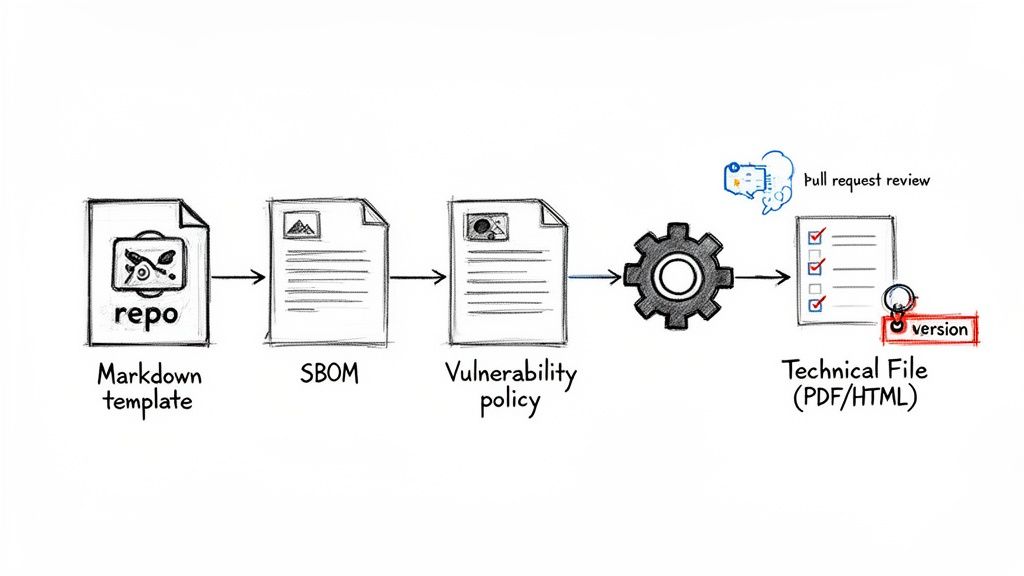
First things first, you'll set up a new, dedicated repository just for your compliance artifacts. This isn't where your source code lives. Instead, it's the home for your documentation's Markdown templates, your official Software Bill of Materials (SBOM), and your vulnerability disclosure policy. Think of this repo as the single source of truth for all your compliance evidence.
Establishing a Review and Approval Workflow
To make sure every change to your documentation is deliberate and traceable, you need to protect the main branch. This is done by applying branch policies, which enforce a mandatory pull request (PR) process for any and all updates. No exceptions.
So, when an engineer needs to update the SBOM to add a new library, they can't just push the change directly. They have to create a pull request. This PR automatically notifies your compliance or legal team, who you’ve set up as required reviewers. They can then check the changes right inside the pull request, leave comments, and formally approve the update before it gets merged.
This workflow creates a permanent, time-stamped record of every single change—exactly the kind of audit trail regulators love to see. If you want to dive deeper into what this documentation should actually contain, have a look at our guide on CRA technical documentation requirements.
By treating your documentation as code, you start applying the same rigorous standards of review, versioning, and traceability to your compliance artifacts as you do to your product’s firmware. This fundamentally strengthens your entire compliance posture.
Automating Document Generation with Pipelines
The final piece of the puzzle is connecting this repository to an Azure Pipeline. You'll configure this pipeline to run automatically every time a pull request is successfully merged into the main branch. Its job is simple but incredibly powerful:
- It grabs the latest versions of all your Markdown files and the SBOM.
- It uses a tool like Pandoc to convert and stitch them together into a single, cohesive document.
- Finally, it publishes the output as a version-controlled PDF or HTML file.
This simple automation ensures you always have an up-to-date technical file ready for auditors or authorities at a moment's notice. It’s a particularly smart move in the EU, where data residency is a big deal. Data residency statistics for Azure DevOps repos in the EU show a 95% compliance rate with CRA and GDPR, as customer source code never leaves the chosen EU geo. You can learn more about Azure DevOps data location findings and how this helps meet regulatory demands.
Frequently Asked Questions
Can I Migrate from GitHub to an Azure DevOps Repo?
Absolutely. Moving from GitHub or any other Git provider is a common and well-supported process. Azure DevOps has a built-in import tool that just needs the URL of your existing repository.
It clones everything—your entire commit history, all your branches—so you lose nothing in the transition. For more complex setups, you can always fall back to standard Git commands to push your code to a new Azure Repo manually.
How Does Azure DevOps Repo Pricing Work?
Azure Repos is surprisingly cost-effective. For teams of up to five people, you get unlimited private Git repositories completely free.
Once your team grows beyond five, you just pay a straightforward per-user fee on the Basic plan. Crucially, there are no hidden costs for storage or bandwidth, which makes it a very predictable and affordable option no matter how big your codebase gets.
How Can I Protect My Main Branch from Bad Code?
This is exactly what branch policies are for. Think of them as automated guardrails for your most important branches, like main or develop.
Instead of letting anyone push code directly, you can set up rules that force all changes to come through a pull request. You can then require things like a minimum number of reviewers to approve the change, a successful build to prove it doesn't break anything, and even link the code to a specific work item for traceability.
Navigating Cyber Resilience Act compliance can feel like a maze. Regulus gives you a clear, step-by-step roadmap to get your products ready for the EU market, turning complex regulations into a plan you can actually follow. Get the clarity and confidence you need at https://goregulus.com.


