

Think of static code analysis as a spellchecker, but for your source code. It’s an automated process that scans your code for potential errors, vulnerabilities, and deviations from best practices before you even try to run it. It’s like having an expert engineer meticulously review every line of a building’s blueprint for structural flaws before a single brick is laid.
This automated review finds issues at the earliest possible moment, making them exponentially cheaper and faster to fix than if they were discovered in testing or, worse, in production.
Understanding the Core of Static Code Analysis
At its heart, static code analysis is a form of ‘white-box’ testing. The term ‘white-box’ simply means the analysis tool has full visibility into the application’s internal structure—it sees the source code just like you do. Unlike other testing methods that need to execute the code to see how it behaves, a static analyser dissects the code line by line without ever running it.
This proactive approach is a cornerstone of the ‘shift-left’ philosophy in software development. By shifting security and quality checks to the very beginning of the development lifecycle, teams can catch and eliminate entire classes of bugs and vulnerabilities. For instance, a developer can get instant feedback on their code directly within their Integrated Development Environment (IDE) before they even commit their changes.
To put the value of static analysis into context, here is a quick overview of what it does and why it’s so fundamental.
Static Code Analysis at a Glance
| Concept | Description | Practical Example |
|---|---|---|
| White-Box Testing | The analysis is performed with full access to the source code, allowing for deep inspection of logic and structure. | Scanning a Python script to trace how user input flows from a web form to a database query, identifying a potential SQL injection path. |
| Shift-Left Principle | Security and quality checks are moved to the earliest stages of the software development lifecycle (SDLC). | A developer gets an immediate warning in their VS Code editor about using a weak encryption algorithm the moment they type it. |
| Automated Rule-Based Scanning | Tools use a predefined (and often customisable) set of rules to find common patterns of bad code. | The tool automatically flags every instance of eval() in a JavaScript codebase, a function known to be a security risk. |
| No Execution Needed | The analysis happens on the code at rest, meaning it doesn’t need a running application or test environment. | Finding a potential “division by zero” error by analysing a function’s logic paths, without needing to run the code with specific inputs. |
This table shows how static analysis provides a structural, preventative layer of defence, catching problems based on the code’s construction rather than its behaviour.
What Does It Actually Look For?
Static analysis tools rely on a powerful set of predefined rules to scan code for common problems. While these rule sets can be tailored to a project’s specific needs, they generally hunt for issues in three main areas:
- Security Vulnerabilities: It’s great at finding well-known weaknesses like SQL injection, buffer overflows, and cross-site scripting (XSS) that could be exploited by attackers. For example, it can trace user input from a form field directly to a database query and flag it if the data is not properly sanitised.
- Bugs and Reliability Issues: The analysis identifies potential runtime errors such as null pointer dereferences, resource leaks, and uninitialised variables that could cause an application to misbehave or crash. A practical example is detecting a file that is opened but never closed within a Java
try-catchblock, preventing a resource leak. - Coding Standard Violations: It ensures the code sticks to established best practices and style guides (like MISRA C for automotive systems), which dramatically improves code readability, consistency, and long-term maintainability. For instance, a tool could enforce a rule that all function names must use
camelCaseand automatically flag any that don’t.
A single overlooked bug can take 10-15 hours to debug later in the development cycle. In contrast, fixing that same bug during initial development often takes less than 30 minutes. Static analysis is what makes this early detection possible.
A Practical Example in Action
Let’s see how this works. Imagine a developer writes a simple C function to copy a user’s name into a buffer:
void copy_username(char *input) {
  char username_buffer[100];
  strcpy(username_buffer, input);
}
A static code analysis tool would immediately flag the strcpy function call. It knows this function is inherently dangerous.
The tool would identify this as a classic buffer overflow vulnerability. Why? Because if the input string is longer than 99 characters, strcpy will blindly write past the allocated memory for username_buffer, potentially crashing the program or opening up a serious security hole.
The tool would then recommend using a safer alternative like strncpy, which forces the developer to specify a maximum number of bytes to copy. This simple, automated check stops a critical vulnerability right at its source, before the code is ever compiled or tested.
Choosing the Right Security Scan for the Job
If you want to build a secure application, you need more than one type of inspection. It’s a lot like building a house. Static code analysis is your architect reviewing the blueprints for structural weaknesses before anyone even thinks about laying a brick. It’s a proactive check on the design itself.
Once the house is built, a different specialist comes in. This inspector runs stress tests—simulating high winds or checking the plumbing under pressure—to see how the finished structure behaves in the real world. This is the role of dynamic analysis, which tests a running application.
And finally, you have to verify the quality of all the third-party materials, from the wiring to the windows. That’s what Software Composition Analysis does: it inspects all the open-source components your application depends on. Each of these checks plays a unique and vital role.
Static Analysis vs Dynamic Analysis
The most fundamental split in application security testing is between static and dynamic analysis.
Static Application Security Testing (SAST)—another name for static code analysis—examines your source code from the inside out, without ever running it. It meticulously maps out potential execution paths to find deep-seated flaws like SQL injection or buffer overflows hiding in the logic.
Dynamic Application Security Testing (DAST), on the other hand, is a “black-box” approach. It tests the application from the outside in while it’s running, simulating real attacks to see how it responds. A DAST tool doesn’t need access to the source code; it probes for vulnerabilities just like an attacker would, looking for issues like cross-site scripting (XSS) that only show up at runtime.
Where Software Composition Analysis Fits In
While SAST and DAST focus on the code you write, modern applications are rarely built entirely from scratch. We all rely heavily on open-source libraries and third-party frameworks to get the job done. This is where Software Composition Analysis (SCA) becomes absolutely essential.
SCA tools scan your project’s dependencies to find any known vulnerabilities lurking within those third-party components. If your application uses a popular open-source library that has a newly discovered security flaw, an SCA tool will flag it immediately. This gives you the chance to update to a secure version before it becomes a problem.
The flowchart below shows the simple, linear flow of a static code analysis scan, from the moment the code is fed in to the final report landing on a developer’s desk.
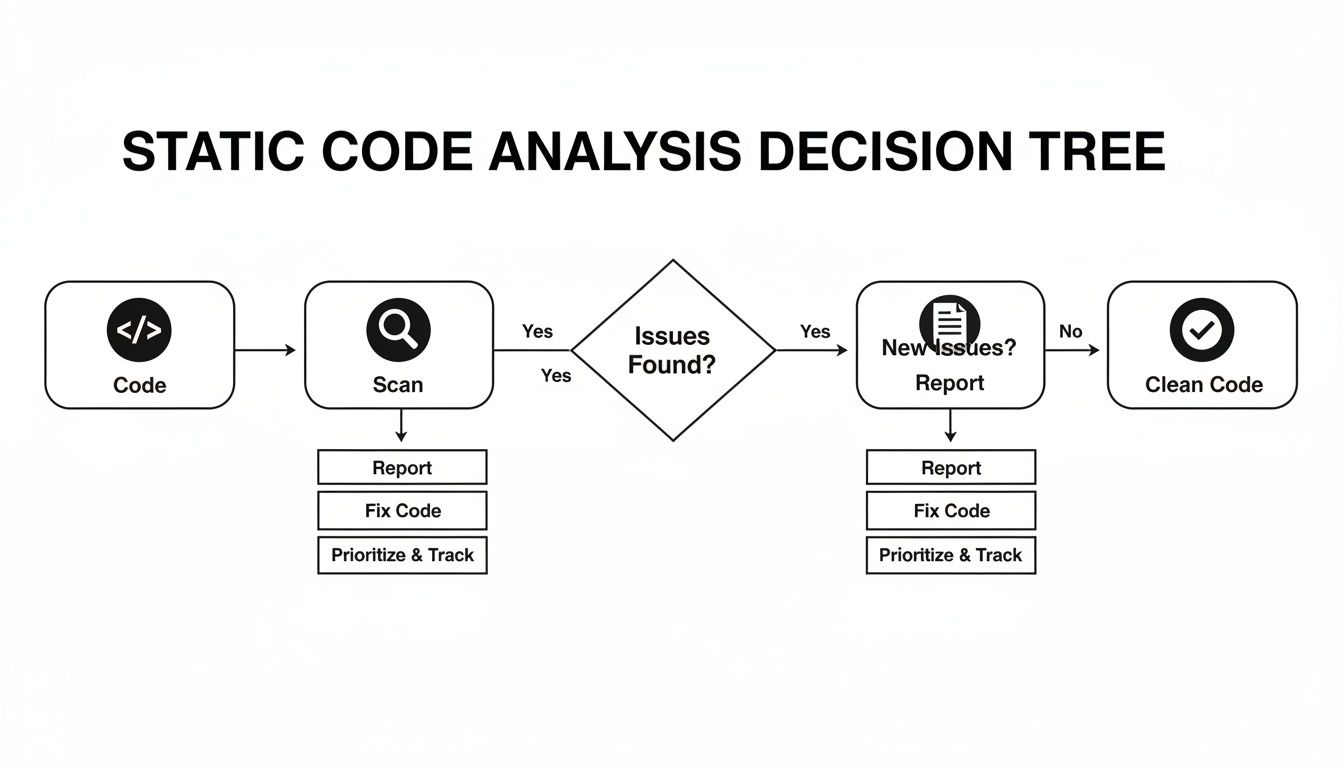
It’s a perfect illustration of how static analysis creates a direct feedback loop, letting developers find and fix issues based on a detailed report long before the code moves on to the next stage.
To help you decide which tool to use and when, this table breaks down the core differences between SAST, DAST, and SCA. Each has its strengths, and a mature security programme knows how to use them all.
SAST vs DAST vs SCA A Comparative Guide
| Analysis Type | When to Use It | What It Finds | Practical Example |
|---|---|---|---|
| SAST (Static) | Early in the SDLC, as developers write code. Ideal for CI pipelines. | Flaws in the source code logic (SQLi, buffer overflows, insecure configurations). | Finding a hardcoded API key in a configuration file before it’s ever committed to the main branch. |
| DAST (Dynamic) | Later in the SDLC, on a running application in a test environment. | Runtime vulnerabilities (Cross-Site Scripting, server misconfigurations). | Injecting <script>alert('XSS')</script> into a website’s search bar to see if the application executes the script. |
| SCA (Composition) | Continuously, from development through to production. | Known vulnerabilities (CVEs) in open-source and third-party libraries. | Detecting that your project uses log4j version 2.14.0 and flagging it for the critical Log4Shell vulnerability (CVE-2021-44228). |
Ultimately, a truly comprehensive security strategy doesn’t force a choice between these methods; it layers them intelligently. You should be using all three to cover your bases.
A comprehensive security strategy doesn’t choose one method over the others; it layers them. Use SAST early and often during development, run DAST scans in test environments before release, and integrate SCA continuously to monitor third-party components.
This layered approach is clearly becoming the industry standard. Market data shows the global static code analysis market, with a strong European footprint, was valued at $909 million and is set to hit $970 million. It’s projected to grow at a 6.9% CAGR to $1,446 million by 2031, with Europe capturing roughly 28% of this, driven heavily by regulations like GDPR and PCI-DSS.
In Spain and across Europe, investments in these tools have doubled in large enterprises since 2019, aligning with new documentation mandates like those in the EU’s Cyber Resilience Act. (Read the full research about static code analysis market trends).
This growth isn’t just about buying tools; it reflects a fundamental shift in how we build software—combining multiple analysis types to create a robust and verifiable security posture.
Integrating Static Analysis into Your CI/CD Pipeline
Effective static code analysis isn’t about running the occasional, manual scan. It’s about weaving it directly into the daily fabric of your development process. The whole point is to make security and quality checks an automatic, seamless part of the workflow, not some burdensome step you have to remember at the end. This is what a modern DevSecOps culture is all about.
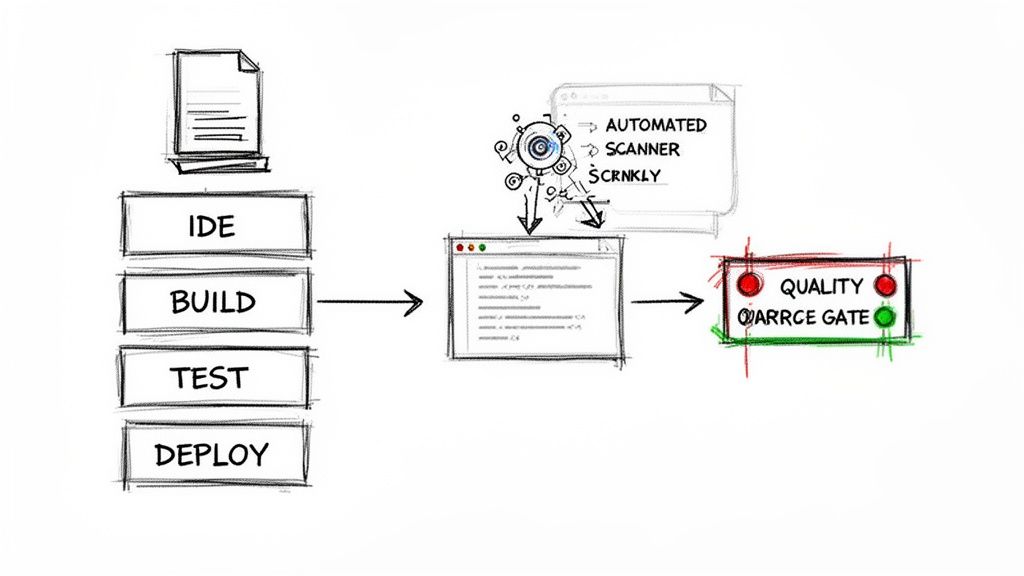
The journey from sporadic scans to a fully automated pipeline starts with your developers. By integrating static analysis tools directly into their Integrated Development Environments (IDEs) through plugins, you give them a real-time feedback loop. As they type, the tool highlights potential bugs or vulnerabilities with a red squiggly line, just like a spellchecker. A practical example would be a Python developer using a linter like Pylint in VS Code, which immediately warns them about an unused variable or an insecure function call. This turns every coding session into a live code review.
This immediate feedback is incredibly powerful. It helps developers correct issues at the source, long before the code is ever committed to a shared repository.
Establishing Automated Quality Gates
While IDE integration is a fantastic first step, the real enforcement happens inside your Continuous Integration/Continuous Deployment (CI/CD) pipeline. Here, static analysis acts as an automated quality gate—a checkpoint that code must pass before it can be merged or deployed.
Think of it as an incorruptible security guard for your codebase. Every time a developer submits new code, the CI server automatically triggers a static analysis scan. If that scan uncovers issues that violate your predefined rules—like a critical security vulnerability or a major bug—the build fails. Simple as that. For example, you can set a rule to fail any build that introduces a new high-severity vulnerability, such as a potential SQL injection. This automated failure prevents flawed code from ever polluting the main branch. It forces a resolution, ensuring that your quality and security standards are met consistently, without relying on anyone’s memory or manual oversight. To see how this fits into a bigger picture, check out our guide on building a secure software development life cycle.
A quality gate is a non-negotiable checkpoint in your CI/CD pipeline. By configuring it to fail a build when static analysis finds high-severity issues, you transform security from a suggestion into a mandatory requirement for all new code.
A Practical Example with GitLab CI
To see how this works in the real world, let’s look at a simple configuration for a GitLab CI pipeline. This YAML code snippet shows how you can integrate a static analysis tool (we’ll use a generic sast-scanner for this example) right into your workflow.
The configuration defines a sast-scan job that runs during the test stage of the pipeline. It executes the scanner on your source code and, crucially, is set to fail the entire build (allow_failure: false) if it detects vulnerabilities that cross a certain severity threshold.
stages:
  - build
  - test
  - deploy

sast-scan:
  stage: test
  image: sast-scanner:latest
  script:
    - /usr/bin/scanner --scan-path . --report-format json --output sast-report.json
  artifacts:
    paths:
      - sast-report.json
    when: always
  rules:
    - if: $CI_PIPELINE_SOURCE == 'merge_request_event'
  allow_failure: false
What This Code Does
stage: test: This line ensures the static analysis scan runs as part of your automated testing phase, right where it belongs.script: This is the command that executes the scanner on your project’s codebase (.). The findings are saved as a JSON report file for later review.artifacts: This directive saves thesast-report.jsonfile, making it available for download or inspection after the job completes.rules: This rule is a common practice. It configures the job to run only on merge requests, checking new code just before it has a chance to join the main branch.allow_failure: false: This is the most critical line here. It tells the CI/CD pipeline to stop dead in its tracks and fail the entire build if thesast-scanjob fails (for instance, because the scanner found critical issues). This is what effectively blocks the merge.
By implementing a simple script like this, you move from theory to tangible practice. Static code analysis is no longer just a tool you own; it becomes an automated, essential part of your development lifecycle, safeguarding your code with every single commit.
A Practical Look at Benefits and Limitations
Static code analysis is about much more than just finding bugs earlier. When you get the implementation right, it starts to drive real business outcomes—impacting costs, development speed, and your ability to meet tough regulatory demands.
One of the biggest wins is the dramatic drop in what it costs to fix things. A bug caught while a developer is still coding is trivial to fix. The same bug discovered after a product is in the field can be incredibly expensive to remediate. By flagging potential issues in real-time, static analysis stops expensive rework cycles and bakes security right into your definition of quality.
This approach doesn’t just save money; it speeds up the whole development lifecycle. Instant feedback means developers can fix mistakes on the spot. This avoids the painful, slow-moving process of finding, reporting, and fixing bugs much later during dedicated testing phases. The result is cleaner code, fewer broken builds, and a much smoother path to deployment.
Accelerating Compliance and Reducing Risk
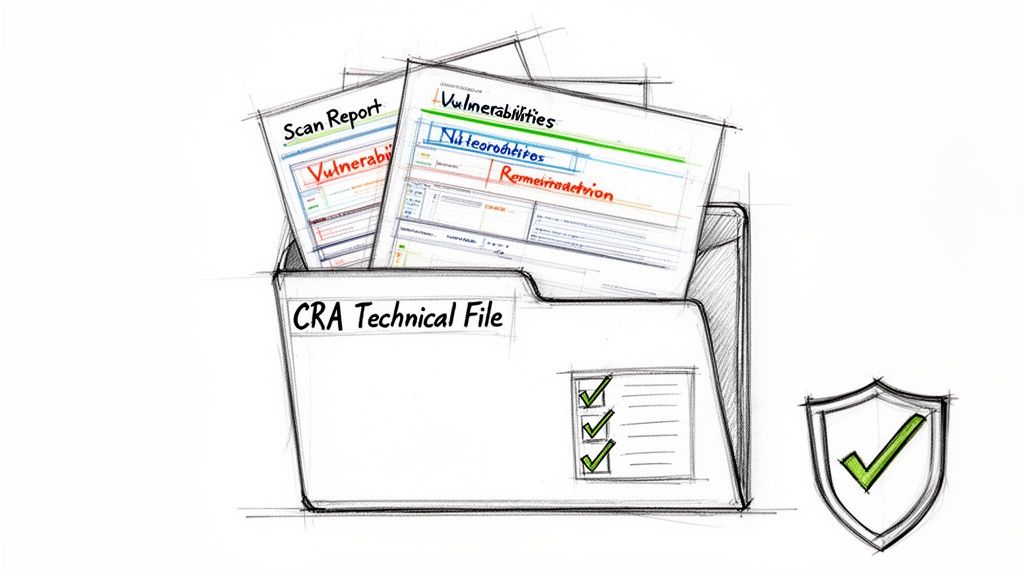
In a world shaped by regulations like the EU’s Cyber Resilience Act (CRA), static analysis becomes an essential tool for gathering evidence. It produces concrete artefacts—scan reports, vulnerability lists, remediation logs—that prove you’re performing due diligence. This simplifies the creation of your technical file and shows regulators you’re serious about secure development.
Static code analysis isn’t just a development tool; it’s a compliance engine. The reports it generates provide verifiable proof that your team has actively identified and addressed known vulnerability classes—a foundational requirement for market access in regulated industries.
The market is clearly responding to this need for verifiable security. While the global static code analysis market was valued at $1,078 million, it’s projected to hit $1,823.69 million by 2033. European nations, driven by CRA demands, are contributing over 25% of this growth as teams rush to integrate these tools into their CI/CD pipelines. You can find more insights on static analysis market trends here.
Navigating the Challenge of False Positives
But no tool is a silver bullet. Static analysis has one infamous limitation: false positives. These are alerts that flag perfectly safe code as problematic, creating a lot of noise for development teams. If you don’t manage this, it quickly leads to “alert fatigue,” where developers start ignoring all warnings, including the real ones. This can completely undermine the tool’s value.
The goal isn’t to get to zero false positives, but to manage the noise intelligently.
- Tune Your Rulesets: Don’t just switch on every rule from day one. Start with a small, curated set of high-impact, low-noise rules that focus on critical issues like the OWASP Top 10. For example, you might enable the rule for “SQL Injection” but disable a more stylistic rule like “line length exceeds 80 characters” initially.
- Establish a Triage Workflow: Create a clear process for reviewing, prioritising, and formally suppressing known false positives. This lets your developers focus their energy on genuine threats, not chasing ghosts. For instance, a tool might flag a complex sanitisation function as a vulnerability; your team can review it, confirm it’s safe, and mark it as “won’t fix” with a justification.
- Use Baselines: Run an initial scan to create a “baseline” of all existing issues in your legacy code. Then, configure your quality gate to only fail builds on new problems. This lets you tackle the old code debt over time without blocking current development.
By taking a balanced view, you can maximise the huge benefits of static code analysis while managing its limitations. It stops being a noisy distraction and becomes a powerful asset for hitting both your development and business goals.
Securing IoT and Embedded Systems with Static Analysis
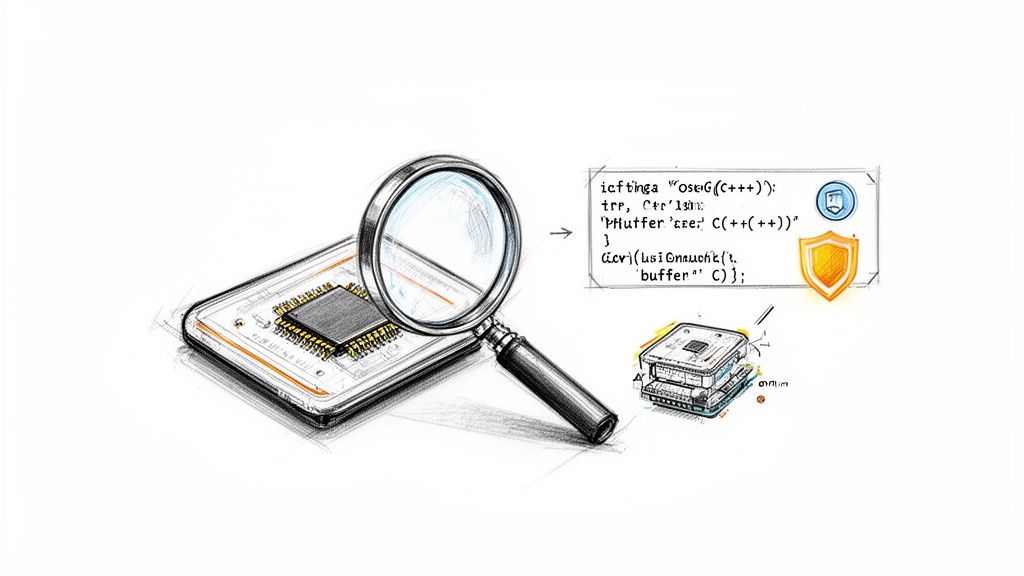
Applying static code analysis to the world of the Internet of Things (IoT) and embedded systems is like inspecting a submarine’s hull for microscopic cracks before it ever touches water. The stakes are incredibly high. Once a device is deployed—whether it’s a medical implant, an industrial sensor, or a smart home appliance—fixing a flaw becomes immensely difficult and expensive.
The unique environment of these devices introduces challenges that standard software development doesn’t always face. They often run on resource-constrained hardware with limited memory and processing power, making efficiency paramount. This reality pushes developers towards languages like C and C++, which offer granular control but also open the door to a host of memory-related vulnerabilities.
Uncovering Firmware and Hardware Flaws
In this high-stakes context, static analysis becomes a critical ally. It meticulously scans firmware and configuration files for specific vulnerability classes common in connected hardware. Before the code is ever flashed onto a chip, these tools act as an automated security expert, hunting for subtle but dangerous flaws.
Key areas where static code analysis excels for embedded systems include:
- Memory Safety Violations: It flags classic C/C++ errors like buffer overflows, null pointer dereferences, and use-after-free bugs. These are the kinds of mistakes that could allow an attacker to crash a device or execute arbitrary code.
- Hardcoded Credentials: Scanners quickly identify sensitive information like passwords, API keys, or private certificates mistakenly left directly in the source code. This is a common but severe security risk.
- Insecure Data Storage: The analysis can flag instances where sensitive data is stored in non-volatile memory without proper encryption, leaving it exposed to physical attacks.
For example, think about a simple C function in a smart lock’s firmware, designed to receive an unlock code over Bluetooth. A static analysis tool would immediately flag the use of an unsafe function like gets() to read the incoming data.
void process_unlock_code() {
    char code_buffer[16];
    printf("Enter unlock code: ");
    gets(code_buffer); // DANGEROUS: No bounds checking!
    // ... logic to check the code
}
The tool would identify this as a critical buffer overflow vulnerability. An attacker could send an “unlock code” longer than 15 characters, overwriting adjacent memory and potentially tricking the lock into opening without a valid code. It’s a perfect example of a flaw found in seconds by a static analyser that could have catastrophic real-world consequences.
Meeting Stringent Regulatory Demands
This level of pre-emptive scrutiny is no longer just a best practice; for many, it’s a legal necessity. For manufacturers targeting the EU market, regulations like the Cyber Resilience Act (CRA) place strict security obligations on connected devices. Static analysis provides the verifiable evidence needed to demonstrate compliance.
Static analysis reports serve as concrete proof that a manufacturer has performed due diligence to identify and mitigate known vulnerabilities in their product’s firmware. This documentation is essential for building the technical file required for CRA compliance and avoiding market access delays.
The impact of integrating these tools is profound. It’s not just about finding bugs; it’s a game-changer for engineering teams. Static analysis can uncover 70-80% of coding defects pre-deployment, slashing post-market surveillance costs and compliance risks ahead of deadlines.
Without tools like these, EU manufacturers and vendors face hefty fines—up to €15 million or 2.5% of global turnover under the CRA. This makes early adoption not just smart, but essential for survival.
Ultimately, static analysis gives hardware manufacturers an indispensable toolkit for navigating a complex compliance landscape. By rooting out vulnerabilities at the source code level, teams can build more secure, reliable, and regulation-ready devices from the ground up, fulfilling key CRA manufacturer obligations before a single unit ships.
Using Static Analysis to Build Your CRA Technical File
Static code analysis is much more than just a developer’s tool for catching bugs early. It’s a powerful engine for creating the verifiable proof you need for regulations like the EU’s Cyber Resilience Act (CRA). When you use it strategically, the output from your SAST tools becomes a cornerstone of the technical file needed to prove your product is secure by design.
The CRA requires manufacturers to show, not just tell, that they’ve taken the right steps to secure their products. Static analysis is the perfect way to do this. It turns abstract legal language into hard, data-driven evidence. The reports and logs these tools spit out are the raw materials for building your compliance story.
From Scan Reports to Compliance Evidence
The real challenge with the CRA isn’t just building secure products; it’s translating your day-to-day development work into a format regulators will accept. This is where your static code analysis reports come in. They create a detailed, time-stamped record of every vulnerability found, its assigned risk level, and what you did about it.
This process builds an undeniable audit trail. Instead of just claiming you have a vulnerability management process, you can show a folder full of scan results from your CI/CD pipeline, proving exactly when and how security checks ran against every single code change. You’re no longer just making an assertion; you’re presenting a demonstrable fact.
Static analysis transforms compliance from a checkbox exercise into a data-driven process. The detailed reports generated by these tools provide the irrefutable evidence that your organisation has implemented secure-by-default configurations and actively addressed known vulnerabilities, as mandated by the CRA.
Mapping Findings to Regulatory Obligations
A crucial next step is to connect the dots between what your static analysis tool finds and the specific security obligations in the CRA. For example, if the regulation says you must protect against unauthorised access, you can point to scan reports showing you’ve hunted down and eliminated hardcoded credentials or insecure default passwords.
This direct mapping is what gives your technical file its strength. It proves to regulators that you not only understand their requirements but have put specific, technical controls in place to meet them. For a deeper look at what this involves, check out our in-depth guide to structuring a CRA technical file.
A Step-by-Step Workflow for Documentation
To get your security data into a submission-ready state, you need a structured workflow. Following a clear process ensures the evidence you collect is complete, organised, and perfectly aligned with what regulators expect to see.
- Detect and Log: First, set up your static analysis tools to run automatically in your CI/CD pipeline. Make sure every scan’s output—vulnerability details, severity, file locations—is saved in a structured format (like JSON or XML) and stored in a central, accessible repository. For example, your Jenkins pipeline saves a
security-scan-results.xmlfor every build. - Triage and Document Actions: Next, establish a clear process for reviewing the scan results. For every finding, you must document the decision. Was it a true positive that got fixed? A false positive that was suppressed? Or an accepted risk with other controls in place? This documentation is vital evidence of your vulnerability management in action. An example would be a Jira ticket created for each finding, tracking its status from “Open” to “Resolved” or “Won’t Fix.”
- Map Evidence to Requirements: Create a compliance matrix that explicitly links each CRA security requirement to the proof found in your static analysis reports. For a requirement on memory protection, you can point directly to scan rules that check for buffer overflows. For example, a spreadsheet column for “CRA Article 10.3a” could link to a filtered view of your scan reports showing all buffer overflow checks have passed.
- Package for Submission: Finally, assemble all the logs, triage decisions, and the compliance matrix into a dedicated section of your technical file. This package gives auditors a complete picture of your secure development practices, turning your everyday static code analysis tool into your compliance superpower.
Answering Your Top Static Code Analysis Questions
When you start rolling out static code analysis, you’ll inevitably run into some practical questions. Getting these right is the key to unlocking the real value of your tools and processes. Let’s tackle some of the most common hurdles teams face.
How Do We Choose the Right Static Code Analysis Tool?
There’s no single “best” tool out there. The right choice is the one that fits neatly into your technology stack and helps you achieve your specific goals.
When you’re evaluating options, here are the factors that really matter:
- Language Support: Your tool must have rock-solid support for every language in your codebase, whether that’s C/C++, Python, or JavaScript.
- Integration Capabilities: Look for a tool that plugs seamlessly into your existing CI/CD pipeline (like GitLab CI or Jenkins) and your developers’ IDEs. The less friction, the better.
- Low False-Positive Rates: A tool that cries wolf all the time will quickly get ignored. Prioritise tools known for their high accuracy to keep the “noise” down.
- Relevant Rulesets: Make sure the tool offers specific rulesets for any industry standards you need to follow, like MISRA C for automotive or the OWASP Top 10 for web applications.
What Is the Best Way to Handle a High Number of False Positives?
Getting swamped with thousands of warnings is a classic problem, and it can kill a static analysis programme before it even gets going. The trick is to manage the noise strategically, not try to fix everything at once.
Start small. Configure your tool to run only a handful of high-severity, high-confidence rules. Once your team gets that under control, you can gradually expand the ruleset. Use your tool’s features to formally suppress known false positives, creating a clean baseline to work from. This keeps the whole process manageable and ensures your team stays focused on genuine risks. For more on this, the principles of effective CRA vulnerability handling offer a great framework for triaging and responding to these kinds of findings.
The goal isn’t to hit zero warnings. It’s to create a high-signal, low-noise environment where developers actually trust the tool’s output. A well-tuned static analysis tool is an asset; a noisy one is just a distraction.
Can Static Analysis Find Every Vulnerability in Our Code?
No single tool or technique is a silver bullet for security—anyone who tells you otherwise is selling something. Static analysis is incredibly powerful for catching certain types of bugs that live in the source code itself, like SQL injection, buffer overflows, and insecure configurations. It excels at spotting flaws in the code’s logic and structure before it ever runs.
However, it’s blind to runtime errors or vulnerabilities that only pop up when the application interacts with other systems in a live environment. For instance, SAST might not detect a security misconfiguration on your web server, or a logic flaw that only occurs when two users interact with the system simultaneously. That’s why static code analysis must be part of a layered security strategy. To get comprehensive coverage, you need to combine it with dynamic analysis (DAST) to test the running application and software composition analysis (SCA) to check for vulnerabilities in your third-party libraries. This defence-in-depth approach gives you a much more robust security posture.
Ready to build a data-driven compliance strategy for the Cyber Resilience Act? Regulus provides a unified platform to manage your obligations, structure technical files, and create an actionable roadmap. Gain clarity and confidently place compliant products on the European market by visiting https://goregulus.com.


