

Security by default is a simple but powerful idea: the responsibility for making a product secure lies with the manufacturer, not the customer. It means building products to be as tough as possible right out of the box, with the safest settings already switched on. Security isn’t an optional extra; it’s part of the foundation.
What Security by Default Means in Practice
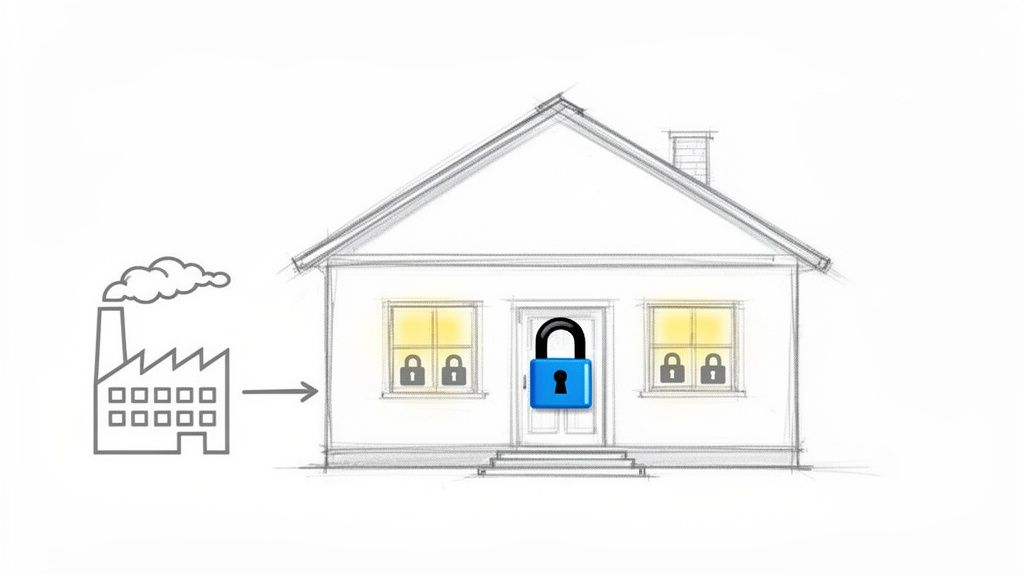
Think about buying a new house. You’d expect the builder to have installed strong locks on the doors and secure latches on the windows. You wouldn’t expect them to leave the front door wide open and hand you a DIY manual on how to install a deadbolt.
That’s the essence of security by default.
For decades, the opposite was often true. The burden of securing a new router, camera, or piece of software fell squarely on the user. It was up to them to change the default password, figure out firewall rules, and hunt down unnecessary services to disable. For example, a home Wi-Fi router might have been shipped with a well-known administrator password like “admin” and a network name like “default,” making it trivial for neighbors or attackers to gain access. Security by default flips that script completely.
Shifting Responsibility from User to Manufacturer
The whole point is to make the most secure path the easiest one. Manufacturers are now expected to make deliberate, informed choices to protect their users from day one, without any setup required. This proactive approach has moved from a “nice-to-have” best practice to a legal requirement under regulations like the EU’s Cyber Resilience Act (CRA).
A product’s out-of-the-box state should be its most secure state. This translates into concrete actions:
- No Default Passwords: The days of using “admin/admin” are over. Every device must force the user to set a unique, strong password during initial setup. A practical example is a new smart speaker that remains non-functional until you set a unique password through its companion mobile app.
- Minimal Attack Surface: Products should ship with only the absolute essential services and ports enabled. If a user wants to activate extra features, they should have to do it intentionally. For instance, a network-attached storage (NAS) device should ship with remote web access and FTP services turned off by default.
- Secure Communication: Encryption for data transfers and storage should be on by default. Users shouldn’t have to dig through complex menus to protect themselves. A connected baby monitor, for example, must encrypt its video stream from the camera to the parent’s viewing device automatically, with no option to disable this protection.
Security by default means designing systems where safety isn’t an afterthought. It’s about building a resilient foundation that protects users automatically, making the secure choice the simplest choice.
Real-World Examples of Security by Default
You can see this principle in action all around you. A new smart thermostat, for instance, should ship with its Wi-Fi encrypted and remote access turned off. The user must consciously choose to connect it to their network and enable remote control, explicitly accepting the associated risk.
Likewise, an industrial sensor installed on a factory floor shouldn’t have an open management port accessible to the whole network. Its default configuration would block that access, forcing an administrator to deliberately and securely authorise a connection. An effective strategy here relies on building a culture of Security, Trust, and Accountability throughout the entire development process.
Getting this right is the first step toward building products that aren’t just innovative, but also trustworthy and compliant with the new wave of global standards.
Connecting the CRA to Your Product Development
The idea of “security by default” isn’t new. For years, it’s been a best practice, a sign of a mature engineering team, and a nice selling point. But that’s all changed. With the EU’s Cyber Resilience Act (CRA), it’s no longer a suggestion—it’s the law.
The CRA gives this engineering principle real regulatory teeth. It formalises the manufacturer’s responsibility, making it crystal clear that any product with digital elements sold in the EU must be secure the moment it comes out of the box. The core message is simple: the secure path must be the default path. This shifts the security burden away from end-users and places it squarely on the shoulders of the manufacturer.
For development teams, this is a profound change. Security can no longer be an afterthought, something bolted on at the end of the production cycle. It has to be an integral part of the product from the earliest design sketches all the way through its entire operational life.
The CRA’s Core Security Mandates
The regulation isn’t just high-level principles; it lays out specific, enforceable obligations that translate directly into engineering tasks. Several key articles in the CRA give concrete form to the “security by default” philosophy.
First, the Act demands that products are delivered with a secure by default configuration. This is a direct command to get rid of insecure factory settings. Any feature that might expand the attack surface—think remote access ports or data-sharing protocols—must be disabled out of the box. A practical example would be a smart TV that ships with all third-party app data sharing and ad-tracking features disabled; the user must explicitly opt-in to enable them.
The CRA also codifies the need for ongoing vulnerability management. This isn’t just about shipping a secure product; it’s a legal duty to keep it secure. Manufacturers are now required to actively find, fix, and communicate vulnerabilities throughout the product’s expected lifetime, or for a minimum of five years.
Practical Examples of the CRA in Action
To see what this means in the real world, let’s look at a couple of common scenarios and how the CRA changes the game.
- A Smart Thermostat: Before the CRA, it wasn’t uncommon for a smart thermostat to ship with a default password like “admin” and an open Wi-Fi network to make setup easier. Under the new rules, that’s a non-starter. The device must ship with encrypted communications enabled by default and force the user to create a unique, strong password during the initial setup.
- An Industrial IoT Sensor: In the past, a sensor destined for a factory floor might have come with an open management interface to simplify configuration. The CRA mandates that this device must now be delivered with all non-essential ports closed. An engineer would need to go through a secure, deliberate process to enable remote management, preventing it from being accidentally exposed on the network.
The Cyber Resilience Act solidifies security by default as a legal baseline. It transforms the concept from a recommendation into a market-access requirement, ensuring that security is a shared responsibility led by the manufacturer.
A Legal and Business Imperative
This legislative push isn’t happening in a vacuum. It’s a direct response to a very real and growing threat. In the European Union, an average of 7.32% of enterprises have reported cyber attacks, with the public sector getting hit particularly hard. This stark reality is why the CRA now insists that all products with digital elements build in robust security from day one. You can read more about these trends at Euranet Plus.
This shift makes a “security by default” mindset a critical business imperative. Companies that fail to bake these principles into their development lifecycle aren’t just risking their reputation. They’re facing legal penalties, expensive product recalls, and being locked out of one of the world’s largest markets. For a detailed breakdown of which products fall under these new regulations, you can check out our guide on Cyber Resilience Act applicability. This proactive approach isn’t just about ticking a compliance box—it’s about building trustworthy products that customers can rely on in a market that now legally demands security.
Turning Security Principles into Engineering Reality
It’s one thing to talk about a principle like security by default, but it’s another thing entirely to turn it into something tangible that your engineering team can actually build. The real work is in translating the high-level “what” and “why” into a clear “how”. This isn’t a philosophical debate; it’s about creating a practical, checklist-driven approach to product development.
The goal is to make the secure choice the easiest choice. This means weaving security checks and hardened configurations directly into the fabric of your engineering workflow, making them as routine as writing code or running unit tests. You’re shifting from hoping developers remember security to giving them a blueprint that builds it in automatically.
From Insecure Defaults to Resilient Foundations
The most straightforward way to implement security by default is to hunt down and eliminate every insecure starting configuration in your product. It’s about auditing its out-of-the-box state with a critical eye. What services are running? Which ports are open? What credentials exist?
Here are the core technical requirements that engineering teams need to get right:
- Eliminate Universal Credentials: The classic “admin/admin” is a welcome mat for attackers. A secure-by-default product must ship with no default password at all, or at the very least, a unique, randomly generated one printed on the device. The user must be forced to create a strong, new password during initial setup before they can do anything else.
- Minimise the Attack Surface: Every open port, running service, and active feature is a potential door for an attacker to knock on. Products must ship in a state of “least privilege,” where only the absolute essential functions are active. Any extra features, especially those that touch the network or allow remote access, must be explicitly turned on by the user.
- Enable Security Logging Immediately: Key security logs should be active from the moment the device boots up for the first time. This guarantees a forensic trail is available if a compromise ever occurs. For example, a home security system should start logging all login attempts—both successful and failed—from its very first power-on, not after a user configures it. Waiting for a user to enable logging is far too late—by then, the crucial evidence of an initial breach is usually long gone.
Before and After: Practical Scenarios
To see the real-world impact, let’s compare the old way of doing things with the new, secure-by-default mandate. These “before and after” examples show the specific engineering changes the CRA demands.
A classic scenario is a consumer-grade network router.
- Before (The Old Way): The router ships with a web management interface accessible from any device on the network, guarded by a default password like “password.” For “convenience,” it might also have protocols like Telnet or UPnP enabled by default.
- After (The CRA Way): The router ships with its management interface locked down. The user must physically connect to it with an Ethernet cable for the first setup, where they are required to create a complex password. Remote management is disabled entirely, and the user has to navigate through advanced settings and acknowledge a security warning to activate it.
Another great example is an Integrated Development Environment (IDE) used by software developers.
When you open a project for the first time, an IDE built with security by default won’t automatically download or run code specified in the project’s configuration files. Instead, it opens in a “Restricted Mode,” giving the developer a chance to review what’s happening and make an informed decision about whether to trust the code.
This simple change prevents a nightmare scenario where merely opening a malicious project from the internet could lead to arbitrary code execution on the developer’s machine. The secure path—reviewing first—becomes the default.
From Principle to Practice: A Security by Default Checklist
To make this operational, teams need a practical checklist to audit their products against. This helps turn abstract principles into specific, verifiable engineering tasks. The table below shows how to map common insecure defaults to their secure-by-default alternatives, aligning them with CRA principles.
| Security Area | Insecure Default (The 'Old Way') | Secure by Default (The 'CRA Way') | Practical Example |
|---|---|---|---|
| Authentication | Shared default credentials like "admin/password". | Unique, randomly generated initial passwords or forced creation at setup. | A new security camera forces the user to scan a QR code to set a new password via a mobile app before it will connect to the network. |
| Network Access | All services and ports are enabled for easy setup. | Only essential ports are open; all non-critical services are disabled. | An office printer ships with web services and cloud printing turned off. An administrator must explicitly enable them after installation. |
| Data Protection | Encryption is an optional setting the user can turn on. | All data, both in transit and at rest, is encrypted by default using current standards. | A smart home hub encrypts all communication with its connected devices automatically, with no option to disable it. |
| Firmware Updates | Manual updates that require the user to check a website. | An automatic and secure update mechanism is enabled by default. | A connected car automatically downloads and applies security patches overnight, notifying the owner upon completion. |
By working through a framework like this, engineering teams can systematically harden their products and build a documented trail of evidence for their technical file. This isn’t a one-time fix but a continuous discipline.
For a deeper look into building security directly into your code, our guide on static code analysis offers valuable techniques that reinforce these principles. Ultimately, turning security principles into reality means making security an unavoidable, documented, and verifiable part of the engineering process itself.
Building a Lifecycle Approach to Security
Shipping a secure product is a great start, but it’s only the beginning. True security by default isn’t a one-and-done event; it’s an ongoing commitment that stretches across the entire life of a product. A device that’s secure today could be vulnerable tomorrow as new threats emerge.
This idea of continuous responsibility is a central pillar of the Cyber Resilience Act (CRA). The regulation makes it clear that manufacturers must not only build secure products but also actively maintain their security long after they’ve been sold. This lifecycle approach fundamentally changes the relationship between a manufacturer and its customers.
From Launch Day to End of Life
Think of it like a vehicle recall. When a car manufacturer finds a safety defect, they are legally required to notify owners and provide a fix, even years after the car left the showroom. The CRA applies this exact same logic to digital vulnerabilities. For example, if a major vulnerability like Log4Shell is discovered, the manufacturer of a smart home device using that library is legally obligated to develop a patch and push it to all deployed devices.
This means manufacturers need robust processes for managing security after a product is in the hands of users. A secure initial configuration is essential, but it has to be backed by a reliable system for patching flaws and communicating with the security community.
This diagram shows the shift from the old, disconnected way of thinking about security to the CRA’s integrated, lifecycle-focused approach.
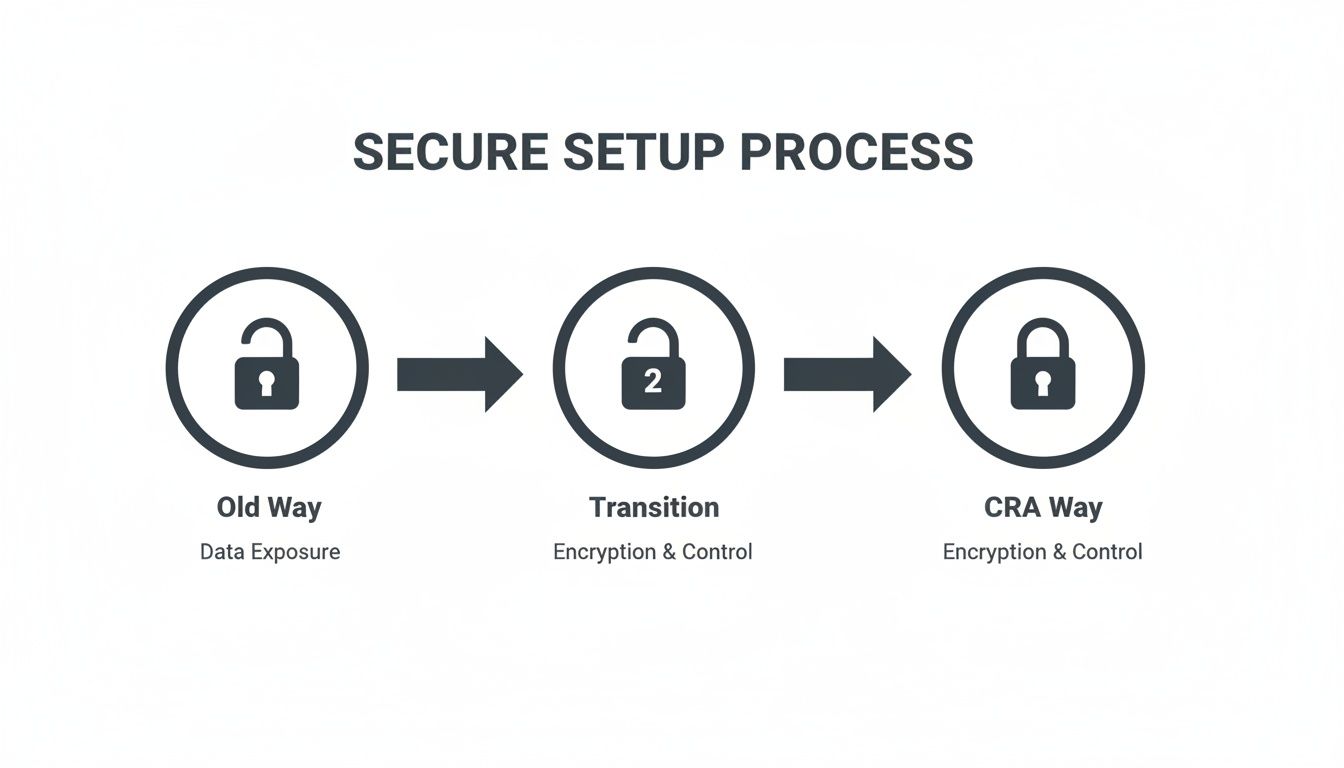
You can see the clear progression from a vulnerable “Old Way” to a protected “CRA Way,” where security controls are built-in from the start and maintained throughout the product’s entire lifecycle.
Creating a Coordinated Vulnerability Disclosure Policy
A key requirement under the CRA is having a formal process for handling vulnerabilities when they’re discovered. This is known as a Coordinated Vulnerability Disclosure (CVD) policy. In simple terms, a CVD policy is a public commitment to working constructively with security researchers who find flaws in your products.
A CVD policy isn’t just a legal document; it’s a bridge between your company and the global security community. It signals that you take security seriously and are prepared to act responsibly when issues are found.
Putting together an effective CVD policy involves a few practical steps:
- Establish a Clear Point of Contact: Designate a specific, public-facing email address, like
security@yourcompany.com. This needs to be easy for researchers to find on your website, so there’s no guesswork involved in reporting an issue. - Define Response Timelines: Set clear expectations for how quickly you’ll respond. This includes acknowledging a report (e.g., within 48 hours) and providing regular updates on your progress. These service-level agreements (SLAs) build trust.
- Provide a “Safe Harbour” Statement: This is a crucial one. A safe harbour statement legally protects researchers who report vulnerabilities in good faith, assuring them they won’t face legal action as long as they follow your rules.
- Publish Your Policy: Make the CVD policy easy to find on your corporate website. Transparency is everything when it comes to building a positive relationship with the security community.
Implementing Secure Update Mechanisms
Finding and fixing a vulnerability is only half the battle. You have to be able to deliver that patch to your users reliably. For connected devices, this almost always means a secure over-the-air (OTA) update mechanism.
An effective OTA process has to be secure by default itself. This means:
- Code Signing: All firmware updates must be digitally signed to prove they came from you. This stops an attacker from pushing a malicious update to your devices.
- Encrypted Delivery: The update package must be sent over an encrypted channel to prevent it from being intercepted or messed with in transit.
- Automatic Installation: To get critical patches out to as many users as possible, updates should be automatic by default. You can give users the option to delay an update, but the default behaviour should be to install it promptly.
These lifecycle obligations are a core part of building a mature security posture. To understand how these processes fit into the broader development cycle, check out our guide on creating a Secure Software Development Life Cycle. Adopting this continuous approach ensures your product remains resilient, compliant, and trustworthy throughout its entire operational life.
How to Document and Prove CRA Compliance
Achieving compliance with the Cyber Resilience Act is a huge step, but the work doesn’t stop there. You have to be able to prove it. This means creating a detailed, organised, and defensible technical file that shows how your product meets every single relevant CRA requirement. Without this evidence, all your hard work on security by default remains undocumented—and from an auditor’s perspective, unproven.
Think of your technical file as the complete legal record of your product’s security journey. It’s the definitive answer to an auditor’s question: “How can you be sure this product is secure?” A vague answer just won’t cut it; you need a structured collection of evidence that maps directly to your legal obligations.
This documentation isn’t just about ticking boxes. It’s a critical risk management activity. It builds trust with regulators, partners, and customers by showing you’ve done your due diligence.
Building Your Technical File
The old way of managing this was a chaotic mess of spreadsheets, shared documents, and disconnected email threads. That approach is not just inefficient; it’s incredibly risky. A single misplaced file or an outdated spreadsheet could put your entire compliance status in jeopardy.
A modern, structured approach is essential. Your technical file has to be a living repository that contains concrete evidence for every security claim you make.
Here are the essential documents you’ll need to pull together:
- Secure Design Specifications: These are the blueprints of your security architecture. They should detail how principles like least privilege and defence-in-depth were baked in from the very first design stages. For example, a design document for a connected camera should specify that video data is encrypted end-to-end, from the device sensor to the user’s phone.
- Risk Assessment Reports: Document your analysis of potential threats and vulnerabilities. This shows you’ve proactively considered how an attacker might target your product. An example is a report detailing the risk of a denial-of-service attack against your device’s cloud-connected API and the mitigation strategies in place.
- Penetration Test Results: Independent, third-party security testing provides objective proof of your product’s resilience. Include the full reports, along with clear records of how you fixed any findings.
- Software Bill of Materials (SBOM): An SBOM is a complete inventory of every software component in your product, including all open-source libraries. This is non-negotiable under the CRA and is critical for managing supply chain vulnerabilities.
- Vulnerability Handling Records: Keep meticulous records of your entire vulnerability disclosure process. This means every reported vulnerability, all communication with security researchers, and solid evidence of patch development and deployment.
An organised technical file transforms compliance from a theoretical exercise into a verifiable reality. It’s the bridge between your internal security efforts and the external proof required by regulators.
From Chaos to Clarity
Trying to track these artefacts manually is a recipe for failure. The sheer volume of data and the need for constant updates make spreadsheets impractical. Imagine trying to prove to an auditor that a specific security update was applied across thousands of devices by pointing to a cell in an Excel file. It simply doesn’t hold up under scrutiny.
This is where a centralised compliance platform becomes invaluable. These tools are designed to map every CRA requirement directly to your documented evidence. For a deeper dive into establishing a structured approach for your product, consider reading about understanding compliance management.
For example, when the CRA requires evidence of a secure update mechanism, the platform allows you to link that requirement directly to your OTA update process documents, code-signing certificates, and deployment logs. This creates an audit-ready trail that is clear, accessible, and defensible. It moves you from a position of chaotic scrambling to one of confident control, saving immense time and reducing the risk of non-compliance.
Finally, you should ensure all your documentation culminates in a correctly structured EU Declaration of Conformity. You can learn more about how to prepare your CRA Declaration of Conformity in our dedicated guide.
Making Your Path to CRA Readiness Smoother
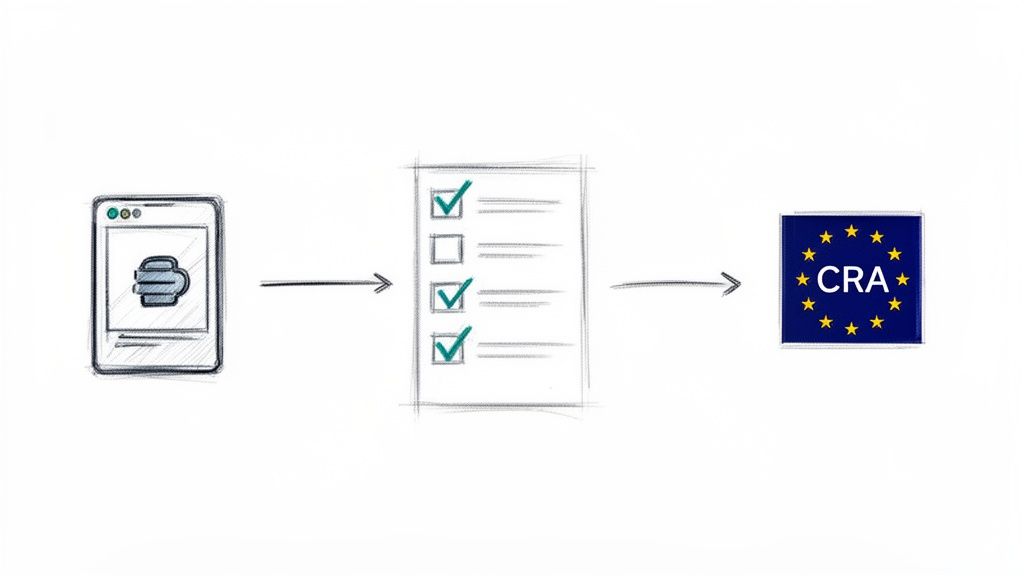
Putting the principles of security by default into practice can feel like a mountain to climb, especially with the Cyber Resilience Act deadlines getting closer. Mapping dense legal articles to actual engineering tasks, gathering all the right evidence, and managing this across a product’s entire life is a huge task. Too often, teams fall back on messy spreadsheets or bring in expensive consultants to figure it all out.
But this process doesn’t have to be a major bottleneck. Modern compliance platforms are designed to be accelerators, translating the abstract requirements of the CRA into a clear, manageable workflow. Instead of guessing your way through, these tools give you a structured path to follow, starting with the most basic questions.
From Vague Rules to an Actionable Checklist
The very first step is getting some clarity. A platform like Regulus can walk you through a simple qualification process to figure out if the CRA even applies to your product. From there, it helps you classify its risk level—is it in the default category or a more critical class? The answer directly shapes your legal obligations.
This initial assessment doesn’t just give you a generic list; it generates a specific, tailored checklist of every single requirement you need to meet. It’s the difference between reading a law book and getting a concrete project plan, showing your team exactly what needs to be done to get your product ready for the EU market.
This dashboard view transforms dense regulatory text into a visual project plan, allowing teams to track progress and assign tasks efficiently.
Building a Repeatable Compliance Machine
The real win here isn’t just getting it done once; it’s building a repeatable and defensible process. Manual methods are full of potential errors and are a nightmare to maintain, especially if you have multiple products or teams. A centralised system locks in consistency and becomes the single source of truth for all your compliance work.
This structured approach brings a few key advantages:
- Less Reliance on Outsiders: It dramatically reduces your dependency on costly external consultants for every little step.
- Total Clarity: Your team knows precisely what their legal and technical obligations are—no more ambiguity.
- Greater Efficiency: What was once a complex, one-off project becomes a repeatable workflow you can use for every new product you launch.
By adopting these kinds of tools, you’re not just ticking a box for a deadline. You’re building a sustainable compliance engine that ensures your products can be placed on the EU market with confidence, today and for their entire lifecycle.
Frequently Asked Questions
As teams start to grapple with the shift to security by default, a lot of practical questions come up. We’ve gathered some of the most common ones we hear from manufacturers, product managers, and developers getting ready for the Cyber Resilience Act.
Does Security by Default Apply to Software as Well as Hardware?
Yes, absolutely. The EU Cyber Resilience Act (CRA) is written to cover all “products with digital elements.” This is a deliberately broad term that catches everything from standalone software, like a mobile banking app, to the firmware running inside a physical IoT sensor.
The core principle is the same for both: the product has to be secure right out of the box. For example, a new project management software tool should ship with its most restrictive user permissions set by default. An administrator would then need to explicitly grant additional privileges to users, rather than having to manually revoke overly permissive default settings.
What Is the Biggest Mistake Companies Make When Implementing This?
The most common pitfall we see is treating security as a last-minute checkbox item right before launch. True security by default isn’t a task; it’s a fundamental change in how you think about and build products. It has to be baked in from the very first design sketch.
Waiting until the product is nearly finished to think about security almost guarantees failure. It leads to expensive rework, architectures that are impossible to truly fix, and a huge risk of non-compliance. A last-minute penetration test won’t save a product that wasn’t designed securely from the start.
Getting this right means training your developers in secure coding practices from day one. It means security is a non-negotiable part of your product requirements, and you’re conducting security reviews throughout the development lifecycle—not just once at the end.
How Long Are We Obligated to Provide Security Updates Under the CRA?
The Cyber Resilience Act sets a clear baseline. Manufacturers have to provide security updates for the expected lifetime of the product or for a period of five years after it’s placed on the market, whichever is shorter.
This is a serious, long-term commitment that many companies aren’t prepared for. For instance, if you sell a smart lock with an expected life of ten years, you’re on the hook for patching its vulnerabilities for at least five of those years. This requires a well-defined and properly resourced strategy for patch management and customer communication right from the beginning.
Gain clarity and build your CRA compliance plan with confidence. Regulus provides a step-by-step roadmap, turning complex legal requirements into an actionable project. Start your journey to compliance at https://goregulus.com.


