Dynamic application security testing (DAST) is a black-box security testing method that probes an application from the outside, mimicking exactly how a real-world attacker would approach it. DAST interacts with the application while it’s running—without any knowledge of its internal code or architecture—to find vulnerabilities that only show up during operation.
This approach is essential for finding security flaws in their real-world context, after all the code has been compiled and deployed.
Uncovering Vulnerabilities in Running Applications
Imagine you’ve just built a complex digital storefront. Before opening for business, you need to be sure all the doors, windows, and security systems work as intended. You wouldn’t just look at the building’s blueprints; you’d hire an inspector to physically test the locks, rattle the doors, and check for weak spots from the outside.
That’s precisely what dynamic application security testing does for your software.
DAST tools act like automated, ethical hackers. They don’t analyse your source code. Instead, they interact with the live, running version of your application, usually in a staging or testing environment. By sending a stream of simulated malicious payloads, they probe for common vulnerabilities that only become apparent during execution.
The Black-Box Perspective
The “black-box” approach is what makes DAST so valuable. Because the tool has no prior knowledge of the application’s internal workings, it’s forced to discover flaws the same way an external attacker would. This perspective is critical for uncovering issues that code-aware methods might miss.
DAST really shines at finding vulnerabilities like:
- SQL Injection (SQLi): Where an attacker slips malicious SQL queries into an input field to manipulate the database. For example, a DAST tool might inject
' OR '1'='1'--into a login form’s username field to see if it can bypass authentication. - Cross-Site Scripting (XSS): This involves injecting malicious scripts into web pages that other users will view, often to steal session cookies or credentials. For example, a tool could submit
<script>alert('XSS')</script>into a comment box to check if the script executes when the page is reloaded. - Server Misconfigurations: Simple but dangerous mistakes like exposed directories or incorrect security headers that weaken the application’s defences. A practical example is a DAST scan discovering that the
/admindirectory is browseable, allowing anyone to see sensitive configuration files. - Authentication and Session Management Flaws: Problems that could let an attacker hijack user sessions or bypass login controls entirely. For example, a DAST tool might find that session tokens are predictable or don’t expire after logout, allowing for session hijacking.
DAST is known for its low rate of false positives. Because it tests for vulnerabilities by actively trying to exploit them, a reported finding almost always represents a genuine, exploitable security risk. This saves your development team a ton of time chasing down non-existent issues.
Integrating DAST into the Development Lifecycle
To get the most out of DAST, it needs to be a continuous part of your development process, not a one-off check. By integrating scans directly into your CI/CD pipeline, you can automatically test every new build before it ever dreams of hitting production.
This practice is a perfect fit for the principles of a secure software development life cycle, making sure security isn’t just an afterthought but a core part of your workflow.
A practical example of this integration would be configuring a Jenkins pipeline. After a successful build, the pipeline deploys the application to a staging server. A subsequent stage in the Jenkinsfile then triggers a DAST tool via its API to scan the staging URL. If the scan reports any critical vulnerabilities, the pipeline is configured to fail, preventing the flawed code from being promoted to production and immediately notifying the development team.
This automated feedback loop helps developers find and fix critical runtime issues quickly, strengthening your security posture and supporting compliance with regulations like the Cyber Resilience Act (CRA).
DAST vs SAST vs IAST: Choosing the Right Application Security Testing Method
To build a solid security programme, you first need to know your tools. Think of it like a home inspection: different specialists check for different problems at various stages of construction. Application security testing is much the same. Each method—DAST, SAST, and IAST—plays a unique part in making sure your application is secure, from the architectural blueprints to the finished, running product.
Static Application Security Testing (SAST) is your blueprint examiner. It’s a “white-box” method, which means it has full visibility into your application’s source code. SAST tools scan that code line by line, looking for structural weaknesses, coding errors, and insecure patterns before the application is even compiled or run. A practical example is a SAST tool scanning a Java codebase and flagging the use of a weak encryption algorithm like DES, long before the application is ever deployed.
In contrast, our focus here, Dynamic Application Security Testing (DAST), is the inspector who shows up after the house is built to test the live systems. DAST takes a “black-box” approach, interacting with the running application from the outside in, just like an attacker would. It probes for vulnerabilities that only surface during execution, like faulty wiring or leaky pipes that you’d never spot on the blueprint.
Finally, there’s Interactive Application Security Testing (IAST). This is like placing a sensor inside the walls to monitor how the plumbing and electrical systems respond to stress in real time. IAST combines elements of both SAST and DAST by using an agent inside the running application, giving it the context to see exactly how and where a vulnerability is triggered during a test. For example, during a QA test, a user submits data to a form. The IAST agent observes this data flow through the application and can pinpoint the exact line of code where an un-sanitised input leads to a database vulnerability.
Understanding the Core Differences
Each of these methods brings something different to the table, and they shine at different points in the software development lifecycle. SAST is brilliant for finding issues early on when they’re cheapest and easiest to fix. DAST is essential for uncovering runtime and environmental vulnerabilities that a code-level analysis could never see. And IAST? It provides incredibly detailed, real-time feedback during the testing phase.
The flowchart below shows the basic workflow for a DAST scan, illustrating how it assesses a live application built from code.
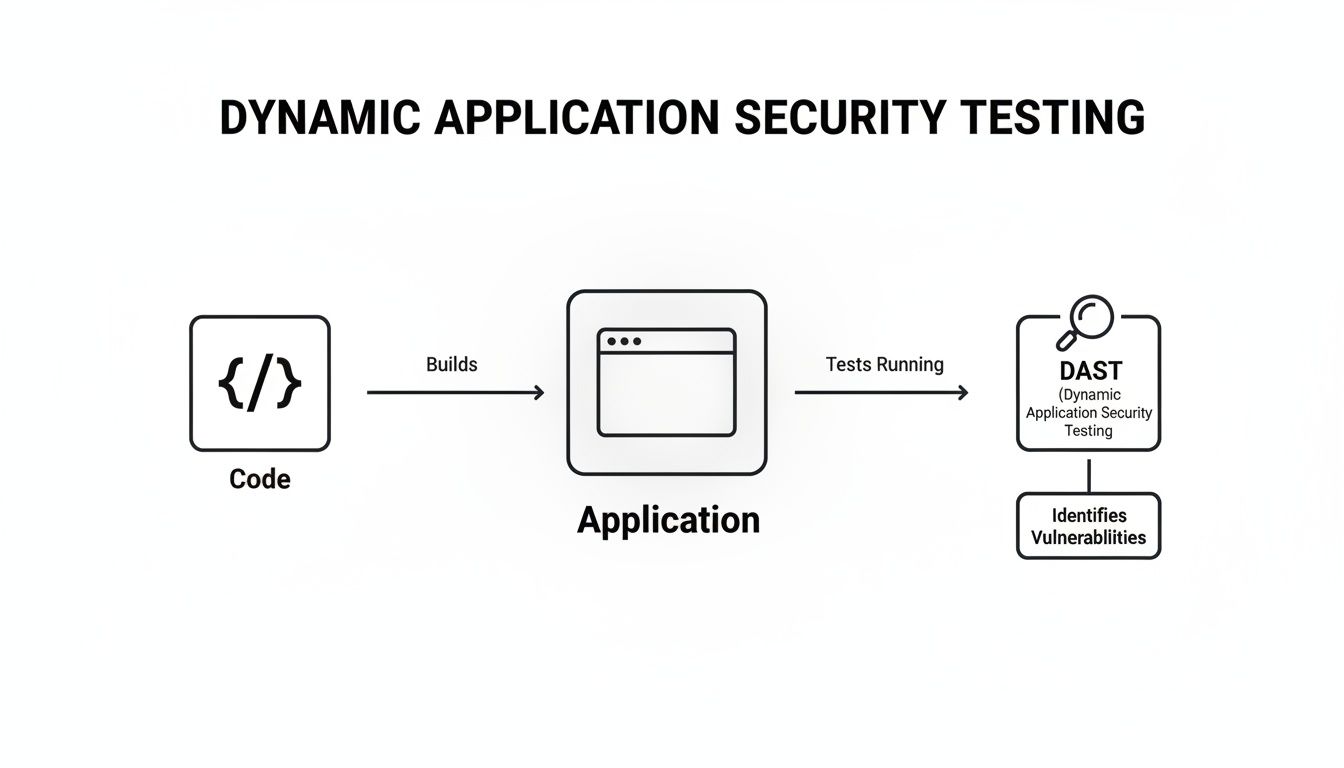
This really drives home DAST’s outside-in perspective, where the tool interacts with the compiled, running application to find security flaws that can actually be exploited.
To make the distinctions even clearer, let’s break down their key attributes side-by-side. This comparison should help you figure out which tool—or, more likely, which combination of tools—is the right fit for your security programme.
DAST vs SAST vs IAST At a Glance
| Methodology | Testing Approach | When It Is Used | Vulnerabilities Found | Best For |
|---|---|---|---|---|
| SAST | White-Box | Early in the SDLC (coding phase) | Coding errors, insecure design patterns, buffer overflows | Finding flaws early and educating developers on secure coding. |
| DAST | Black-Box | Later in the SDLC (testing/staging) | SQL injection, XSS, server misconfigurations, authentication issues | Verifying security in a real-world, running environment. |
| IAST | Grey-Box | During QA and integration testing | A mix of code-level and runtime flaws with precise location data | Gaining deep insights into vulnerability context during automated tests. |
As you can see, each approach offers a different lens through which to view your application’s security posture. They aren’t competitors; they’re collaborators in a comprehensive security strategy.
Building a Layered Security Strategy
The truth is, no single testing method will ever catch every vulnerability. SAST might miss a server misconfiguration, while DAST won’t spot a flaw in a piece of code that isn’t executed during its scan. That’s precisely why a layered approach is so critical for building truly resilient software.
By combining these methods, you create a defence-in-depth strategy. SAST acts as your proactive check, DAST serves as your real-world validation, and IAST provides deep diagnostics during testing. Together, they offer comprehensive coverage across the development lifecycle.
A practical example of a layered strategy: A SAST scan flags a potential SQL injection vulnerability in the code. A developer reviews it but isn’t sure if it’s exploitable. Later in the pipeline, a DAST scan is run against the deployed application in a staging environment. The DAST tool confirms that the vulnerability is indeed exploitable by successfully bypassing a login form. This powerful combination helps the team prioritise the fix with confidence, focusing on a proven, high-risk issue first. You can explore more articles on layered security and other topics in our collection on software security.
Ultimately, the right mix depends on your application’s architecture, risk profile, and development practices. For modern, complex applications, integrating SAST and DAST into your CI/CD pipeline is a standard best practice. It provides the continuous security feedback needed to meet the stringent demands of regulations like the Cyber Resilience Act.
How DAST Uncovers Security Flaws in Practice
To really get what dynamic application security testing does, you need to look under the bonnet. A DAST scan isn’t a single, brute-force action; it’s a methodical, two-phase process that deliberately mimics how an attacker would first map out and then assault your application.
First up is the “crawling” or discovery phase. Picture the DAST tool as a meticulous cartographer sent to map an uncharted city. It travels every street (URL), checks every door (link), and inspects every window (form field) of your live application. The end result is a complete map of all accessible pages, APIs, and potential entry points an attacker could target.
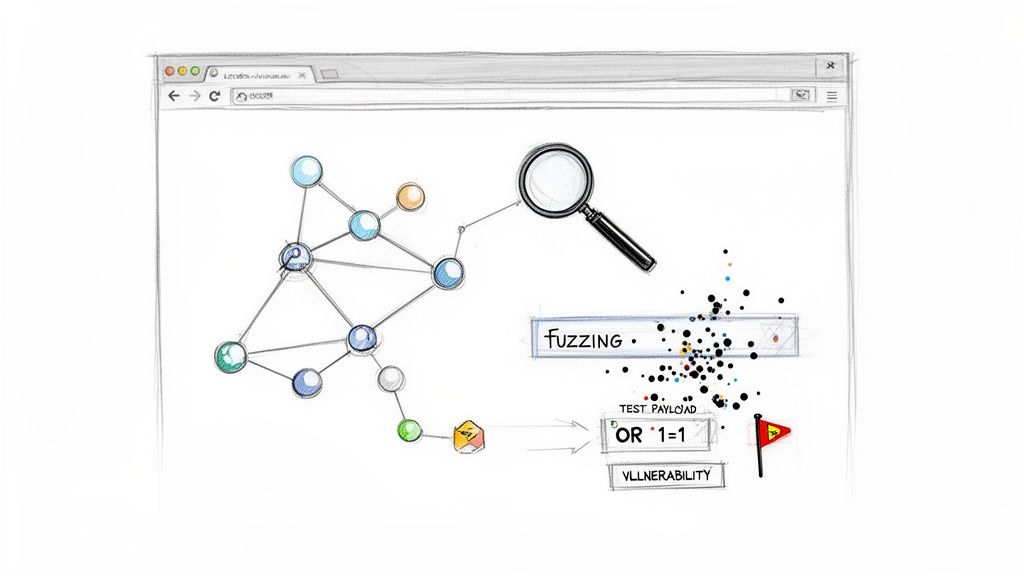
Once that map is complete, the “attack” phase kicks in. Armed with this detailed blueprint of your application, the DAST tool unleashes a battery of simulated attacks against every weak point it found. This isn’t random chaos. It’s a calculated assault using a vast library of known vulnerability patterns.
Real-World Attack Simulations
Let’s look at two of the most common techniques DAST tools use to find critical flaws. These examples show how abstract testing concepts turn into tangible, real-world vulnerability detection.
One of the most powerful techniques in the DAST playbook is fuzzing. This is all about bombarding an application’s input fields with unexpected, malformed, or just plain random data to see if it breaks.
Practical Example: Fuzzing a Search Bar
A DAST tool zeroes in on your website’s search bar. It then starts firing off thousands of inputs: impossibly long strings of text, special characters like';–“`), random binary data, and even oversized files. If the application crashes, spits out a detailed error message with a stack trace, or behaves in any weird way, the tool flags a potential vulnerability. It could be anything from a buffer overflow to an unhandled exception just waiting to be exploited.
This brute-force approach is surprisingly effective at finding hidden weaknesses that developers might never have thought to test for. Another classic DAST test targets SQL injection, still one of the most dangerous web application vulnerabilities out there.
Probing for Injection Flaws
SQL injection attacks happen when an attacker manages to sneak malicious database commands into an input field, tricking your application into running them. A DAST tool automates this entire process to find out if your application is vulnerable.
Practical Example: Bypassing a Login Form
Here’s how a DAST tool would test a login form for a potential SQL injection flaw:
- Target Identification: The tool finds the username and password fields on your login page.
- Payload Injection: Instead of a normal username, it injects a classic SQL injection payload like
' OR '1'='1'--. - Response Analysis: If the database is vulnerable, the query might become
SELECT * FROM users WHERE username = '' OR '1'='1'--' AND password = '...';. The'1'='1'part is always true, and the--simply tells the database to ignore the rest of the query. - Vulnerability Confirmation: If the tool successfully logs in without a valid password, it has just confirmed a critical SQL injection vulnerability.
This kind of hands-on, adversarial testing is what makes DAST so valuable for checking your application’s real-world defences. Properly managing these findings is a core part of effective CRA vulnerability handling, which requires identifying, triaging, and fixing confirmed flaws.
The use of these security measures is growing fast. The Middle East and Africa (MEA) DAST market, for example, is projected to double from $0.10 billion in 2023 to $0.20 billion by 2033. In the UAE, national frameworks have already driven a 45% increase in DAST adoption among telecoms and IoT firms. These companies now scan 80% of their mobile APIs to fight back against a 60% rise in ransomware.
For importers verifying CRA conformity for EU exports coming from MEA hubs, integrating DAST provides 90% faster evidence generation, making it a key tool in the compliance arsenal.
Integrating DAST into Your CI CD Pipeline
For modern development teams, security can no longer be a final checkpoint before release. It needs to be woven directly into the fabric of how software gets built. The most effective way to do this is by integrating dynamic application security testing into your Continuous Integration and Continuous Deployment (CI/CD) pipeline, making security an automated, continuous part of your workflow.
This approach transforms DAST from an occasional audit into an everyday practice. By automating scans, you empower engineering teams to find and fix vulnerabilities much earlier, which drastically reduces the cost and complexity of remediation down the line. The goal is a seamless feedback loop where security testing happens automatically with every single code change.
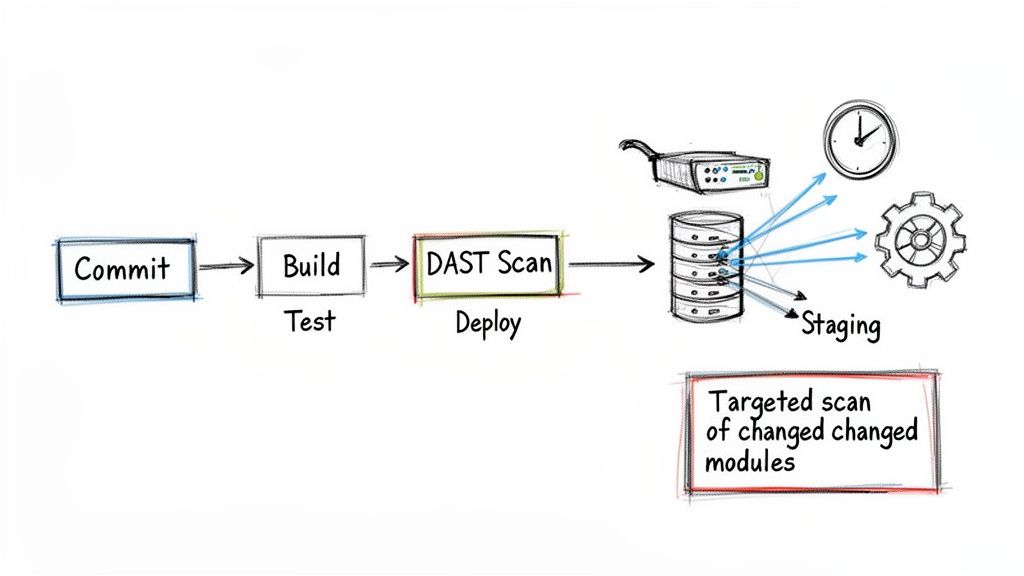
As the diagram shows, a DAST scan simply becomes another dedicated stage in the pipeline, just as routine as your unit or integration tests.
Selecting the Right DAST Tool for Automation
The first step is picking a DAST tool that was actually built for automation. Modern CI/CD environments are fast and flexible—your security tool has to keep up. You’ll want to look for an API-driven DAST tool, which lets you trigger scans, configure settings, and pull results programmatically using simple commands in your pipeline script.
Here’s what really matters in a tool:
- Easy Integration: It should have straightforward plugins or setup guides for common CI/CD platforms like GitLab CI, Jenkins, or GitHub Actions. For example, a good DAST tool will offer a pre-built GitHub Action that you can drop into your workflow YAML file with just a few lines of configuration.
- Fast Scans: The tool must be quick. If it becomes a bottleneck, developers will just look for ways to bypass it.
- Targeted Scanning: The ability to scan only the parts of the application that have changed is a game-changer for efficiency. Full scans on every commit just don’t scale. A practical example is configuring a scan to only target newly added API endpoints in a feature branch, rather than re-scanning the entire application.
This move towards integrated security isn’t just a best practice; it’s a market necessity. In Europe (often called ‘ES’ in compliance contexts), the DAST market is expanding rapidly due to regulations like GDPR, NIS2, and the Cyber Resilience Act (CRA). In France, for example, the SecNumCloud programme has spurred a 28% rise in DAST adoption for cloud-native apps since 2022.
For IoT vendors and product teams using platforms like Regulus, this means DAST is essential for avoiding fines up to €20 million under the CRA. The data is clear: companies that integrate DAST early reduce their remediation time by 45%, turning a compliance headache into a competitive edge. You can dig into more stats about the dynamic application security testing market on consainsights.com.
Configuring Your Pipeline for DAST
Once you have the right tool, it’s time to wire it into your CI/CD pipeline. The most common and effective strategy is to trigger a DAST scan whenever new code is pushed to a testing or staging environment. This ensures every change gets vetted before it moves any closer to production.
Here’s what that looks like in practice, step-by-step:
- Commit Code: A developer pushes new code to a feature branch.
- Build and Unit Test: The CI server automatically builds the application and runs its unit tests.
- Deploy to Staging: If the build succeeds, the pipeline automatically deploys the application to a dedicated, isolated staging environment.
- Trigger DAST Scan: This is the key part. A job in your pipeline makes an API call to your DAST tool, pointing it at the URL of the newly deployed staging app.
- Analyse Results: The DAST tool runs its scan and reports back. You can configure the pipeline to “break the build” or fail if any high-severity vulnerabilities are found.
- Report and Remediate: Results are pushed to the development team, often through automated alerts in Slack or by creating a ticket in Jira.
By placing the DAST scan in a post-deployment stage within a non-production environment, you get the most realistic security assessment possible without risking your live application or slowing down the primary build process.
This automated workflow provides developers with immediate feedback on the security impact of their changes. It perfectly satisfies the continuous monitoring requirements of the CRA without killing development velocity. Ultimately, it makes security a shared responsibility and a natural part of building high-quality software.
A Practical Workflow for Managing DAST Findings
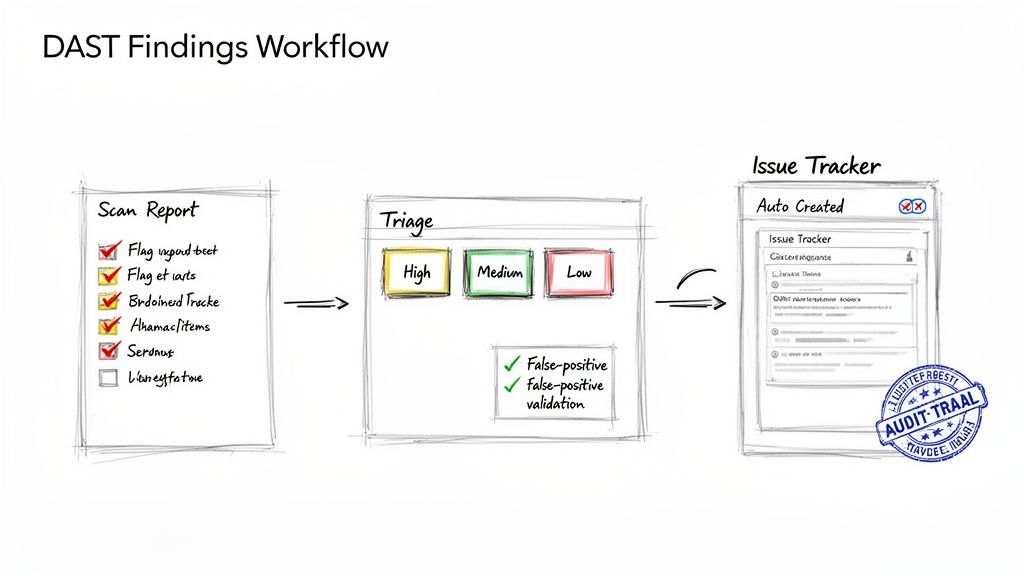
A raw report from a dynamic application security testing scan is just the starting point. The real value comes from turning that data dump into a structured, auditable process for fixing what’s broken. Getting this workflow right is essential, not just for tightening up your security but also for proving you meet regulations like the Cyber Resilience Act.
The whole process kicks off the moment a scan finishes. You get a list of potential vulnerabilities, but here’s the thing: not all findings are created equal. Your first job is to separate the real threats from the noise. It’s a critical step that saves your developers from chasing ghosts.
Validating and Triaging Vulnerabilities
The first hurdle in any DAST workflow is dealing with false positives. DAST tools are generally pretty accurate, but no tool is perfect. A false positive is when the scanner misreads an application’s response and flags a vulnerability that isn’t actually there.
To sort through findings quickly, your team needs a simple checklist:
- Reproducibility: Can a security engineer or developer manually trigger the vulnerability using the same steps as the DAST tool? If not, it’s likely a false positive. For example, if a DAST tool reports a Cross-Site Scripting (XSS) flaw, the first step is to take the provided payload and manually submit it in a browser to see if it executes. If it doesn’t, it might be a false positive.
- Contextual Analysis: Does this vulnerability even make sense given the application’s architecture and business logic?
- Tool Configuration: Was the scanner set up correctly for this specific application? Misconfigurations, especially around authentication, are a massive source of false alarms.
Once you’ve confirmed a vulnerability is real, the next step is triage. This is all about assessing its real-world risk so you can prioritise what to fix first. Triage should boil down to two key factors: severity and business impact. For example, a high-severity SQL injection flaw on your public-facing e-commerce checkout page needs immediate attention, far more than a low-severity “Missing Security Header” issue on an internal admin panel.
Streamlining Remediation with Automation
After triage, the workflow needs to move smoothly from finding the problem to fixing it. The best way to do this is by hooking your DAST tool directly into your development team’s issue tracker, whether that’s Jira or Azure DevOps. Modern DAST solutions are built with APIs that make this kind of integration fairly straightforward.
A well-oiled workflow automatically creates a detailed ticket for each confirmed, high-priority vulnerability. This ticket should give a developer everything they need to understand and fix the issue: the affected URL, the exact payload used, and clear guidance on how to remediate it.
This automation creates a direct, auditable trail from a security finding to the fix. This isn’t just good practice; it’s a core requirement for showing effective vulnerability handling under the CRA.
This structured approach is gaining serious traction across Europe as regulatory pressure builds. The region’s DAST market is expected to jump from $0.62 billion in 2023 to $1.28 billion by 2033, a surge driven by the CRA. Germany is leading the charge, accounting for 25% of deployments as Industry 4.0 embeds DAST into 70% of smart manufacturing pipelines—a move that has already helped cut OWASP Top 10 vulnerabilities by 50%. For companies using a platform like Regulus to prepare technical files, these trends highlight DAST’s value. Firms with a mature DAST workflow report 55% faster coordinated disclosure, a critical capability for post-market surveillance. You can find more insights about Europe’s growing DAST market at mordorintelligence.com.
Using DAST to Meet Cyber Resilience Act Requirements
For any organisation placing products with digital elements on the EU market, the Cyber Resilience Act (CRA) isn’t just another regulation—it’s a fundamental shift in responsibility. Meeting its tough demands requires tangible proof that your products are secure. This is exactly where dynamic application security testing becomes a vital compliance tool, as it directly addresses the CRA’s core principle of ensuring security throughout a product’s entire lifecycle.
DAST scan reports give you the concrete, auditable evidence needed for your technical documentation. They demonstrate that you’ve actively tested your live, running application for exploitable vulnerabilities, a cornerstone requirement under the Act. This goes beyond simply analysing code; it proves you have stress-tested your product’s defences from an attacker’s point of view.
Fulfilling Post-Market Surveillance Duties
The CRA’s obligations don’t just stop once a product is sold. Manufacturers have to perform continuous post-market surveillance to keep an eye out for new threats. Regular, automated DAST scans are a perfectly practical way to meet this duty.
By continuously probing your application, you can spot newly discovered vulnerabilities that pop up long after the initial release. This proactive monitoring shows regulators that you’re actively maintaining the security posture of your products, which is a key part of ongoing compliance. For example, if a new type of injection attack becomes widespread, a DAST scan with updated attack patterns can quickly tell you if your product is susceptible, letting you respond before it’s widely exploited.
A Checklist for Your Declaration of Conformity
Your EU Declaration of Conformity is your formal statement that your product meets all relevant CRA requirements. The findings from your DAST activities provide powerful, hard evidence to back up this declaration.
Here’s a practical checklist for using DAST evidence:
- Document Scan Schedules: Keep a clear log of when and how often you run DAST scans on your products. For example, maintain a record showing “Weekly production scans run every Sunday at 2 AM” and “Nightly scans on the staging environment.”
- Archive Scan Reports: Store every DAST report, detailing the vulnerabilities found and the dates they were identified.
- Record Remediation Actions: For every vulnerability found, document the steps taken to fix it, who fixed it, and when the fix was verified. For example, link the DAST finding to a Jira ticket (e.g., “PROJ-123”) which contains the code commit hash and the re-scan report that confirms the fix.
- Map Findings to CRA Articles: Connect specific DAST findings (like the discovery of a critical XSS flaw) to the CRA articles that mandate secure-by-default design.
Following these steps creates a clear, auditable trail that proves your commitment to security and your adherence to the law.
By integrating DAST into your workflow, you aren’t just finding bugs; you’re building a repository of compliance evidence. This documentation becomes invaluable during a market surveillance authority audit, as it demonstrates a mature and proactive vulnerability management programme.
Centralising Evidence for Simplified Compliance
Managing all this evidence across multiple products can get complicated, fast. This is where a centralised platform becomes essential. For instance, a solution like Regulus can pull in DAST findings and map them directly to specific CRA articles, making the whole documentation process much smoother.
Instead of trying to juggle spreadsheets and scan reports, you can generate your compliance documentation from a single source of truth. This structured approach is a core part of building a robust and defensible compliance strategy. To see how these practices fit into a broader framework, check out our detailed guide on the CRA secure development lifecycle (SDL). By using DAST systematically, you turn what could be a regulatory headache into a clear path toward market access and customer trust in the EU.
Common Questions About DAST
Here are a few of the questions that come up most often when teams first start working with Dynamic Application Security Testing. The answers should give you a better feel for how DAST fits into a real-world security programme.
How Often Should We Run DAST Scans?
There’s no single right answer here—it really depends on your development pace and how much risk you’re comfortable with. Most organisations find a balanced approach works best.
For any pre-production environment (think development or staging), the ideal is to run scans with every new build or at least nightly. This creates a tight feedback loop, letting your developers spot and fix runtime flaws almost as soon as they’re introduced. A practical example is a team that integrates a DAST scan into their pull request workflow. No code can be merged until it passes a targeted DAST scan on the newly added features.
When it comes to your live production systems, a weekly scan is a solid baseline. But you should always run an on-demand scan right after a major release or a significant change to your infrastructure. You need to be sure that the new code hasn’t accidentally opened up a new hole for an attacker.
Can DAST Find Every Type of Vulnerability?
No, and no single security tool can. DAST is fantastic at finding issues from an outside-in perspective, mimicking what an actual attacker would see. It excels at uncovering runtime vulnerabilities like SQL injection or glaring server misconfigurations.
But here’s the catch: DAST can’t see your source code. It has no idea what’s going on inside the application. That means it will completely miss deeper flaws in business logic, insecure coding patterns, or vulnerabilities hidden in code paths that a scan doesn’t happen to trigger. This is exactly why DAST must be part of a layered security strategy that includes SAST to analyse the code itself.
Is DAST Just for Web Applications?
DAST earned its reputation testing traditional web applications, but its job has gotten much bigger. Today, modern DAST tools are absolutely essential for securing APIs.
Think about it: APIs are the connective tissue for microservices, mobile apps, and countless IoT devices. They represent a massive and often complex attack surface. Applying dynamic application security testing to your API endpoints is the only way to find vulnerabilities like broken authentication, rate-limiting problems, or injection flaws that could bring down your entire ecosystem. For instance, a DAST tool can test an API endpoint like /api/v1/user/{id} for authorization flaws by checking if a standard user can access data for other users simply by changing the ID.
Gain clarity and confidence in your compliance strategy. Regulus provides a step-by-step roadmap to prepare for the Cyber Resilience Act, helping you generate the necessary documentation and manage vulnerabilities effectively. Start your journey to CRA compliance at https://goregulus.com.