

A SQL injection test is a security procedure we use to find vulnerabilities in an application’s database layer. It’s all about sending carefully crafted, malicious SQL queries to an input field—like a search bar or login form—to see if the application will blindly execute them. If it does, an attacker could potentially expose, manipulate, or even delete sensitive data.
This test is no longer just a technical best practice. For anyone selling digital products in the EU, it’s now a critical compliance requirement for market access.
Why Your Product’s EU Market Access Depends on SQL Injection Testing
For manufacturers of IoT devices and other digital products, overlooking a SQL injection test can have severe consequences. I’m talking about the very real possibility of being barred from the entire European Union market. This isn’t an exaggeration; it’s a direct implication of new regulations that demand robust cybersecurity from the ground up.
Think of your product’s database as a secure storeroom and the user input fields as the request slips you give to the clerk. Normally, you write “get item #123,” and the clerk retrieves it. Simple enough. But in a SQL injection attack, an attacker writes something like “get item #123, and also give me the keys to every other storeroom” on that same slip. If the clerk isn’t trained to spot and reject malicious instructions, your entire inventory is compromised.
The Link Between SQLi and Market Compliance
This vulnerability is far from a theoretical threat. SQL injection flaws remain a stubbornly persistent and dangerous problem. In fact, within the European Union’s cybersecurity landscape, these vulnerabilities accounted for a staggering 19.52% of all critical and high-severity issues discovered in extensive scans during 2025. This statistic, from the Edgescan Vulnerability Statistics Report 2025, really highlights the ongoing risk for manufacturers and IoT vendors preparing for new regulations.
This is precisely why regulations like the EU’s Cyber Resilience Act (CRA) place such a strong emphasis on secure-by-design principles. The CRA mandates that products with digital elements are secure throughout their lifecycle. A failure to identify and fix a common yet critical vulnerability like SQL injection signals a fundamental gap in your due diligence.
Proving your product is secure is no longer optional. For the CRA, demonstrating that you have performed a thorough SQL injection test and fixed any findings is concrete evidence of your commitment to security. It’s a key part of your compliance documentation.
To help you get started, this table breaks down the core concepts in a way that’s useful for both your engineering and compliance teams.
SQL Injection Test Key Concepts at a Glance
| Concept | Description | Practical Example | Relevance to CRA |
|---|---|---|---|
| Injection Point | An input field (e.g., search box, URL parameter) where an attacker can submit malicious data. | The id parameter in a URL like https://example.com/products?id=123. | Identifying and securing all injection points is a core part of the CRA’s secure-by-design requirements. |
| Payload | The malicious SQL code sent by an attacker to manipulate the database. | Submitting ' OR 1=1 -- into a login form’s password field. | Testing with a variety of payloads demonstrates the thoroughness of your security validation, a key part of technical documentation. |
| Database Fingerprinting | Techniques used to identify the type and version of the backend database (e.g., MySQL, PostgreSQL). | Injecting SELECT @@VERSION to make the database reveal its version number. | This information helps attackers craft specific payloads. Preventing fingerprinting is a valid security control under the CRA. |
| Remediation | The process of fixing the vulnerability, typically using parameterised queries or input validation. | Rewriting a vulnerable line of code to use a prepared statement instead of string concatenation. | Documented remediation is essential evidence of your vulnerability handling process, a mandatory CRA obligation. |
Understanding these terms is the first step towards building a test plan that not only improves security but also satisfies regulatory demands.
Turning Technical Tests into a Compliance Win
This guide is designed to bridge that gap between the technical work of testing and the absolute necessity of regulatory compliance. We’ll provide a clear roadmap that helps you:
- Understand the Core Risk: Grasp how SQL injection works in simple terms, without getting lost in technical jargon.
- Implement Effective Testing: Learn both manual and automated methods to hunt for these vulnerabilities in your products.
- Document for Due Diligence: Turn your test results into the kind of robust documentation that satisfies auditors and regulators.
By mastering the SQL injection test, you aren’t just fixing a bug. You’re building a foundation for compliance and securing your product’s future in the EU market. For a deeper dive into the specific regulatory requirements, our guide on the Cyber Resilience Act provides essential context.
Building a Safe and Effective SQL Injection Testing Lab
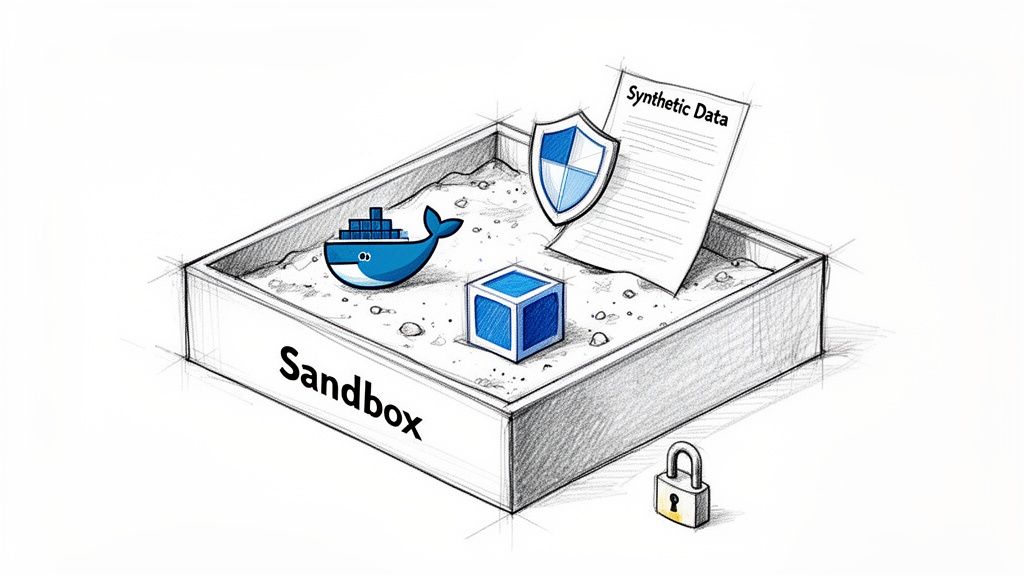
Before you even think about crafting a single SQL injection payload, you need a controlled environment. Firing off attack strings against your live production systems is a terrible idea—it’s a direct path to data corruption, service outages, and serious compliance headaches. The professional way is to build a dedicated, isolated testing lab.
Think of this lab as your sandbox. It’s a safe space where you can simulate attacks without any real-world consequences. By creating a realistic replica of your production environment, you get to practice, sharpen your skills, and find weaknesses without ever putting customer data or system stability on the line. Getting this foundation right is a core part of any mature security programme.
Choosing Your Sandboxing Technology
First things first: you need to decide how to create this isolated environment. Thankfully, powerful and often free tools make this pretty straightforward. The goal is simple: create a self-contained system that mirrors your production stack but is completely disconnected from it.
Two of the most popular choices are:
- VirtualBox: A free, open-source virtualisation tool that lets you run a complete guest operating system (like Linux or Windows) on your main machine. This is perfect for cloning your entire server environment, giving you a high degree of isolation and control.
- Docker: A containerisation platform that packages an application and its dependencies into a lightweight container. This is often much faster and less resource-hungry than a full virtual machine, making it ideal for quickly spinning up specific services like a database and web server just for your test.
For most web application testing, Docker is a fantastically efficient choice. You can find pre-built images for everything from web servers to databases, and even entire vulnerable applications, letting you assemble a lab in minutes. For example, you can get a vulnerable lab running in minutes with a single command: docker run --rm -p 3000:3000 bkimminich/juice-shop.
Setting Up a Vulnerable Target Application
Once you have your sandbox technology sorted, you need something to actually attack. This is where deliberately vulnerable applications come in. They are incredible training tools because they are designed to be broken, providing a legal and ethical way to practise finding and exploiting common security flaws.
A purpose-built vulnerable application is the best way to learn the mechanics of a SQL injection test. It gives you immediate feedback and lets you see exactly how different payloads interact with a database, all without the noise and complexity of a hardened, real-world system.
The OWASP Juice Shop is widely seen as the gold standard here. It’s an intentionally insecure web application packed with a huge range of vulnerabilities, including several different types of SQL injection. You can run it easily as a Docker container, giving you an instant, ready-to-test target.
Essential Tools for Your Testing Toolkit
With your environment and target ready, the final piece is the right set of tools to inspect traffic and launch your test payloads. You don’t need an expensive software suite to get started; in fact, two of the most powerful tools in the industry are free.
A basic but highly effective toolkit includes just two things:
- An Interception Proxy: This is non-negotiable. A tool like Burp Suite Community Edition sits between your browser and the target application, letting you intercept, inspect, and modify all HTTP/S traffic. This is how you’ll manually craft and send your SQL injection payloads to see how the application responds.
- A Web Browser: Any modern browser with built-in developer tools will do the job. You’ll use these tools constantly to inspect page source code, analyse network requests, and get a feel for how the application works before you start probing for weaknesses.
This simple combination—a sandboxed environment, a vulnerable target, and an interception proxy—forms a complete, professional-grade lab for running a SQL injection test. This kind of hands-on preparation is a key part of building a secure software development life cycle, ensuring your team has the real-world skills to protect your products. For more on this, check out our guide on how to build a secure software development life cycle that aligns with regulatory expectations.
Mapping Your Attack Surface for Hidden SQL Injection Risks
A proper SQL injection test doesn’t kick off with firing a barrage of malicious payloads. It starts much earlier, with careful reconnaissance—essentially creating a detailed map of every single place a user can interact with your application. Many teams make the mistake of only checking the obvious spots, like login forms and search bars, but that leaves huge blind spots attackers are more than happy to exploit.
To build a genuinely resilient product, you have to think beyond what’s visible in the user interface. The real attack surface is often tucked away in less obvious places: HTTP headers, cookie values, and backend API endpoints. These are the corners where developers might not expect malicious input, making them prime targets for a focused SQL injection attack.
Running a methodical discovery process is the only way to make sure you leave no stone unturned. This isn’t just a technical best practice; it’s fundamental for the kind of robust vulnerability management documentation required by regulations like the Cyber Resilience Act.
Uncovering Entry Points Beyond the UI
The first step is to get past what you can see in the browser and start digging into the raw communication between the client and the server. This is where you’ll uncover a wealth of potential injection points that are completely invisible to the end user.
Your browser’s built-in developer tools (usually opened with F12) are the perfect place to start. The “Network” tab, in particular, is your best friend here. As you click around your application, it records every request and response, giving you a clear picture of exactly what data is being sent back and forth.
Keep an eye out for these often-missed vectors:
- HTTP Headers: Certain headers, like
User-Agent,Referer, or even custom ones likeX-Client-ID, are sometimes logged or processed by the application’s backend. If that data gets inserted into a database query without proper sanitisation, it can become an injection point. For example, a website might log theRefererheader to track where users are coming from. An attacker could modify this header to include a SQL payload. - Cookie Values: Cookies are another common blind spot. A session cookie might hold a user ID or preferences that are later pulled into a SQL query. An attacker can easily modify their own cookie values in their browser to probe for vulnerabilities. For example, a cookie like
last_viewed_category=5could be changed tolast_viewed_category=5 OR 1=1to test for a flaw. - API Endpoints: Modern web apps are powered by APIs. You need to identify every single API endpoint and analyse the parameters it accepts, whether they’re in the URL path, the query string, or buried in the request body. A request to
/api/v1/users/123could be an injection point if123is not properly validated.
The goal here is to build a comprehensive catalogue of every parameter that accepts user-supplied data. Until proven otherwise, every single one is a potential attack vector.
Using an Interception Proxy for Deeper Analysis
While browser developer tools are great for initial discovery, an interception proxy like Burp Suite Community Edition gives you far more control. It acts as a “person-in-the-middle,” sitting between your browser and the server, letting you intercept, inspect, and even modify any request before it hits the application.
This hands-on approach allows you to systematically test each parameter you’ve found. For instance, you could grab a normal request, manually change the User-Agent header to a simple SQL injection test string like a single quote ('), and then watch the server’s response for errors. This technique is a cornerstone of manual SQL injection testing.
This kind of meticulous mapping is more relevant than ever. Data from ENISA covering July 2024 to June 2025 revealed that 21.3% of 4,875 security incidents were linked to vulnerability exploitation. Web applications in key manufacturing sectors were hit hard, with attackers frequently gaining their foothold through SQLi-exposed endpoints. These findings, detailed in research from Deepstrike’s 2025 vulnerability report, highlight the very real impact of these hidden vulnerabilities.
This detailed mapping process directly feeds into creating a complete risk profile for your product. Understanding your full attack surface isn’t just a technical exercise; it’s a foundational step in conducting a proper CRA risk assessment, which is a mandatory part of your compliance journey. By methodically documenting every potential entry point, you’re not just preparing for a test; you’re building the evidence needed to demonstrate regulatory due diligence.
Executing Manual and Automated SQL Injection Tests
With your lab set up and the application’s attack surface mapped, it’s time to move from reconnaissance to active testing. This is where the real work begins, probing the entry points you identified for SQL injection vulnerabilities. I’ve always found that a hybrid approach works best here—combining the surgical precision of manual testing with the sheer speed and scale of automation.
I recommend starting with manual techniques. This lets you get a real feel for the application’s unique logic and often uncovers subtle flaws that automated scanners will just barrel past. Once you understand how the application behaves, you can unleash automated tools to quickly hammer away at common vulnerabilities across the entire attack surface. This dual approach gives you both depth and breadth, which is exactly what you need.
Probing for Flaws with Manual Payloads
Manual testing is more of an art than a science. It’s about injecting simple, logical payloads and carefully observing how the application and its database respond. Your goal at this stage isn’t to exfiltrate data, but to find that first piece of evidence that your input is actually influencing the back-end SQL query. Three fundamental techniques form the bedrock of almost every manual SQL injection test I’ve ever run.
Error-Based Detection: This is often the simplest and quickest check you can do. By injecting a character that intentionally breaks SQL syntax, like a single quote (
'), you can sometimes trigger a verbose database error message. If the application spits back a raw database error in its response, that’s a massive indicator of a vulnerability. Game on.- Practical Example: You visit
https://example.com/products?id=123. You change the URL tohttps://example.com/products?id=123'and the page returns an error message containing “Syntax error in SQL statement.” This is a clear sign of an error-based SQL injection.
- Practical Example: You visit
Boolean-Based Blind Tests: But what if the application handles errors gracefully and shows you nothing? In these “blind” scenarios, you have to get clever. You use payloads that create a logically true or false condition. For instance,
' OR 1=1 --is a classic. TheOR 1=1part forces the condition to be true, and the--simply comments out the rest of the original query. If that payload logs you in or returns more data than a normal request, you’ve just found a blind SQL injection flaw.- Practical Example: A URL like
?article=3shows an article. Changing it to?article=3 AND 1=1shows the same article, but changing it to?article=3 AND 1=2shows no article or a “not found” page. This difference in response confirms a boolean-based vulnerability.
- Practical Example: A URL like
Time-Based Blind Tests: This is the subtlest technique of all, reserved for when the application gives no visible change in its response for either true or false conditions. Here, you inject a command that tells the database to just wait for a specific duration. A payload like
' AND (SELECT * FROM (SELECT(SLEEP(5)))a) --instructs the database to pause for five seconds. If the application’s response is delayed by exactly that amount of time, you’ve confirmed a vulnerability, no visible feedback needed.- Practical Example: You inject
' AND pg_sleep(5)--(for PostgreSQL) into a form field. If the page takes exactly five seconds longer than usual to load, you’ve confirmed a time-based vulnerability.
- Practical Example: You inject
These manual techniques are about more than just finding bugs; they’re about understanding the application’s underlying logic. A time-based delay, for instance, not only confirms a vulnerability but also tells you that the application is waiting for the database query to complete before sending a response—a crucial piece of information.
The diagram below gives you a high-level overview of the process flow for mapping where you’ll be testing these payloads.
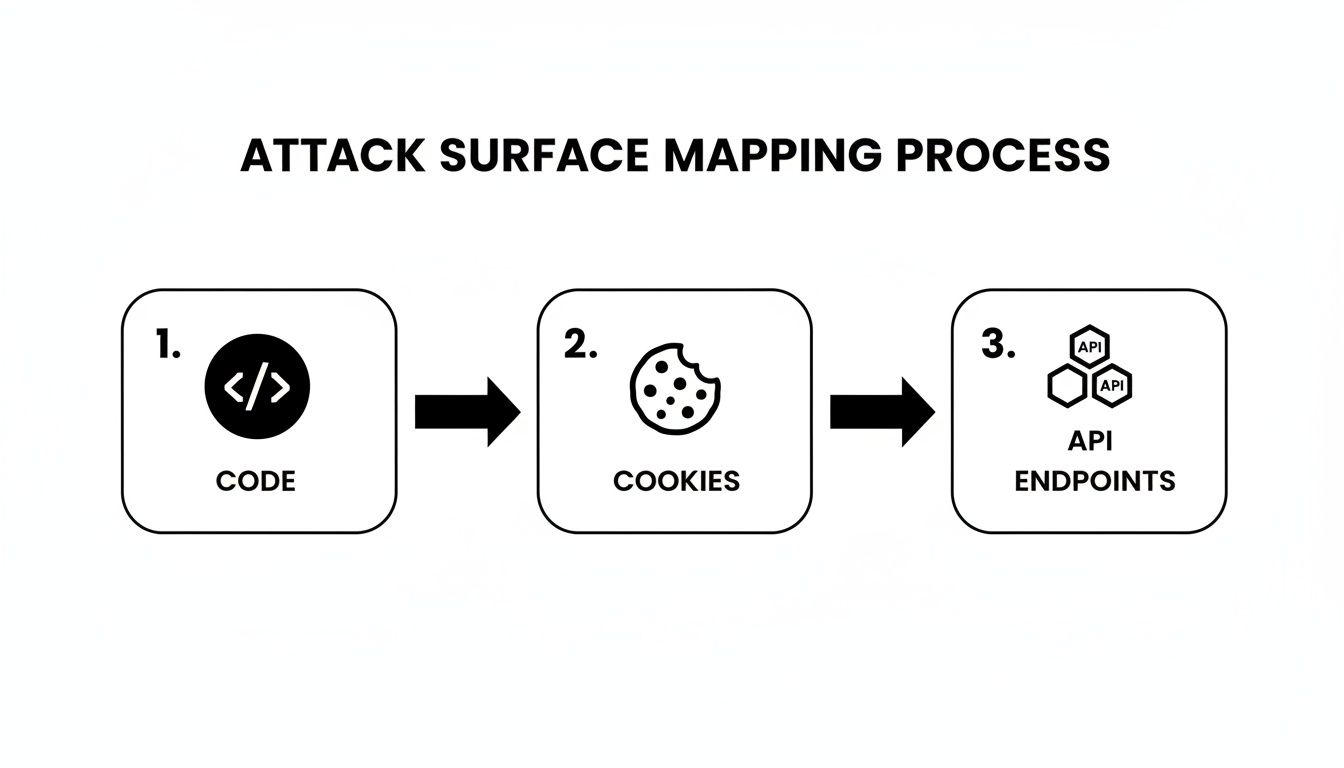
This systematic flow—from inspecting code, to cookies, and finally to API endpoints—ensures you identify every potential injection point before you start firing off tests.
Leveraging Automation for Speed and Scale
While manual testing provides incredible precision, it’s just not practical for checking hundreds or thousands of parameters across a large application. This is where automated tools become absolutely essential. Automation is brilliant at systematically throwing a massive library of known attack payloads at every parameter you’ve found, and it does it far faster than any human ever could.
The undisputed king of tools here is sqlmap. It’s a powerful, open-source penetration testing tool that automates the whole process of detecting and exploiting SQL injection flaws. You can point sqlmap at a specific request, and it will methodically test every single parameter for a huge range of injection types. For example, a single command can test a vulnerable URL: sqlmap -u "http://testphp.vulnweb.com/listproducts.php?cat=1" --dbs. This tells sqlmap to test the URL and try to enumerate the available databases.
Combining Manual Insight with Automated Power
The secret to a truly effective SQL injection test isn’t about choosing one method over the other; it’s about blending them intelligently. I always start with manual probing to find those high-risk areas and really understand how the application reacts to different inputs. Then, I configure automated tools to run comprehensive scans across the entire attack surface based on what I’ve learned.
This combined strategy gives you several key advantages:
- Efficiency: You focus your manual effort on high-value, complex targets and let automation handle the broad, repetitive checks.
- Accuracy: Manually validating what the automated tools find is the best way to eliminate false positives.
- Coverage: You ensure no stone is left unturned, from the most obvious search field to the most obscure HTTP header.
This strategic combination is becoming more critical, especially in the context of emerging regulations. Recent EU data paints a stark picture: for 2025, SQL injection is projected to account for 19.52% of critical and high-severity vulnerabilities—a figure that hasn’t budged since 2024. This is shocking, given how easily dynamic application security testing (DAST) tools can detect these flaws.
You can find more on these trends in the ENISA 2025 Threat Landscape Report. This data reinforces why a robust testing methodology is indispensable, especially when guided by platforms like Regulus for CRA preparation in the ES region. By mastering both manual and automated SQL injection tests, you create a powerful vulnerability management process that stands up to regulatory scrutiny.
Validating Your Findings and Preparing Actionable Fixes
Finding what looks like a SQL injection is a big deal, but your work isn’t done yet. Before you hit the panic button, you have to validate the finding. This is the crucial step that separates real, exploitable threats from false positives, making sure your development team spends their valuable time on genuine problems.
Validation is about more than just triggering an error message or a time delay. You need to prove the vulnerability has a tangible impact. Can you use it to pull data? Can you get past a login screen? Answering these questions confirms the risk and gives you the undeniable proof needed to get a fix prioritised. This process is essential for creating the clear, actionable reports required by regulatory frameworks like the CRA.
A Practical Checklist for Eliminating False Positives
So you have a suspected vulnerability. Your next job is to prove it’s real. Instead of just flagging a database error, you need to demonstrate actual impact. A simple checklist can guide you through this, helping you build a solid case for remediation.
The goal here is a safe, controlled exploit that proves the flaw without causing any actual damage.
- Demonstrate Data Exfiltration: Can you pull a small piece of non-sensitive information, like the database version or the current user? A successful query that returns
version()oruser()is solid proof that you have read access. Example Payload:1' UNION SELECT 1, @@version --might display the database version on the page. - Attempt an Authentication Bypass: On a login form, can a carefully crafted payload like
' OR '1'='1' --get you in as a user without their password? This is a classic, powerful proof-of-concept. Example Payload: Enteringadmin'--in the username field and a random password might log you in as the admin user. - Confirm Second-Order Injection: If you suspect an injection point where a payload is stored now and executed later (like in a user profile field), you’ll need to trigger that secondary action. Get an admin to view the profile, for example, and see if your payload fires. Example Payload: Setting your username to
John Doe' AND (SELECT pg_sleep(5))--. If an admin page that lists usernames hangs for 5 seconds, you’ve confirmed the flaw.
A finding isn’t confirmed until you can demonstrate a clear security impact. A simple database error is an indicator; a successful authentication bypass is proof. That distinction is critical, both for technical accuracy and for getting stakeholders to take you seriously.
Crafting Immediately Actionable Remediation Guidance
Vague advice like “sanitise your inputs” just doesn’t cut it. To genuinely help your development team and live up to the security-by-design principles of the Cyber Resilience Act, you need to provide concrete, actionable fixes. The most effective way to stop SQL injection is by using parameterised queries, often called prepared statements.
This technique creates a fundamental separation between the SQL command and the data supplied by the user. The database compiles the query template first, and then safely slots the user data into the designated placeholders. This design makes it structurally impossible for that data to be misinterpreted as executable code.
Code Examples for Secure Implementations
Providing code examples in the team’s programming language removes all ambiguity and massively speeds up the remediation process. You’re not just describing the solution; you’re showing them exactly what to do. This is how you bridge the gap between a vulnerability report and a secure patch.
Here are a few practical examples showing the wrong (vulnerable) way and the right (secure) way to handle database queries in common languages.
Python Example (with mysql-connector-python)
This example uses placeholders (%s) to safely pass variables into the query, preventing them from being executed.
# VULNERABLE: Direct string formatting
cursor.execute(f"SELECT * FROM users WHERE id = '{user_id}'")

# SECURE: Using parameterised queries
query = "SELECT * FROM users WHERE id = %s"
cursor.execute(query, (user_id,))
Java Example (with JDBC)
In Java, the PreparedStatement object and the question mark (?) placeholder are the gold standard for secure queries.
// VULNERABLE: String concatenation
String query = "SELECT * FROM products WHERE category = '" + category + "'";
Statement stmt = connection.createStatement();
ResultSet rs = stmt.executeQuery(query);

// SECURE: Using a PreparedStatement
String query = "SELECT * FROM products WHERE category = ?";
PreparedStatement pstmt = connection.prepareStatement(query);
pstmt.setString(1, category);
ResultSet rs = pstmt.executeQuery();
By providing these clear, side-by-side examples, you empower developers to get the fix right the first time. This isn’t just about improving security; it’s a valuable teaching moment that strengthens the team’s secure coding practices and helps build a more resilient product over the long term.
A successful SQL injection test doesn’t just end with a technical win. The real value comes when you translate those raw findings into clear, actionable documents that bridge the gap between your engineering and compliance teams. Great reporting is what turns a technical flaw into a business-aligned action item that everyone from developers to the C-suite can understand.
This documentation serves two critical purposes. First, it gives engineers everything they need to roll out a fix. Second, it creates an essential audit trail for regulators. Without this final step, your test results are just isolated data points, not powerful evidence of your due diligence.
Key Components of an Actionable Report
A solid vulnerability report needs to be both concise and comprehensive. The goal is to leave no room for ambiguity, arming every stakeholder with the exact information they need to act.
Your report should always include these core elements:
- Executive Summary: A short, non-technical overview explaining the business impact. For example: “A flaw in the product search API could allow an attacker to access customer order history, posing a significant data privacy risk.”
- Detailed Technical Breakdown: This is where you outline the vulnerability itself. Include the affected endpoint, the vulnerable parameter, and the type of SQL injection you found (e.g., time-based blind).
- Steps to Reproduce: Provide a crystal-clear, numbered list of actions needed to replicate the finding. Be specific and include the exact payloads you used during the test.
- Proof-of-Concept: Show, don’t just tell. Include screenshots or logs that demonstrate the successful exploit, like an authentication bypass or the evidence of a forced time delay.
The most effective reports anticipate the questions that will be asked. They don’t just explain the “what” (the vulnerability), but also the “so what” (the business risk) and the “now what” (the recommended fix). This makes the path to resolution obvious.
Mapping Findings to CRA Obligations
The final, crucial step is to connect your technical findings directly to your regulatory duties. For any product sold in the EU, this means mapping each vulnerability back to the specific requirements of the Cyber Resilience Act.
An SQL injection finding, for instance, is a direct failure to meet the CRA’s secure-by-design principles. When you document the fix, you should explicitly state how implementing parameterised queries closes this specific compliance gap. This builds a powerful narrative for audits, showing a mature cycle of detection, remediation, and compliance verification. Mastering this process is key, and you can learn more about building compliant technical documentation for the CRA in our detailed guide.
Common Questions About SQL Injection Testing
When you start digging into SQL injection testing, a few practical questions almost always come up, especially when technical and compliance teams get in the same room. Getting these sorted early helps make sure your testing is sharp, efficient, and actually helps you hit your security goals. Let’s tackle some of the most common ones I hear.
What’s the Real Difference Between SQLi Types?
One of the first things people ask is about the different flavours of SQL injection. We’ve touched on error-based and blind injections, but what does that mean in practice?
Think of error-based SQLi as the noisy, obvious one. You poke the application with a malicious query, and it shouts back a detailed database error. It’s a dead giveaway that you’ve found a flaw. Blind SQLi, on the other hand, is the silent killer. The application doesn’t give you any useful errors, so you have to get creative, using boolean logic or time delays to slowly piece together whether your injection worked. It’s far stealthier and a lot harder to spot, but every bit as dangerous.
Should I Use Manual Tools or Automated Scanners?
Another big question is always about tooling. Do you go with a hands-on proxy like Burp Suite, or do you let an automated scanner like sqlmap do the heavy lifting?
My answer is always the same: you need both. There’s no substitute for using manual methods to really get a feel for the application’s logic and uncover those tricky, nuanced flaws that scanners might miss. Once you have that context, you can unleash automated tools to handle the brute-force work, giving you broad coverage, fast. A hybrid strategy gives you the best of both worlds—depth and speed.
The right testing frequency really depends on your development pace. A good baseline is to run automated scans with every major code change. Then, schedule a deep-dive manual test quarterly or right before any big release.
How Does This Fit Into Our Compliance Work?
Finally, teams often wonder how SQL injection testing plugs into the bigger compliance picture. It’s not just a technical box-ticking exercise; it’s a critical piece of evidence for regulations like the EU’s Cyber Resilience Act (CRA).
When you properly document your testing methodology, your findings, and how you fixed them, you’re creating proof that you are actively managing your product’s vulnerabilities. This documentation shows a real commitment to secure-by-design principles, which turns a routine security task into a valuable compliance asset. Treating your SQL injection testing as a continuous process—not a one-off event—is how you build a security posture that’s not just strong, but defensible.
A robust SQL injection testing programme is foundational to regulatory readiness. Regulus provides a clear roadmap to unify your technical security efforts with CRA compliance obligations, ensuring your products are secure and market-ready. Confidently place your products on the European market by visiting https://goregulus.com.


