An engineering lead opens the current OTA design and sees the gap immediately. Updates are downloaded over a protected channel, but rollback is manual. The signing key lives in a build server, not hardened key storage. The device can install a bad image and fail in a way that needs physical recovery. User notifications are vague, logs are thin, and documentation is scattered across tickets, wiki pages, and supplier emails.
Under the CRA, that is not just a technical debt problem. It is a market access problem.
For teams shipping software, firmware, and connected hardware into Europe, CRA secure update architecture requirements turn updates into a regulated capability. The update path has to be secure, resilient, explainable, and documented. It has to work across the product lifecycle, not just during launch. It also has to stand up to scrutiny from product security, compliance, quality, and the people compiling the technical file.
Navigating the New Reality of Secure Updates Under the CRA
Most product teams already have some form of update mechanism. That is not the hard part. The hard part is realising that many existing mechanisms were built for convenience, support efficiency, or feature delivery, not for legal defensibility.
A common example is the “good enough” updater. It checks a server, downloads a package, verifies a checksum, and installs on reboot. That may have felt mature a year ago. Under the CRA, it can expose several weaknesses at once. Who signed the package? How is the signing key protected? What happens if power drops halfway through installation? Can the user postpone a functional update without losing core device capability? Can the manufacturer prove what happened on the device afterwards?
Those are architecture questions, not just implementation details.
The practical shift is this. Secure updates are no longer a support function sitting at the edge of the product. They are part of the product’s safety, security, and compliance posture. Teams that still treat updates as an afterthought usually end up patching around design flaws late in the programme, which is expensive and messy.
What changes for engineering and product teams
The CRA pushes update design into core engineering decisions:
- Platform choice matters: A device with no spare partition, weak boot validation, or limited persistent state can be much harder to make reliable.
- Build pipeline design matters: If signing happens informally or outside controlled release flow, evidence quality collapses.
- UX matters: A compliant update process is not just secure. It also has to communicate failures, notifications, and user choices clearly.
- Supplier governance matters: Third-party modules and embedded software have to fit into the same trust model.
A lot of teams need a roadmap before they need another tool. If you are working through prioritisation, this Cyber Resilience Act compliance roadmap is useful for translating legal deadlines into programme milestones.
Practical takeaway: If your current update system depends on manual intervention, undocumented exceptions, or tribal knowledge, assume it needs redesign work.
What works in practice
The strongest programmes do not start with legal text alone. They map the regulation into concrete controls such as signing, validation, rollback, event logging, and release governance. Then they test those controls against realistic failure modes: interrupted download, corrupt package, expired certificate, wrong hardware target, failed first boot, and supplier-delivered component updates.
That is the level where compliance becomes real.
Decoding CRA Mandatory Controls for Secure Updates
The legal text can feel abstract until you translate it into behaviour on a real device. Once you do that, the requirements become more concrete.
The EU Cyber Resilience Act entered into force on December 10, 2024, with main obligations applying from December 11, 2027, giving manufacturers a 36-month transition period. EY’s Practical Reference Architecture for CRA Compliance identifies secure update requirements including REQ_ER4 for a secure and dependable update process and REQ_VH2 for vulnerability handling, with authentication and integrity protection aligned to BSI guidance. ENISA’s standards mapping aligns these requirements with Annex I, and EY notes that failure to comply could affect up to 80% of connected devices placed on the ES market (EY Practical Reference Architecture for CRA Compliance).
That sounds broad. In engineering terms, it comes down to a small set of mandatory controls.
Authenticity, integrity, and availability
Think of the update path like a bank deposit system.
Authenticity answers one question. Did this deposit really come from the bank, or did someone imitate the sender?
Integrity answers the second. Was the package altered after it left the bank vault?
Availability answers the third. Can the deposit reach the account holder when needed, without the process collapsing under normal failure conditions?
For CRA purposes, a compliant update system has to handle all three. Teams often focus only on the middle one. They hash the file and call it secure. That is not enough. A hash can tell you a file changed. It does not tell you whether the sender was authorised. And neither control helps if your delivery and install path can strand devices in a broken state.
Controls that need to exist in the product
A practical baseline usually includes:
- Authenticated update origin: The device verifies that the update was issued by an authorised manufacturer process.
- Integrity validation before install: The device rejects tampered or incomplete packages.
- Dependable installation behaviour: The install path has to fail safely.
- Vulnerability response support: Teams need a repeatable way to ship patches when new weaknesses are discovered.
- User handling rules: The update flow has to support the right balance of automatic security patching, notifications, and user control for non-security functional updates.
- Failure communication: If installation fails, the system needs clear signalling for support, operations, and documentation.
What Zero Trust thinking changes
Many update systems still assume that internal build networks, artefact stores, or device fleets are trustworthy. That assumption creates blind spots. Teams working through update hardening often benefit from broader guidance on how to implement Zero Trust Security because the same principle applies here: every stage of the update chain should verify trust, not inherit it.
A practical example
Take a smart access control device installed in apartment buildings. If it accepts any package fetched from a configured endpoint and only checks a transport-layer connection, the trust boundary is too weak. If the same device verifies a signed manifest, checks the target hardware model, validates package integrity, stages the update, and only commits after a successful reboot and health check, the design is far closer to CRA expectations.
The difference is not cosmetic. It is the difference between “we can update devices” and “we can prove the update path is secure and reliable.”
Architectural Pillars of a CRA-Compliant Update System
A secure update architecture is easier to design when you separate it into pillars. In practice, most failures show up in one of three places: trust creation, delivery, or device-side enforcement.
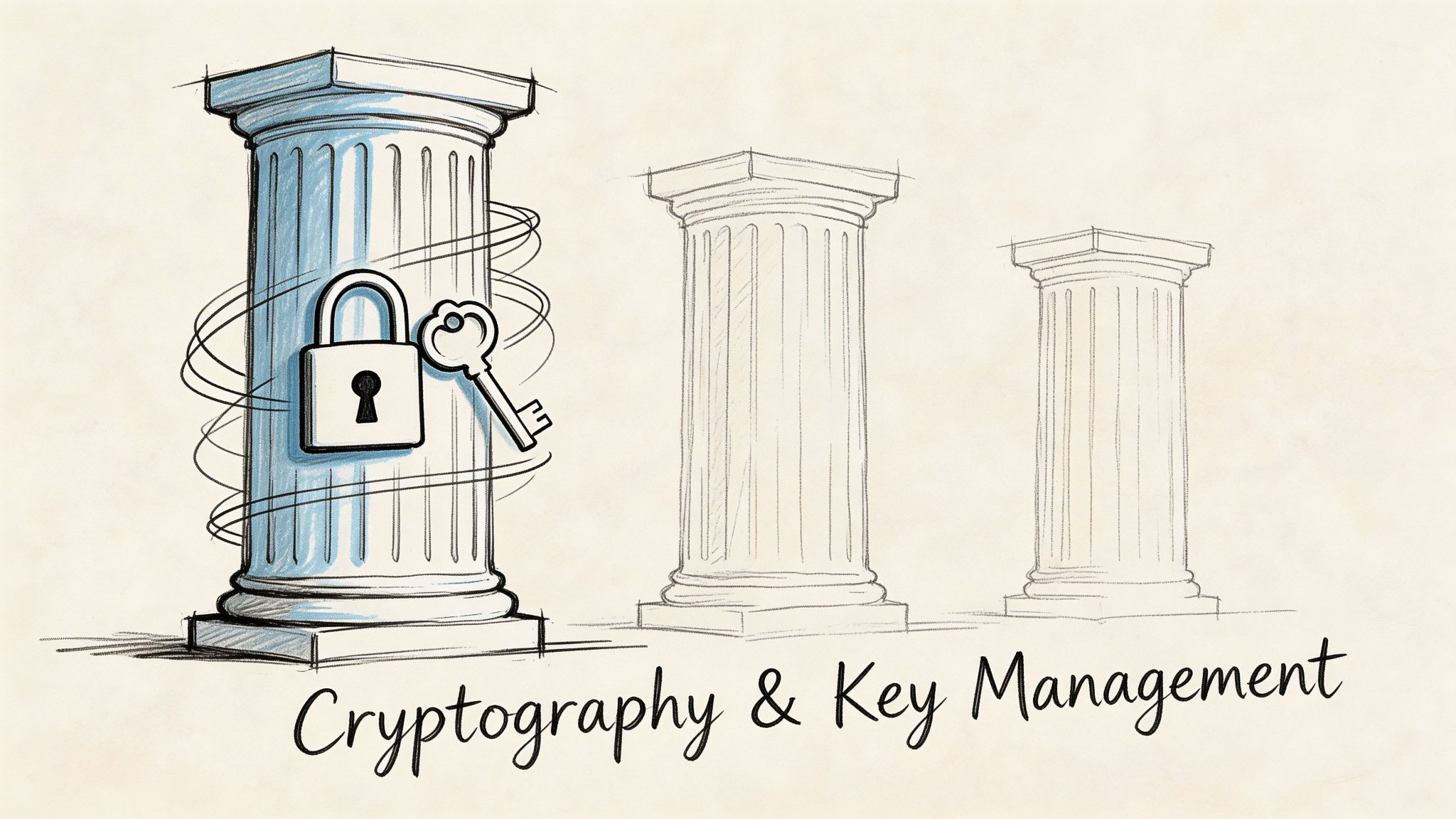
Cryptography and key management
The signing system is the root of trust for the update chain. If it is weak, everything built on top of it is weak too.
A sound design uses a dedicated signing service, controlled approvals, and key protection that is separate from ordinary build infrastructure. The release pipeline produces a build, but a controlled signing process authorises it. The device trusts the signature because it already contains, or securely obtains, the verification material needed to validate the signer.
A practical example helps. A smart thermostat vendor signs production firmware only after release approval. The private signing key is not stored on a developer workstation or in a general-purpose CI runner. The device firmware contains the corresponding public key or trust anchor. When the thermostat receives a package, it validates the signature before it stages anything for boot.
That design supports two important outcomes. First, a compromised delivery server cannot by itself push arbitrary firmware. Second, release governance is easier to evidence.
Teams refining this part of the stack often need to align release controls with secure development practices. This overview of DevOps security best practices is useful when you are tightening CI/CD, artefact integrity, and approval points around signing.
Secure delivery mechanisms
Delivery is where many legacy systems show their age.
Manual methods such as field technician USB updates still exist in industrial and embedded estates. They can have a place in controlled edge cases, but they do not scale cleanly, and they create evidence gaps. The verified CRA reference architecture explicitly treats manual methods such as USB as costly and impractical at scale for ES market compliance.
What works better is an organised delivery tier:
| Delivery approach | Where it fits | Main concern |
|---|---|---|
| OTA from managed update service | Broad fleet rollout | Needs strong device authentication and package validation |
| CDN-backed artefact delivery | Large distributed fleets | Requires careful cache control and signed content |
| Local gateway-mediated updates | Segmented or intermittent environments | Trust handoff between gateway and endpoint must be explicit |
| Manual media-based update | Exceptional recovery or isolated estates | Hard to scale, hard to audit consistently |
The delivery service should not be the final trust decision-maker. Its job is to move packages reliably. The device still needs to verify what it receives.
On-device verification and state control
The device is the last gatekeeper. At this stage, many architectures either become resilient or become fragile.
A compliant design usually needs:
- Manifest checking: Confirm model, version, compatibility rules, and dependency conditions.
- Signature verification: Validate before install, not after.
- Secure boot integration: Ensure the newly installed image remains trusted at boot time.
- State tracking: Record what was attempted, what succeeded, and what failed.
- Rollback logic: Recover automatically when a new image cannot boot or fails early health checks.
For teams treating CRA work as part of a broader lifecycle effort, the link between update architecture and secure engineering process matters. This guide on CRA secure development lifecycle SDL is useful because update compliance usually fails when release engineering, product security, and field operations are designed in isolation.
Tip: Do not let the server decide install success. The device should report success only after verification, activation, and post-boot health checks.
Implementing Common Update Patterns and Avoiding Pitfalls
Two update patterns come up repeatedly in products that need a practical path to CRA alignment. Both can work. Both can fail badly when implemented lazily.
A/B partition updates
This is the cleaner pattern when device storage and bootloader capabilities support it.
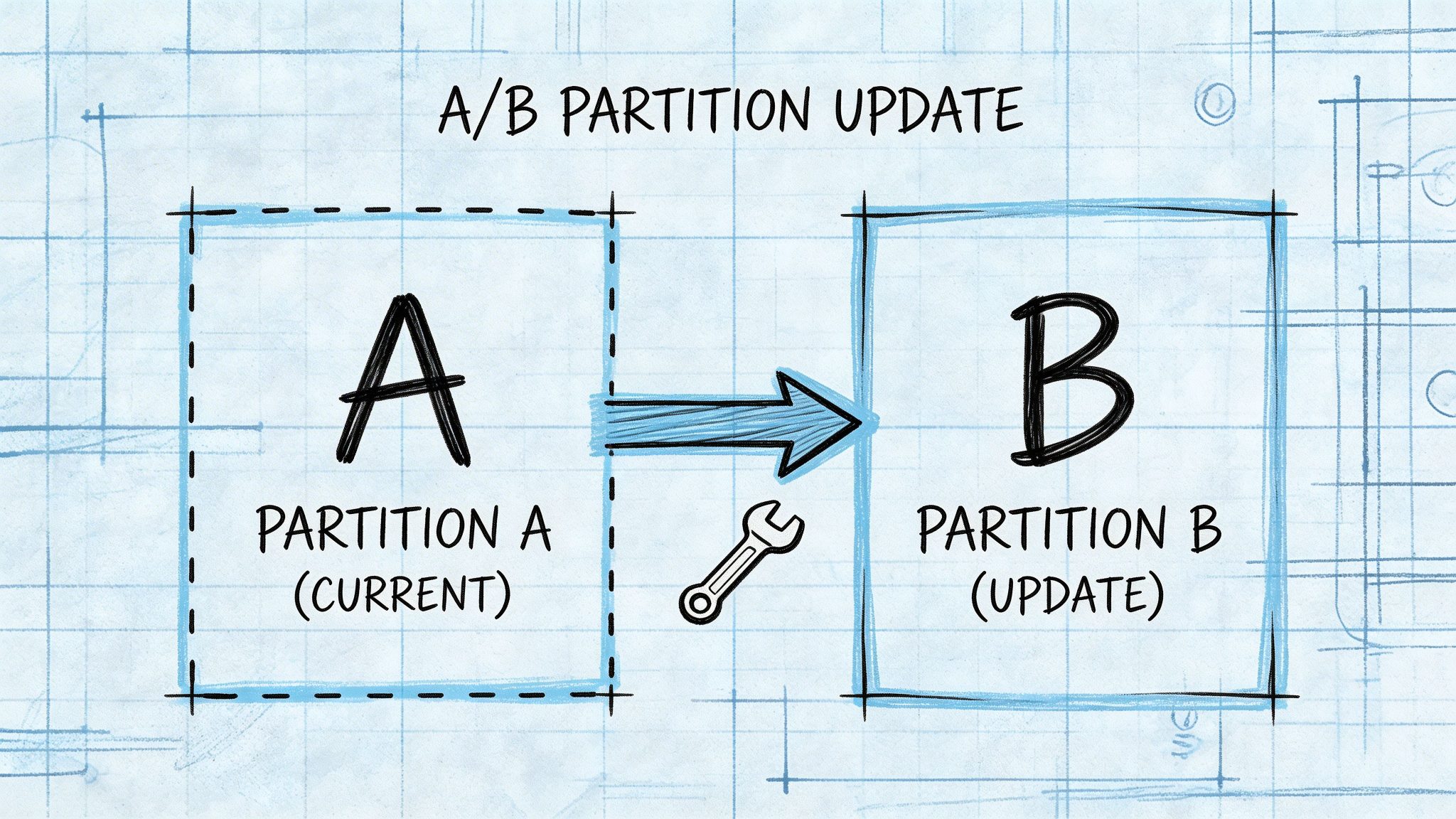
The device keeps two system slots. One is active. The other is inactive. The update is written to the inactive slot, verified, and then selected for the next boot. If the new slot boots successfully and passes health checks, it becomes the new active system. If it fails, the device reverts.
A smart TV is an easy example. The television runs from partition A while it downloads and writes the new image to partition B. After reboot, it tries B. If boot-time integrity checks fail or the application stack does not reach a healthy state, the bootloader falls back to A.
Why this pattern is strong:
- Atomic behaviour: The current running system is not overwritten mid-install.
- Fast rollback: The previous image remains intact.
- Clear state model: You can track active, candidate, boot pending, confirmed, and reverted states.
Where teams go wrong is assuming that having two partitions automatically means safe updates. It does not. You still need resilient state transitions, secure boot alignment, and confirmation logic after reboot. Otherwise, the device can bounce between slots or commit a broken image.
Package-based updates
Package-based models update selected components instead of replacing a full system image.
This can work well in more modular devices such as industrial gateways, advanced networking appliances, or products with separable applications, runtimes, and OS components. A package manager or orchestrator handles component versions and dependencies.
The advantage is precision. If a vulnerability is isolated to one user-space service, you may not need to replace the whole firmware image. The downside is complexity. Dependency handling becomes harder. Partial success becomes a real issue. Rollback logic often needs to operate per component and at system level.
A connected point-of-sale terminal is a good example. The base OS, payment application, connectivity stack, and device management agent may all update independently. That flexibility is useful, but the trust model has to be tighter because multiple components can affect system safety and compliance.
Side-by-side comparison
| Pattern | Best fit | Strength | Typical weakness |
|---|---|---|---|
| A/B partition | Embedded firmware and appliance-style devices | Strong rollback and atomic install | Storage overhead and bootloader complexity |
| Package-based | Modular Linux devices and multi-service products | Granular remediation | Dependency and rollback complexity |
Pitfalls that regularly break compliance
A lot of update programmes fail for ordinary reasons, not exotic attacks.
- Hardcoded server assumptions: Devices tied to a single unchangeable endpoint become brittle during certificate changes, service migration, or incident response.
- Weak crypto lifecycle practice: Good algorithms on paper do not help if keys are poorly stored, rotated informally, or impossible to revoke cleanly.
- Rollback that exists only in slides: Many teams claim effective support but have never tested it under failed boot, interrupted power, corrupt storage, or version incompatibility.
- No user-facing clarity: If the device can defer updates, users need understandable notifications and consequences, especially when distinguishing security updates from non-security functional ones.
- Missing hardware targeting checks: Installing the right package on the wrong board variant is a classic avoidable failure.
- Ignoring component suppliers: An update architecture is not compliant if upstream modules arrive as opaque blobs with no trustworthy provenance.
What works better in the field
The most reliable designs use a signed manifest that contains package identity, version, target model rules, and install conditions. The device validates the manifest first, then the payload, then stages installation. It records every decision point.
For documentation-heavy programmes, one practical option is Regulus, which provides requirement mapping and Annex II and Annex VII documentation structure for CRA work, including update-process evidence planning. It is useful when engineering teams need to connect implementation decisions to the technical file without maintaining that mapping manually.
Key check: If you cannot simulate a failed install in a test lab and show exactly how the device recovers, the rollback design is not mature enough.
Logging Evidence and Documenting for Annex II and VII
A secure update process without evidence is hard to defend. Auditors and internal reviewers will not infer control quality from architecture diagrams alone. They will ask what happened, when it happened, how the device decided, and what records prove that decision.
For update compliance, logging has to serve two jobs at once. It supports operations during incidents and it supports the technical documentation that underpins conformity work.
What to log
The useful event set is broader than “update succeeded” and “update failed”.
Capture events around the full lifecycle:
- Availability checks: When the device checked for updates and what was offered.
- User decision points: Whether the user accepted, postponed, or declined a non-security functional update where that control exists.
- Validation steps: Signature verification result, manifest check result, compatibility result.
- Installation actions: Download start, download complete, staging, install start, install complete.
- Boot outcome: First boot into new image, health check pass, health check fail.
- Recovery behaviour: Rollback trigger, rollback complete, return to previous version.
- Communication events: User notification displayed, failure message generated, support telemetry emitted.
A good log tells a story in sequence. A bad log produces isolated fragments that no one can reconstruct later.
How to make logs useful as evidence
Structure matters more than teams expect.
Each event should be tied to a device identifier, software version, event time, result, and reason code. If validation fails, record why. If rollback happens, record the trigger. If the device postpones installation because of power or state conditions, log that too. These entries become far more useful when they map directly to specific Annex I requirements and to the technical file.
This guide on CRA logging and monitoring requirements is a practical reference when teams need to define the event catalogue and evidence model rather than just “turn on logging”.
Mapping update events to CRA requirements and evidence
| Update Event Scenario | Relevant CRA Requirement (Annex I) | Required Log Evidence Example |
|---|---|---|
| Device receives update metadata | Secure and dependable update process | Event showing manifest receipt, offered version, target compatibility check initiated |
| Signature validation fails | Authentication and integrity protection | Event showing failed signature check, package identifier, rejection reason |
| User postpones non-security functional update | User-controllable update behaviour | Event showing user postponement action, affected package type, postponement state |
| Security patch installs automatically | Vulnerability handling and update delivery | Event showing patch classification, install trigger, result status |
| Device fails first boot after update | Failure handling and resilient install process | Event showing boot failure, health check outcome, rollback decision |
| Rollback completes successfully | Fail-safe recovery and continuity | Event showing previous version restored, boot success after rollback |
| Failure message shown to user | Failure communication | Event showing user notification generated, message class, timestamp |
Annex II and Annex VII documentation habits that help
Teams usually struggle less with logging than with packaging the evidence into the technical file.
Three habits make a big difference:
- Keep a control-to-evidence matrix. For each update requirement, note which artefacts prove it. That can include design docs, test cases, logs, release approvals, and user instructions.
- Store representative event samples. You do not need to dump raw fleet telemetry into the technical file. You do need clear examples of normal update flow, failed validation, and rollback behaviour.
- Version your documentation with the product. If the update process changes, the technical narrative and supporting evidence should change with it.
Practical rule: If support, engineering, and compliance each maintain different names for the same update state, your evidence set will become inconsistent.
Defining Roles and Responsibilities Across the Supply Chain
Many products do not come from one engineering team. They come from a chain of firmware providers, module vendors, cloud teams, contract manufacturers, importers, and distributors. The CRA does not remove that complexity. It forces you to govern it.
The cleanest way to think about this is to follow the update trust chain from upstream component to end device.
Final product manufacturer responsibility
The final manufacturer owns the overall architecture.
That includes selecting the trust model, defining how updates are signed, deciding how device-side verification works, integrating supplier components, and ensuring the final product can satisfy update and vulnerability handling obligations across its supported life. The final manufacturer also owns the technical file and the coherence of the evidence inside it.
In practice, this means the manufacturer cannot shrug and say, “the Wi-Fi module vendor handles their own updates”. If that module affects the security posture of the finished product, the update path still needs to fit the product’s overall compliance design.
Manufacturers working through this accountability model often need a clearer legal-operational translation. This overview of CRA manufacturer obligations is useful because it ties role-based obligations back to product decisions.
Component supplier responsibility
Suppliers have a narrower but still important role.
A component vendor should be able to provide trustworthy software or firmware updates for its module, along with enough technical information for the final manufacturer to assess provenance, integration requirements, and compatibility risks. If a supplier update arrives unsigned, undocumented, or outside a managed release process, the final manufacturer inherits that risk.
A connected coffee machine is a straightforward example. The machine includes a touchscreen module, a Wi-Fi chipset, and a payment add-on from different vendors. If the Wi-Fi supplier issues a firmware fix, the coffee machine manufacturer should not inject it into production blindly. The package needs validation, target compatibility assessment, and integration testing inside the final product context.
Importers and distributors
Importers and distributors do not typically redesign the update mechanism, but they still have due diligence obligations before placing products on the market.
From a practical standpoint, they should verify that the manufacturer has the expected conformity process, documentation, and update handling arrangements in place. If a product reaches market with a visibly immature or undocumented update model, commercial actors downstream are exposed as well.
What governance looks like in a real programme
The most effective supply-chain arrangements usually define:
- Who signs what: Final build, component package, manifest, and release notes.
- Who approves release: Engineering, security, quality, and product owner roles.
- Who handles vulnerability-triggered updates: Internal PSIRT, supplier, or both.
- Who maintains evidence: Technical file owner, system architect, or compliance function.
- Who decides field deployment rules: Operations, customer success, product, or safety team.
Without that governance, update architecture becomes a patchwork of assumptions. That is exactly where failures surface during audits and incident response.
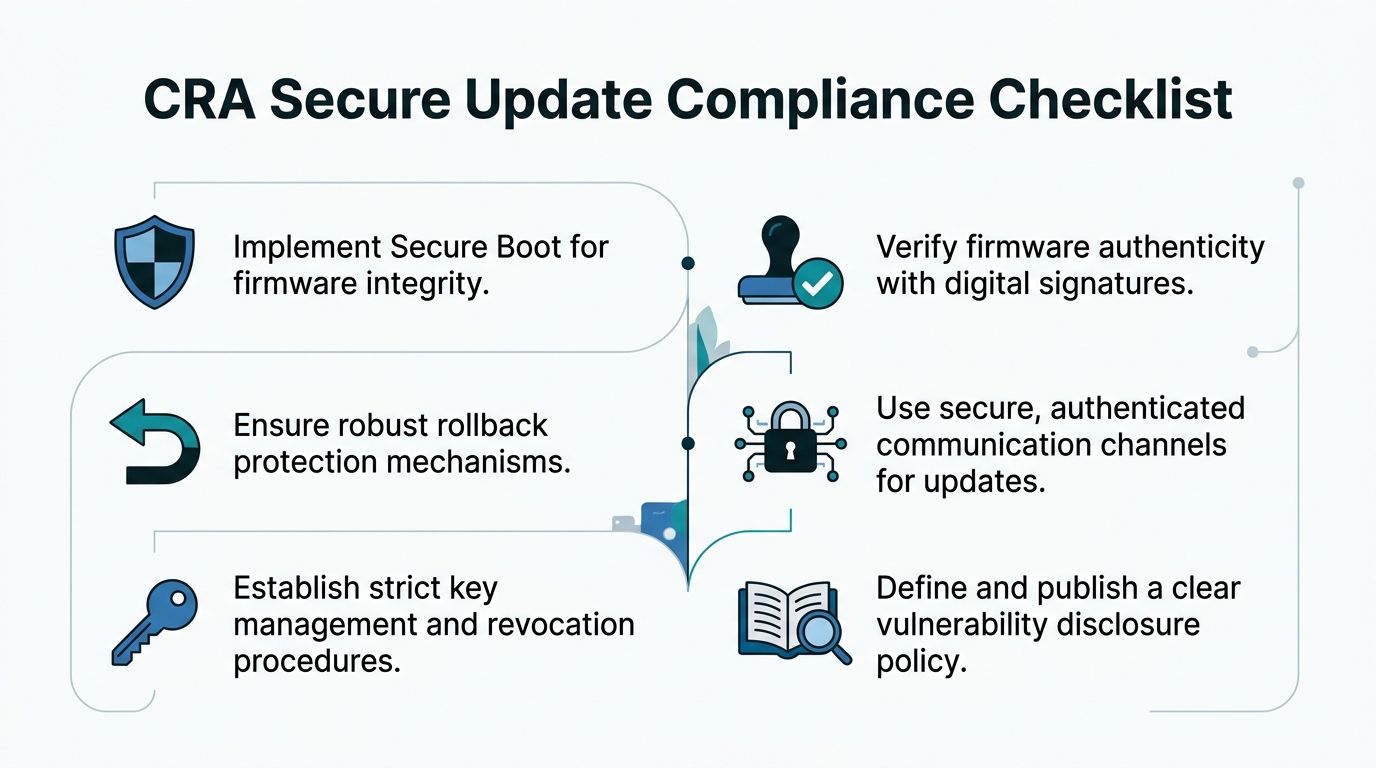
Your Practical CRA Secure Update Compliance Checklist
A solid update design is easier to review when the checklist is operational rather than theoretical. The fastest way to expose gaps is to ask whether the product can do the thing, whether the organisation can prove it, and whether the evidence is ready for Annex II and Annex VII.
Design and architecture checks
Start with the product itself.
- Trust anchor defined: The device has a clear trust model for update verification.
- Signing architecture documented: Private signing operations are controlled and separated from ordinary build activity.
- Device validation path implemented: The product verifies manifest, package, and target compatibility before install.
- Secure boot aligned: Boot-time trust extends the update trust model after installation.
- Rollback strategy chosen: The product has a real recovery design, such as A/B or another tested fail-safe mechanism.
- User control logic defined: Non-security functional updates can be postponed where required without breaking device functionality.
Implementation and verification checks
Now look at behaviour under stress, not just happy-path demos.
- Interrupted update tested: The device can survive loss of power, lost connectivity, or partial download without ending in an unrecoverable state.
- Wrong-package rejection tested: Hardware variants, unsupported versions, and incompatible dependencies are blocked reliably.
- Signature failure tested: Invalid or tampered packages are rejected and logged.
- Rollback tested in practice: The mechanism has been exercised on real hardware, not only simulated.
- Health confirmation implemented: A newly installed image is not treated as successful until boot and post-boot checks confirm it.
- Failure communication verified: Users and operators receive understandable signals when an update fails or is postponed.
Process and documentation checks
A strong system still fails compliance if no one can evidence it.
- Release approvals recorded: Each software release has traceable approval and signing records.
- Event catalogue defined: Logging covers availability checks, validation, install actions, boot outcome, rollback, and user notices.
- Evidence mapping maintained: Each update control is linked to a design artefact, test artefact, and operational record.
- Supplier update process governed: Third-party components are integrated through a controlled trust and validation model.
- User documentation prepared: Instructions explain how updates happen and what choices the user has where applicable.
- Post-market workflow connected: Vulnerability discovery feeds update creation, deployment, and evidence capture.
Quick review questions for leadership teams
Senior teams usually do not need the implementation detail first. They need clear risk questions:
| Question | What a strong answer sounds like |
|---|---|
| Can we prove only authorised updates install? | We sign releases through a controlled process and devices verify before install and boot |
| Can devices recover from failed updates? | Yes, with tested rollback or equivalent fail-safe recovery on target hardware |
| Can we explain user choices and defaults? | Yes, the product behaviour and user instructions are documented and consistent |
| Can we evidence update behaviour? | Yes, logs, test artefacts, and release records map to the technical file |
| Can we manage supplier-delivered updates? | Yes, upstream components enter the same validation and governance model |
The checklist is useful because it forces technical, compliance, and product teams to answer the same questions in the same language. That is where many CRA programmes become manageable.
Regulus can help teams turn this checklist into an auditable compliance workflow. The platform maps CRA obligations by product and supply-chain role, structures evidence for Annex II and Annex VII, and helps manufacturers organise update-process requirements, documentation, and vulnerability-handling work without relying on scattered spreadsheets.